
If your body hurts, your desk feels cramped, and your monitor sits too low, all three upgrades can sound necessary. The real job is figuring out which problem is limiting the setup first.

Image source: Pexels.
This question gets expensive fast because all three upgrades can look like the obvious fix at the same time.
The chair feels bad, so the chair becomes the suspect. The desk feels cramped, so a bigger desk starts looking inevitable. The monitor is crowding the whole surface, so a monitor arm starts sounding like the elegant answer.
Sometimes any one of those is right. The problem is that they do not solve the same kind of failure.
A better chair improves body support. A bigger desk restores workflow space. A monitor arm fixes screen placement and recovers usable depth.
So the smartest first buy is not the one that sounds most impressive. It is the one that removes the biggest daily compromise.
Mayo Clinic, OSHA, and CCOHS all keep pointing back to the same workstation basics: your feet need support, your shoulders should stay relaxed, the monitor needs to sit at a workable height and distance, and the desk still has to leave enough room for the screen, keyboard, mouse, and your body. This article is the buying-order version of that logic.
If I had to reduce the whole decision to one rule, it would be this: buy a better chair first if your body never really settles, buy a bigger desk first if the whole workflow is physically colliding, and buy a monitor arm first if the desk is basically workable but the monitor stand is stealing the space that should belong to your hands.
That is the real split.
The chair solves support. The desk solves capacity. The monitor arm solves placement.
If the first thing you notice is dangling feet, pressure behind the thighs, lower-back fatigue, a chair that never lets you sit fully back, or shoulders rising because the chair only works at a bad height, start with the chair side of the equation.
That does not always mean the current chair is cheap or low quality.
It means the body is not landing properly in the workstation.
And if that is still true, a bigger desk or a monitor arm usually just makes the same bad sitting position more spacious.
That is why a chair should be the first move when body support is the main complaint, the setup feels physically wrong before it feels visually crowded, and the desk would probably be workable if the sitting position were better.
If that sounds like your setup, go next to Why your expensive ergonomic chair still feels wrong, Ergonomic chair settings that actually improve comfort, and What to do when your desk and chair height don't match.
This is the easiest one to misread.
People often buy a monitor arm because the desk feels cramped.
But sometimes the desk is not cramped because the screen stand is bulky.
Sometimes the desk is cramped because the desk is just too small for the workflow.
That usually looks like the monitor already being as far back as it can realistically go, the keyboard living at the front edge, the mouse constantly losing its zone, a notebook or laptop only fitting by overlapping something else, and every improvement needing another workaround to make room.
At that point, a bigger desk is often the honest first upgrade.
A chair cannot create space. A monitor arm can recover some space, but it cannot turn a fundamentally undersized surface into the right surface.
This is the right call when the desk is too shallow or too narrow for the actual work, the setup keeps needing rescue accessories, and the whole surface feels like a constant negotiation.
If that is the pattern, start with 7 questions to ask before buying a desk for a small room and Why your small desk setup still feels cramped.
This is where the monitor arm wins honestly.
Not because it is automatically the fanciest choice.
Because it solves a specific bottleneck well: the monitor stand eats depth, the screen cannot sit far enough back, the monitor height is hard to fine-tune, and the keyboard gets pushed forward by the stand footprint.
If the desk is almost good enough and the screen is the thing warping the whole front-to-back layout, a monitor arm is often the highest-leverage first fix.
That is the right call when the desk would feel calmer if the monitor stand disappeared, the screen distance is the real issue rather than overall desk width, and you need more placement control instead of more furniture.
This is also the strongest case for an arm on small desks: recovering usable depth can matter more than adding another inch of width.
If this is the likely fix, Monitor arm vs monitor riser: which is better for posture? and Monitor arms that work on small desks are the right next reads.
This matters as much as the “buy this first” logic.
I would not buy a better chair first if the current chair is not great but the real daily problem is that the desk is too small for the workflow, the monitor is too close and forcing the whole layout forward, or the keyboard and mouse zone is cramped because the surface itself is undersized.
I would not buy a bigger desk first if your body still never settles in the chair, the desk is workable enough but the monitor stand is clearly the main space thief, or the real problem is a desk-chair mismatch that a larger surface would not solve cleanly.
I would not buy a monitor arm first if the desk is already obviously too small overall, the chair fit is still bad enough that you cannot tell what a better screen position would even fix, or the desk edge, screen, or budget makes an arm a workaround instead of the real answer.
That is usually where money gets wasted: buying a plausible fix before identifying what category of problem you actually have.
If you want a fast read, use this:
Your feet, thighs, back, or shoulders are the first thing to complain, the current chair never feels right even before you think about surface space, and better support would probably improve the whole setup.
Every object is competing for survival on the same plane, the keyboard, mouse, and screen cannot all live where they should, and the setup keeps asking for rescue hardware just to become usable.
The desk is almost workable, the monitor stand is the main reason it does not feel workable, and recovering depth would calm the whole layout.
That is the cleanest version of the decision.
This is why this article pairs so well with What should you upgrade first if you only have $300 to improve your setup?.
Limited budgets punish the wrong first move.
If you buy the wrong category first, the chair may feel slightly nicer while the desk still fails, the desk may get bigger while the body still feels unsupported, or the monitor arm may free some space while the chair and desk still disagree fundamentally.
That is why the best first upgrade is not always the most ambitious one.
It is the one that removes the core bottleneck first.
If you are deciding between a better chair, a bigger desk, or a monitor arm first, choose the chair when the body never settles, choose the desk when the whole workflow is physically too crowded, and choose the monitor arm when the desk is mostly workable but the screen stand is stealing the space that matters most.
That is the most honest buying order.
The better first purchase is not the one with the strongest marketing story.
It is the one that removes the one constraint the rest of the setup keeps compensating around.

Most setup regrets start with a purchase that sounded reasonable and solved the wrong problem. The pattern matters more than the product category.
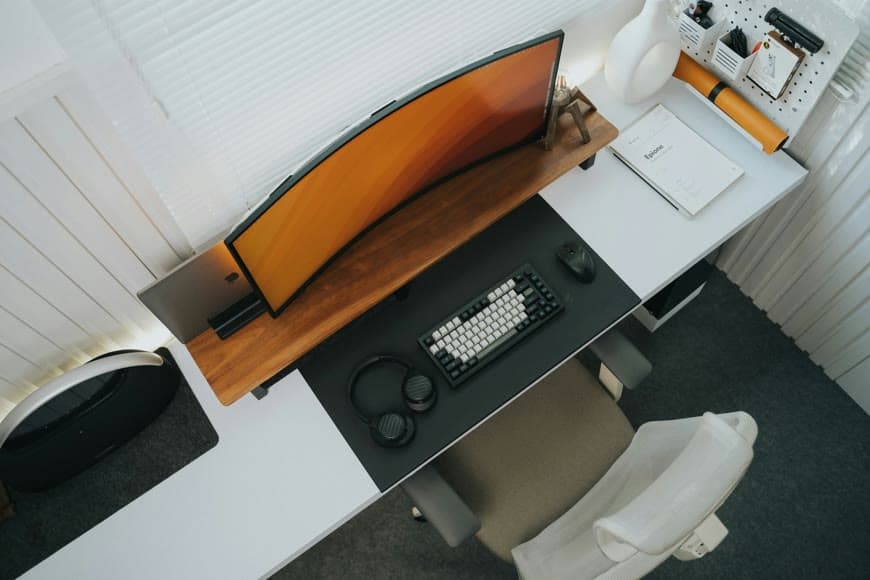
Premium setups usually feel restrained before they feel expensive. The difference usually comes from a few details that create that effect and the discipline to skip the rest.