
With only $300, the wrong upgrade disappears fast. Put that money toward fit, space, or the one change that improves the whole setup most.
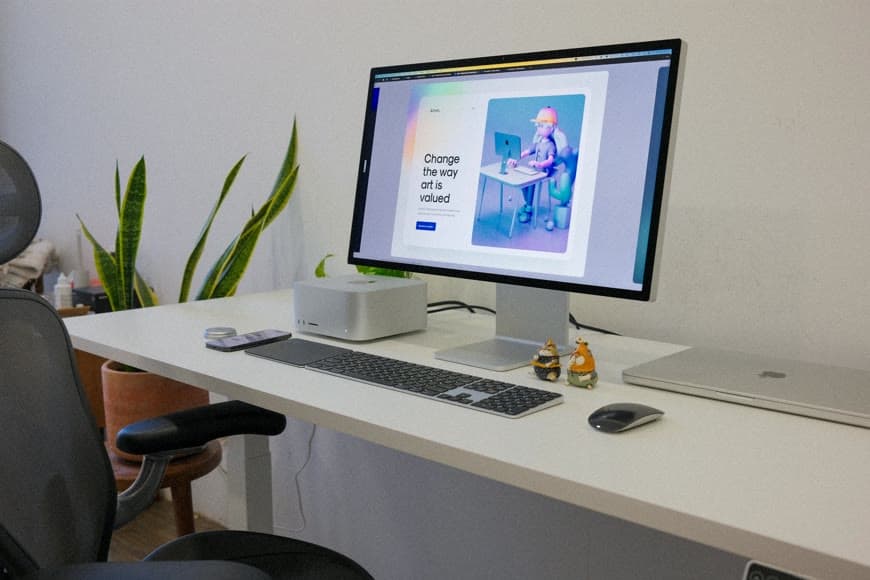
Image source: Pexels.
Three hundred dollars is enough to improve a setup in a real way.
What it is not enough to do is improve everything at once, and that is where people usually lose the money.
They spread it across a nicer lamp, a riser, a cable tray, a desk mat, and a stand, then end up with a setup that looks slightly more finished but still does not feel meaningfully better to use.
The better move is to treat $300 like a priority test.
Not:
what can I buy with this?
But:
what single thing is making the rest of the setup harder than it needs to be?
Mayo Clinic, OSHA, Cornell, and CCOHS all point back to the same workstation basics: the body needs support first, the screen needs to sit in a usable place, the keyboard and mouse need a calm reach zone, and the desk still has to support the real workflow. The spending order in this guide is the editorial version of that logic.
If you only have $300, the best first upgrade is usually the thing forcing the biggest daily compromise, the thing blocking the rest of the setup from working properly, and very often not the accessory category that looks easiest to buy.
In practice, that means chair fit first if your body is not landing properly, monitor-position support first if the screen placement is warping the whole desk, desk replacement or desk savings first if the surface is physically too small, and lighting, cable management, or visual polish only after the foundation is already believable.
That is the real rule:
do not split $300 across five low-impact fixes if one structural fix is still dominating the experience.
This is the highest-leverage category for most people.
If the setup is creating dangling feet, thigh pressure, a chair that never really supports your back, shoulders that rise just to reach the desk, or a typing position that only works if you perch forward, then the first money should go toward body support, not polish.
That does not always mean buying a brand-new chair immediately.
Sometimes the higher-value first spend is a footrest, a more workable chair, a simpler chair that fits the desk better, or solving the desk-chair mismatch before buying anything decorative.
If the workstation is physically wrong at this level, the rest of the budget tends to get wasted around it.
This is where What to do when your desk and chair height don't match, Ergonomic chair settings that actually improve comfort, and Why your expensive ergonomic chair still feels wrong matter more than one more desktop purchase.
Some setups are not uncomfortable because the room is small.
They are uncomfortable because the screen is in the wrong place and everything else is compensating around it.
That usually looks like the monitor sitting too close, the keyboard living at the desk edge, the desk feeling smaller than it really is, and the whole surface being arranged to survive the screen instead of work naturally.
If that is the setup, the first upgrade may be a monitor arm, a riser, a laptop stand plus external keyboard and mouse, or simply a better way to get the screen back and the hands down.
This is a much better use of a limited budget than buying multiple small accessories that leave the screen problem untouched.
If this is the real bottleneck, pair this article with How far should a monitor be from your eyes on a small desk?, How high should your monitor be for good posture?, and Monitor arm vs monitor riser: which is better for posture?.
This is the hardest advice to follow because it feels less fun.
But it saves the most money.
If the desk is too shallow for proper monitor distance, too narrow for your real workflow, too cramped to hold the keyboard-and-mouse zone calmly, or constantly rescued by organizers, trays, or stands, then the best use of $300 may be spending part of it on a temporary high-impact fix and saving the rest for a real desk change.
That is still a better decision than burning the whole budget on accessories that only make the desk slightly less annoying.
Sometimes the best first upgrade is not “buy more now.”
It is:
stop accessorizing around a desk that is still the real limitation.
That is exactly where 7 questions to ask before buying a desk for a small room and Why your small desk setup still feels cramped help more than another product page.
This is the point where smaller upgrades finally start making sense.
If the chair-body fit is believable, the screen is close to right, and the desk can support the work, then a smaller budget can go a long way.
That might mean better lighting, cleaner cable management, a calmer laptop position, a single storage fix that clears the main working zone, or one aesthetic improvement that makes the desk feel more intentional.
The important part is that these only work well once the foundation is already solid enough not to fight them.
That is why Why more desk accessories rarely fix the real problem is such an important companion here. Once you know the real problem is not structural, then the small upgrade becomes much smarter.
If you want a more practical way to think about it, divide the budget like this:
$0 to $50Do the no-spend reset first: move the monitor, clear the center zone, check chair height, look under the desk, and remove two permanent objects before buying one more.
If one small purchase would clearly solve the biggest leftover problem, this is the range for a footrest, a laptop stand, one cable-management fix, or one lighting fix.
$50 to $150This is the range for a single targeted fix that changes how the setup behaves: a monitor support solution, input-positioning help, a more believable lighting solution, or one product that clears a real surface or body-position problem.
This range gets wasted fast when you spread it around.
$150 to $300This is where you should think structurally.
Use it for the chair if the current one fundamentally does not fit, the beginning of a desk replacement if the surface is the real blocker, or one major fix that removes a daily compromise instead of decorating around it.
What I would not do in this range is buy a pile of medium-interest upgrades just because the budget technically allows it.
$300This is the trap list.
If you only have a limited upgrade budget, avoid buying three or four accessories before you know the main bottleneck, spending on visual polish while the chair and desk still fight each other, buying a premium accessory to rescue a desk that is obviously too small, assuming the biggest brand-name item will automatically be the best first fix, or spending the whole budget because it is available instead of because the setup earned the purchase.
Limited budgets work best when they are used decisively.
If you want one quick way to choose, use this: if your body feels wrong first, spend on support and fit; if the screen warps the whole desk, spend on monitor position; if the desk keeps running out of room, save or spend toward the desk; and if the setup already works but feels messy or unfinished, spend on one cleanup or lighting fix.
That is a much better decision rule than:
what is the coolest thing I can afford right now?
If you only have $300 to improve your setup, the best first upgrade is the one that removes the biggest daily compromise.
Usually that means body support before polish, screen support before decoration, desk honesty before accessory stacking, and one meaningful fix before a scattered shopping list.
That is how a limited budget actually changes the way a setup feels.
And if the setup is still structurally wrong after that, the smartest move may be using the money to buy time and clarity, not trying to force the whole room to feel finished in one round.

Most setup regrets start with a purchase that sounded reasonable and solved the wrong problem. The pattern matters more than the product category.
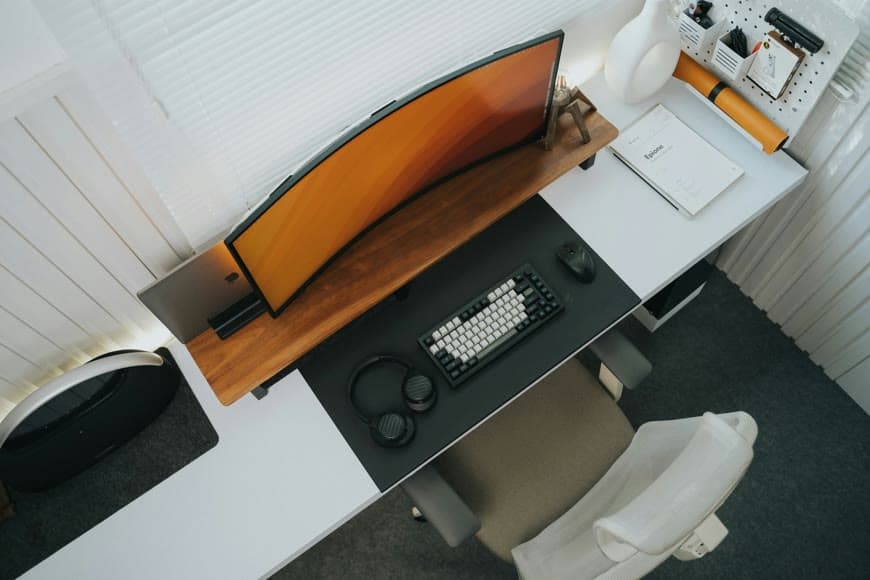
Premium setups usually feel restrained before they feel expensive. The difference usually comes from a few details that create that effect and the discipline to skip the rest.