
Not every monitor light bar is trying to solve the same problem.
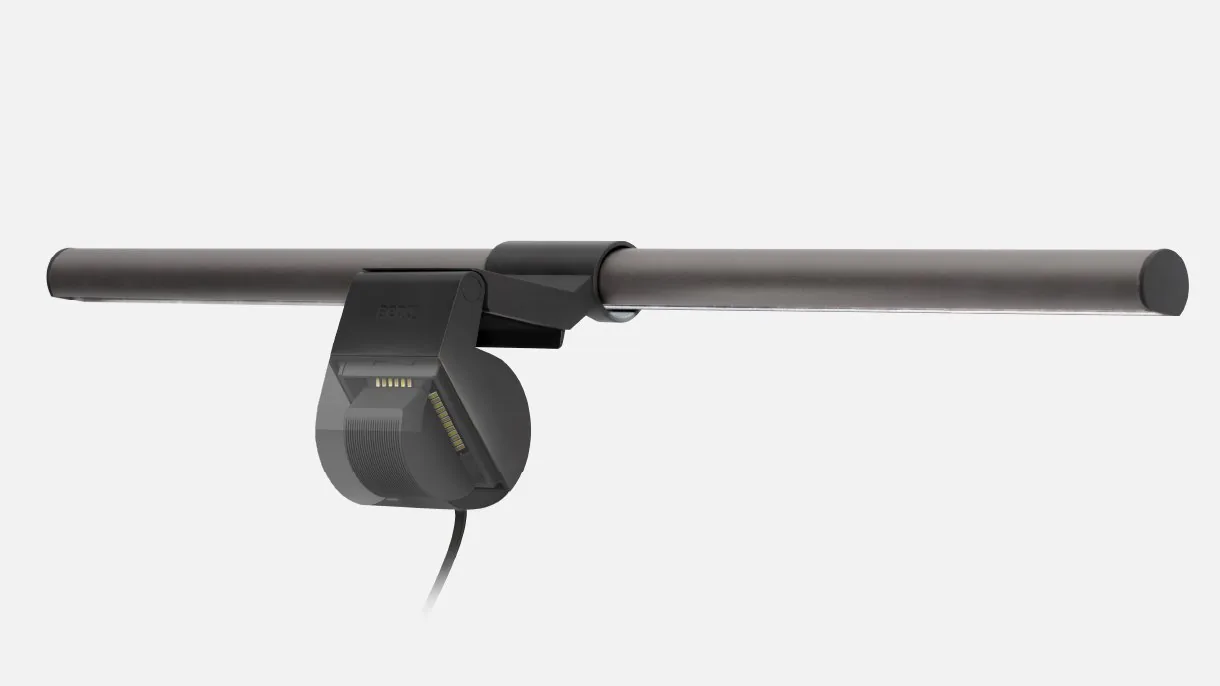
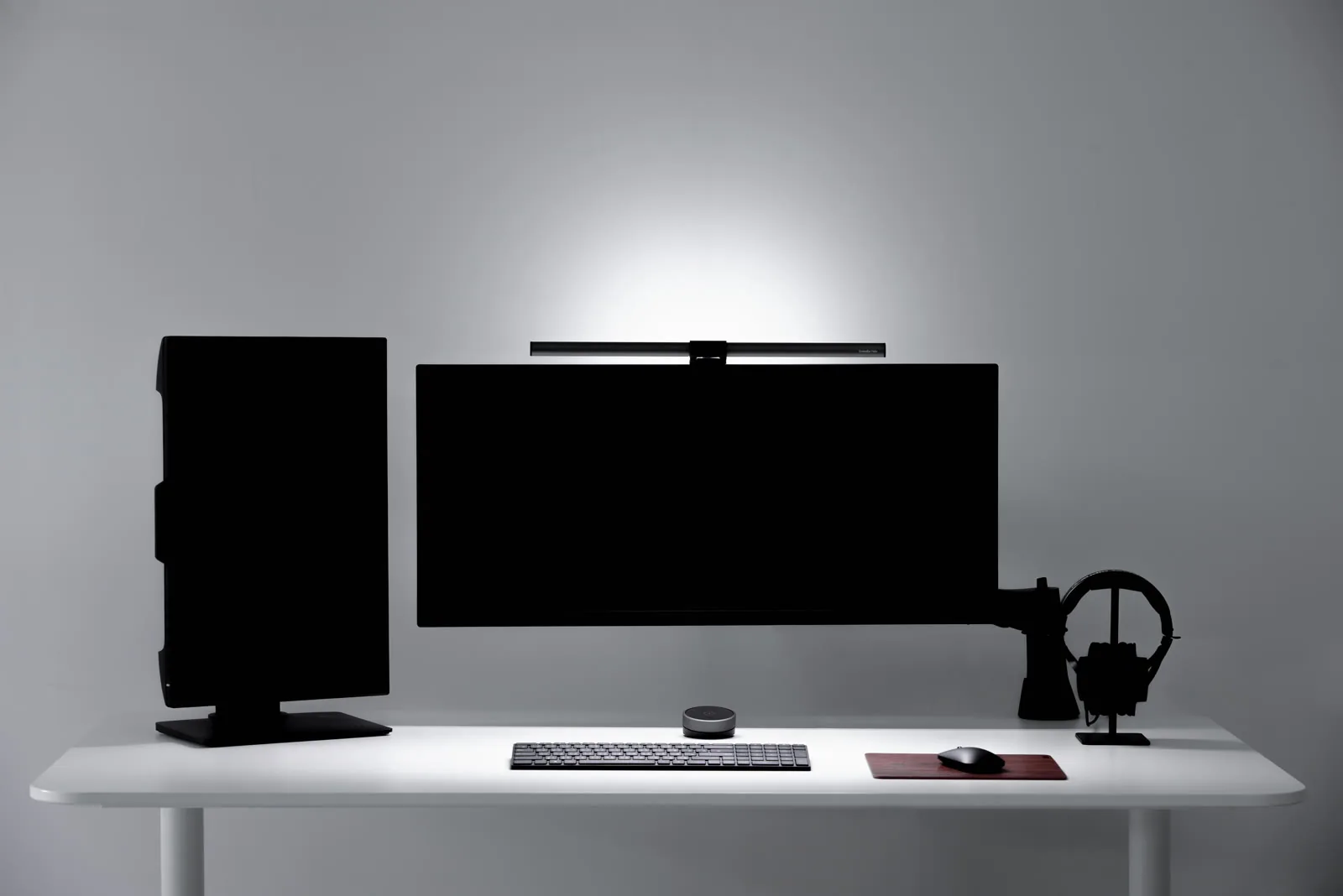
That is the cleanest way to think about BenQ ScreenBar versus a Quntis light bar. On paper they share a familiar idea: clamp to the top of the monitor, light the desk instead of the screen, and free up desktop space. In practice, though, they sit in different parts of the market.
For this comparison, I am using the standard BenQ ScreenBar and Quntis ScreenLinear Basic Pro because they are the clearest like-for-like products from each brand’s current official lineup.
Quick verdict
Choose BenQ ScreenBar if you want the more established premium light bar with stronger published engineering detail and a cleaner, simpler setup.; Choose Quntis ScreenLinear Basic Pro if you want the value-oriented option with remote control, broader stated monitor compatibility, and more features per dollar.
Neither choice is automatically "better." The right pick depends on whether you care more about refinement and published lighting data, or flexibility and budget.
1. Optical Engineering and Glare Control
The core engineering challenge for a monitor light bar is Asymmetrical Light Distribution.
- The Cut-off Angle: BenQ uses a "precision-milled" internal reflector to create a sharp 30-degree cut-off angle. This ensures that the light hits the desk (at 45cm) but does not hit the monitor's anti-glare coating, which would cause "veiling reflections."
- Color Rendering Index (CRI): While both claim high CRI, BenQ’s Ra>95 is tested at a specific color temperature (4000K). Quntis claims CRI>98, but in "Optical Engineering," a higher CRI is only useful if the "Spectral Power Distribution" (SPD) is balanced to prevent "blue-light spikes" that cause eye strain during late-night work.
- Beam Symmetry: BenQ’s light bar has a more "circular" beam footprint (63x40cm), which matches the "primary-reach zone" of a keyboard and mouse. Quntis often has a more "rectangular" beam, which can leave the corners of a 120cm desk in shadow.
If you want the product with the tighter published optical story, BenQ has the edge.
2. Controls and daily convenience
This is where Quntis fights back hard.
The standard BenQ ScreenBar uses touch controls on the bar itself and supports auto-dimming. BenQ keeps the interface minimal, which is part of the appeal if you want a cleaner object and fewer desk accessories.
Quntis Basic Pro is more feature-forward. Its official page highlights:
remote + touch dual control; auto-dimming; 2-hour timer; memory function; stepless brightness adjustment; stepless color temperature adjustment from 3000K to 6500K.
That means Quntis is arguably more convenient if you adjust your lighting often or if your monitor sits high enough that touching the bar feels awkward. It also makes more sense for users who want one remote to manage multiple Quntis lights later.
So the split here is simple:
BenQ feels cleaner and more restrained; Quntis gives you more control features out of the box.
3. Monitor compatibility
Compatibility is one of the most overlooked differences in monitor light bars.
BenQ’s official ScreenBar page is quite strict. It says the standard ScreenBar is designed for monitors with a thickness of 1 cm to 3 cm and notes that it is not recommended for curved displays, laptops, or monitors with an uneven back shape.
Quntis Basic Pro is broader on paper. Its official page says the lamp can work with max 9 cm screens, irregular screens, and standard screens, using a 3-stage stand and rubber protection on the contact surface.
That makes Quntis easier to recommend if your monitor is awkward, thicker, unusually shaped, or if you simply want less anxiety about fit.
If your display is a normal flat monitor and you want the more refined premium bar, BenQ still makes sense. But if compatibility is your top concern, Quntis has the friendlier official fit story.
4. Desk feel and design polish
BenQ still feels like the more premium object.
That is partly because the company has spent years positioning the ScreenBar line around clean industrial design and desk-focused lighting behavior. The standard ScreenBar is simple: no extra remote puck, no added controller, no visible attempt to pile on features. For some desks, that restraint is exactly the point.
Quntis, by contrast, is more of a feature-value play. The Basic Pro gives you a remote, touch control, timer, memory, and broad compatibility while still promising anti-glare desk lighting.
That does not make it worse. It just makes it feel less like a design-led premium accessory and more like a practical spec-rich buy.
If your desk setup is highly curated and minimal, BenQ is the cleaner visual fit. If you care more about convenience and flexibility than brand polish, Quntis is easier to justify.
5. Which one should you buy?
Buy BenQ ScreenBar if:
you want the more premium-feeling light bar; you value BenQ’s stronger published lighting detail; your monitor is a straightforward flat display; you prefer a cleaner setup with fewer extra controls on the desk.
Buy Quntis ScreenLinear Basic Pro if:
you want stronger value and more features per purchase; you like having a remote; your monitor is thicker or less conventional; you want easier adjustment of color temperature and brightness throughout the day.
Bottom line
BenQ ScreenBar is the better pick if you want the more refined monitor light bar and you care about the confidence that comes from clearer published engineering detail.
Quntis ScreenLinear Basic Pro is the smarter buy if you want a budget-friendlier light bar with modern convenience features and broader stated monitor compatibility.
That is why this comparison is less about "which one wins" and more about what kind of desk setup you are building. BenQ is the stronger premium desk object. Quntis is the stronger value-feature play.
6. Setup, cable management, and desk clutter
Both light bars clip to the top of the monitor and draw power from a USB-A port — typically the monitor's own USB hub, a dock, or a wall adapter. Neither requires a separate power brick on the desk.
The cable story differs slightly in practice. BenQ ScreenBar routes a single USB cable cleanly down the back of the monitor with minimal desk footprint. Quntis Basic Pro adds a remote receiver, which means a second small object plugged into another USB port or sitting on the desk. For setups where desk cleanliness is a priority, BenQ's single-cable approach is the neater result.
If you use a monitor without built-in USB ports, you'll need a USB wall adapter or hub for either option. Both light bars draw modest power and are not sensitive to USB-A port speed.
7. Color temperature range and eye comfort
Both bars cover the range from warm (3000K) to cool daylight (6500K), which is the span most desk workers actually use. Warm tones reduce blue-light intensity in the evening; cooler tones increase alertness during focused work.
BenQ's auto-dimming on the standard ScreenBar reads ambient light and adjusts automatically, which is useful if your room lighting changes across the day. Quntis Basic Pro also includes auto-dimming alongside its manual controls, so neither bar forces you into always-manual adjustment.
For eye comfort at a desk, CRI matters more than color temperature range. Both bars claim CRI above 95 (BenQ at Ra >95, Quntis at CRI >98), which is high enough that colors and contrast should render accurately under either light. The difference in quoted CRI is unlikely to be perceptible in real desk use.
8. Longevity and support
BenQ has been making ScreenBar products since 2018 and backs them with an established warranty and support structure. That track record matters if you want confidence in a light bar that sits on a monitor you may own for several years.
Quntis is a newer brand with a growing lineup. Its products have generally positive user reviews, but it does not have the same history of long-term reliability data. If post-purchase support and brand longevity matter to your buying decision, BenQ is the lower-risk choice.