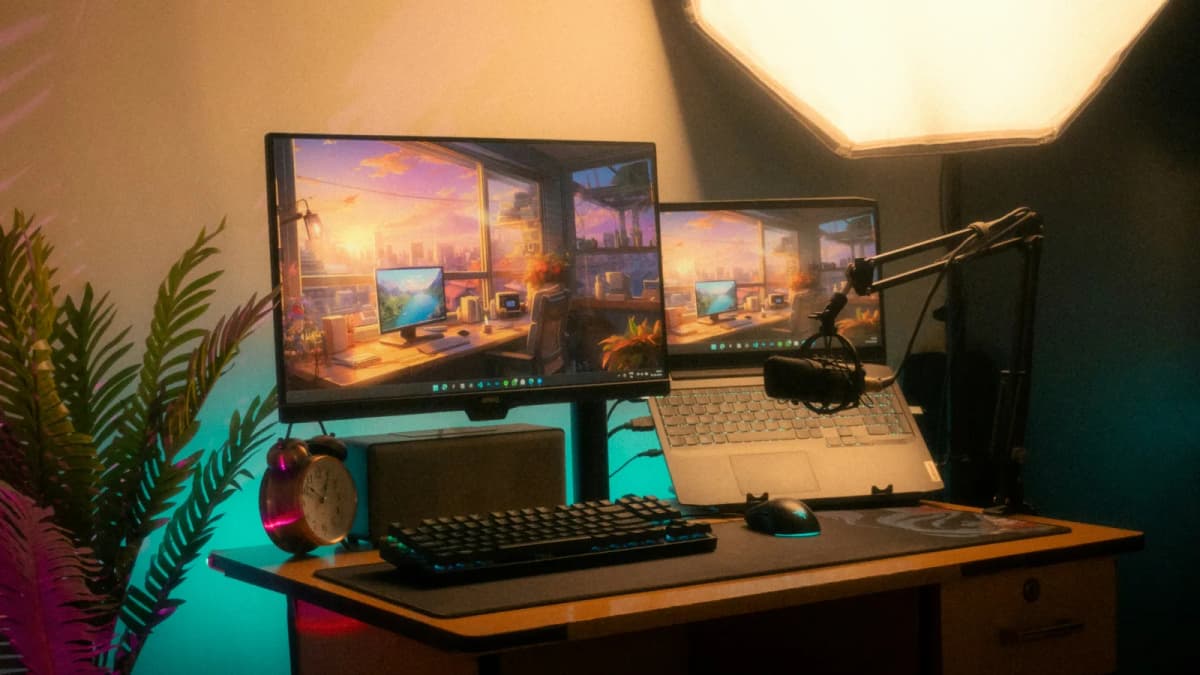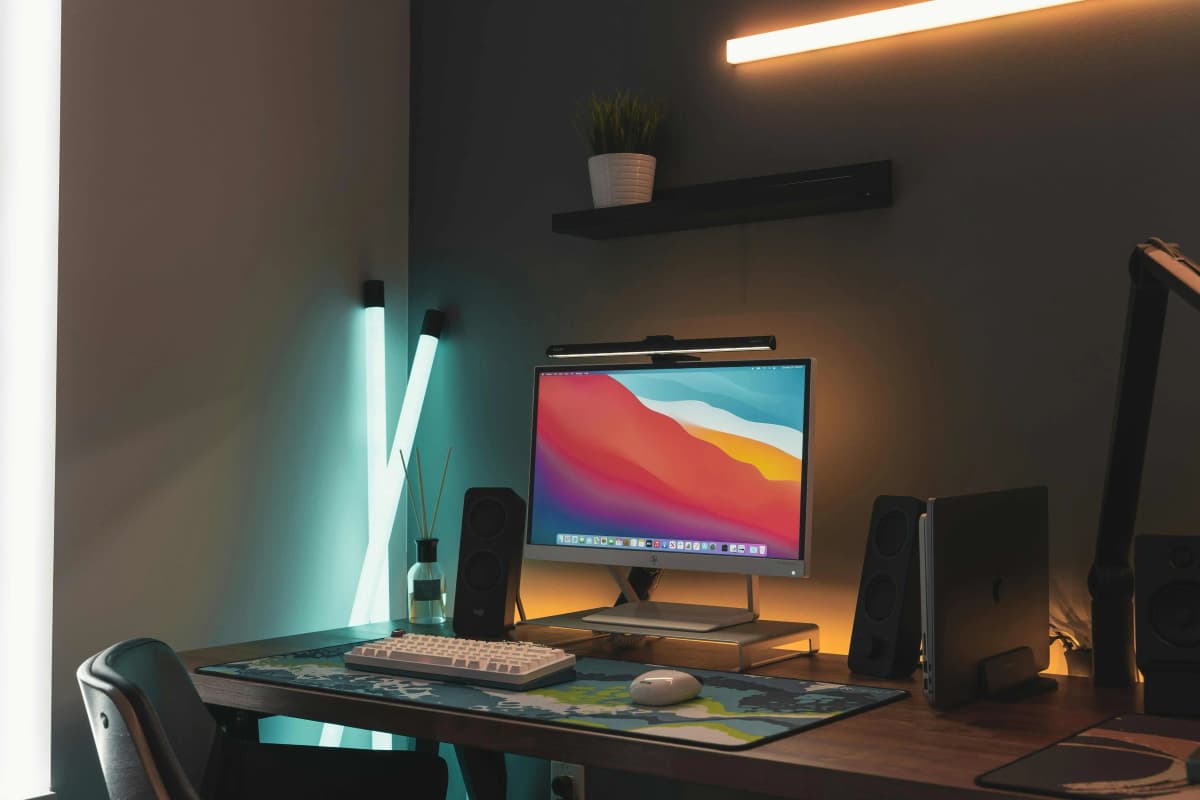

The quickest way to make a workspace feel more premium at night is not buying the fanciest lamp.
It is building warmer, calmer light in layers.
That usually means:
one clean light for the actual desk surface; one softer layer that reduces harsh contrast around the monitor or wall behind it; one small accent or side light that keeps the room from collapsing into darkness after sunset.
That is what separates a desk that looks expensive from one that is merely brighter.
Quick answer
If you want the shortest rule:
keep one main task light aimed at the keyboard-and-monitor zone; add one warmer secondary light off to the side or behind the monitor; keep overhead light lower and less dominant than the desk lighting at night.
Most premium-looking workspaces are doing exactly that.
They are not packed with lamps. They are just controlling contrast better.
Why warm lighting feels expensive in the first place
The premium effect usually comes from restraint, not intensity.
Cheap-looking nighttime setups tend to fall into one of two traps:
one harsh light source blasting the desk while the rest of the room disappears; several unrelated lights competing with each other and making the setup feel busy.
Better-looking setups usually do the opposite.
They keep the work surface visible, but they soften the jump between the screen, the desk, and the room around it. That is why warm lighting is less about making everything orange and more about making the space feel visually settled.
If your current desk already feels too stark after dark, Desk lamps for eye strain and late-night work is the more product-led companion. This page is the layout and mood guide.
Layer 1: get the task light right first
The main desk light is the foundation.
If this layer is wrong, everything else starts compensating for it.
The best main light usually does three things well:
lights the keyboard and immediate desk surface clearly; stays out of the eye line; avoids obvious glare on the screen.
That is why monitor light bars work so well in cleaner modern setups. A light bar such as BenQ's ScreenBar or ScreenBar Halo keeps the light near the monitor line instead of asking for another lamp base in the rear corner. On a smaller desk, that is often the cleanest premium move because it reduces visual clutter at the same time it improves the work surface.
If you are unsure whether a light bar is actually better than the lamp you already own, Do you need a monitor light bar if you already have a desk lamp? is the direct decision page.
Layer 2: add a warmer side light, not another floodlight
Once the main task light is working, the next upgrade is usually one softer side source.
This light is not there to overpower the desk.
It is there to stop the room from feeling dead around the desk.
That side light works best when it:
lands beside the monitor instead of directly in front of it; lights notes, side tasks, or the wall edge near the desk; uses a warmer color temperature than the main task light; avoids taking over a valuable center-of-desk zone.
This is where a traditional adjustable lamp still makes sense. Something like the Vari Studio Lamp is useful because it can be aimed deliberately without forcing all the light to come from the monitor line. In a premium-looking setup, that lamp behaves more like a supporting layer than the star of the desk.
If placement is the real problem, How to place a desk lamp on a small desk is the better practical follow-up.
Layer 3: use a small accent light only where it earns the space
The third layer is optional, but it is often what makes the room feel finished.
This is not where you want a big decorative object.
It is where you want:
a shelf light; a side table lamp; a small warm pool of light in a corner that would otherwise disappear.
That light should feel quiet.
It is there to keep the room alive, not to announce itself.
On a compact setup, a slim accent lamp like IKEA's NÄVLINGE makes more sense than a bulky statement lamp because it can add warmth without making the desk feel crowded or top-heavy.
The easiest premium formulas
Most people do not need a custom lighting plan. They need a believable formula.
These are the cleanest ones:
Formula 1: the minimalist premium setup
one monitor light bar as the main task light; one small warm accent light off the desk or at the far edge.
This is the best fit for:
smaller desks; cleaner setups; monitor-first work.
Formula 2: the desk-plus-side-work setup
one precise task lamp; one softer supporting light behind or beside the monitor.
This is the better fit for:
note-taking; reading; sketching; hybrid analog/digital work.
Formula 3: the dark-room evening setup
one higher-control monitor light; one warm side or background light; restrained overhead lighting.
This is the strongest formula when the room itself gets harsh after sunset and the monitor becomes the brightest object in view.
What to avoid if you want the desk to feel calmer
These mistakes make a workspace feel cheaper quickly:
using only one bright overhead light; aiming a lamp directly into the line of sight; adding several lamp bases to a small desk just to create “ambience”; setting every light source to the same cool office tone late at night; treating decorative mood lighting like it can replace actual task light.
The premium effect usually comes from one good surface light and one softer supporting layer.
Anything beyond that should justify itself clearly.
A good way to choose between light-bar-led and lamp-led setups
If the monitor is the center of your work, start with the monitor zone.
If paper, side tasks, or flexible aiming matter more, start with the lamp.
That is the simplest dividing line.
Use a light-bar-led setup when:
the desk is compact; the monitor is central; glare control matters; the desk already feels crowded.
Use a lamp-led setup when:
the work shifts away from the monitor often; you need the light to move around; the desk has room for a base without feeling compromised.
Products for each layer
These products match the three layers described above.
Monitor light bar with adjustable warmth. Covers the desk surface as a clean task light without adding a lamp base.
- Auto-dimming sensor
- Adjustable colour temperature
- Rear bias lighting
RGBWW LED strip with warm-white capability. Add behind the monitor or along a shelf for a subtle accent glow.
- Adjustable colour temperature
- Warm white mode
- Cuttable to length
Related reading
- What makes a desk setup feel premium without wasting space or money
- Desk lamps for eye strain and late-night work
- Do you need a monitor light bar if you already have a desk lamp?
- How to place a desk lamp on a small desk
- BenQ ScreenBar Halo vs ScreenBar Pro
- Desk accessories that keep a workspace clean and minimal