
Small desks do not hate lamps.
They hate lamps placed in the wrong zone.
That is the useful way to think about this.
Most people treat a desk lamp like a decorative object that just needs an empty corner. On a larger desk, that mistake is often survivable. On a smaller desk, it can quietly ruin the whole layout by stealing the exact space that should have gone to the monitor, the mouse, or a notebook.
The better question is not:
where can I fit a lamp?
It is:
where can the lamp do its job without interfering with the work surface?
That is the whole point of placement.
The underlying ergonomics are straightforward. Cornell and Mayo Clinic both emphasize reducing glare, keeping the screen readable, and making sure the work area is lit without forcing awkward posture. Weill Cornell's home-office guidance is even more direct for desk lighting: use task lighting for fine tasks and position it so it does not shine on reflective surfaces.
That means the lamp should help visibility, not create:
a bright hotspot in your main hand area; glare on the monitor; a blocked corner that forces the monitor forward; a cable and base mess that steals usable depth.
Quick answer
On a small desk, the best lamp placement is usually:
back corner opposite your writing hand for a traditional lamp; slightly behind the monitor line if the lamp is lighting the desk more generally; off the main keyboard-and-mouse zone at all costs.
Avoid placing a lamp:
directly beside the mouse; between you and the monitor; in the one corner the monitor needs for depth; where the shade or arm reflects into the screen.
That is the short version.
Start with the working zone, not the lamp
The biggest small-desk mistake is treating the lamp like a fixed object and then trying to arrange the rest of the desk around it.
That is backwards.
The fixed part of the desk should be the working zone:
keyboard; mouse; forearm support area; clear monitor line.
Only after that should the lamp earn a position.
This is exactly the same logic that makes small desks work in general. The zone directly in front of you is the expensive real estate. If a lamp base takes part of that space, the desk usually feels smaller than it really is.
If you have not already set that foundation, How to set up a small desk without losing usable space is the better starting point.
The best default placement: back corner, opposite your writing hand
For a traditional desk lamp, the safest default is still the classic one:
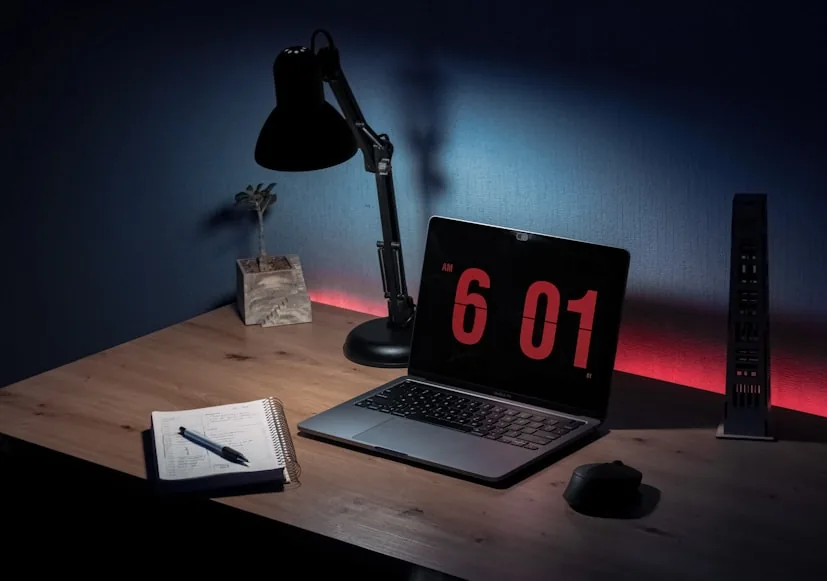
place it in the rear corner; keep it on the opposite side of your writing hand; angle the light across the desk, not into your face or onto the screen.
That works because it helps with two common problems at once:
- It lights the desk surface without creating strong shadows over notes or paper.
- It keeps the lamp out of the center and front edge of the desk.
If you are right-handed, that usually means the lamp belongs toward the back-left. If you are left-handed, back-right is usually better.
Weill Cornell's guidance points to the same principle in simpler language: use task lighting for fine tasks, and place it so it does not shine on reflective surfaces. On a desk, that usually means the lamp should throw light across the working area, not at the monitor and not straight into your eyes.
Why front-corner placement usually fails
The front corner often looks available, but it is one of the worst places on a small desk.
When a lamp sits too far forward, it tends to do at least one of these:
crowd the mouse; steal notebook space; force the keyboard too close to the desk edge; make the desk feel visually top-heavy and cluttered.
The lamp may technically fit there, but the desk becomes harder to use.
That is the difference between fitting and placing.
On a small desk, those are not the same thing.
Do not let the lamp take the monitor corner
This is the second big mistake.
On a small desk, one rear corner often matters more than people realize because it helps the monitor sit a little farther back. If a lamp base or arm occupies that corner, the screen may end up shoved forward by an inch or two.
That sounds minor until you are working on a 24-inch deep desk. Then every inch starts to matter.
This is exactly why lamp placement can become a posture issue and not just a styling choice. If the lamp forces the monitor closer, the whole setup may feel tighter even though the lamp itself seems harmless.
If your desk is already borderline on depth, pair this guide with How deep should a desk be for one monitor vs two? and Do you need a monitor riser on a 24-inch deep desk?.
Put the lamp slightly behind the monitor line when possible
On a small desk, a lamp often works best when it sits slightly behind the line of the monitor or just beyond the active writing area.
That placement does two useful things:
it frees the main surface in front of you; it lets the light spread onto the desk instead of landing only in one bright patch.
This does not mean every lamp should hide behind the monitor.
It means the lamp usually performs better when it is supporting the workspace from the edge, not competing with the center of it.
If you can place the base behind the monitor footprint or near the far rear corner, the desk will usually feel calmer immediately.
Watch for monitor glare before you call it “done”
Good lamp placement is not just about saving space. It also has to keep the screen readable.
Mayo Clinic's workstation guidance recommends adjusting the screen to avoid glare, and Weill Cornell says task lights should not shine on reflective surfaces. That means the lamp cannot be judged only by how neat it looks on the desk. You also have to check what happens on the screen once the light is on at night.
A quick test:
- Turn on the lamp after dark.
- Sit in your normal working position.
- Look for reflections on the monitor.
- Move the lamp arm or shade before moving the monitor.
If the light is bouncing off the screen, the lamp is in the wrong angle, the wrong height, or sometimes the wrong location entirely.
Large bases are often the real problem
On a small desk, the base matters as much as the brightness.
Big heavy lamp bases look stable in product photos, but they can be terrible space users in real setups. A lamp with a wide footprint often creates a dead zone around it where nothing else can sit comfortably.
That is why a small desk usually benefits from:
slim lamp bases; narrow stems; clamp lamps; monitor light bars.
more than it benefits from oversized statement lamps.
This is one of the reasons monitor light bars work so well in compact setups: they remove the base problem entirely.
If the desk is already tight and the lighting only needs to cover the keyboard and central work area, a light bar often makes more sense than a normal lamp. Desk lamps for eye strain and late-night work is the product-side follow-up there.
The best placement depends on what the lamp is doing
This is where people often overgeneralize.
Not every lamp is solving the same problem.
If the lamp is mainly for keyboard and desk illumination
Place it:
toward the rear corner; slightly behind the monitor plane if possible; angled down across the surface.
If the lamp is mainly for notes, sketching, or paper
Place it:
opposite your writing hand; just outside the main paper area; close enough to light the page without the base intruding into it.
If the lamp is mostly for ambience
Place it:
off the main desk if possible; on a shelf, side table, or return; anywhere that avoids wasting the core work surface.
That last point matters a lot. If the light is mainly atmospheric, it usually should not be paying rent on the most valuable square inches of a small desk.
A simple placement rule for very small desks
If your desk is genuinely compact, use this rule:
the lamp should touch a boundary, not the middle.
That means it should live on:
a back edge; a rear corner; a clamp point; a shelf above; or a secondary surface beside the desk.
The lamp should not live in the center field of the desk or drift into the front third unless the desk is unusually deep.
That one rule keeps a lot of small setups from getting messy.
When the right answer is “do not put the lamp on the desk”
Sometimes the desk is simply too small for a normal lamp base.
That is especially true if you already need room for:
a monitor; a laptop; a notebook; a full-size mouse.
In those cases, the smartest desk-lamp placement may be:
a monitor light bar; a clamp light; a shelf-mounted light; a wall-mounted light; a nearby side table lamp.
That is not over-optimizing.
It is just recognizing when the desk surface has more important jobs to do.
Bottom line
On a small desk, the lamp should support the work surface from the edge, not occupy the center of it.
The safest placement is usually the rear corner opposite your writing hand, angled across the desk and away from reflective screen glare. If the lamp steals the monitor corner, crowds the mouse, or pushes the keyboard forward, it is in the wrong place even if it technically fits.
That is the cleanest way to think about it:
protect the keyboard-and-mouse zone first; keep the lamp on a boundary; check for glare before calling it solved; if the base is too bulky, move to a clamp light or light bar instead.
Lamps and light bars for small desks
If your current lamp is too bulky for the desk, these products solve the space problem.
Monitor light bar that clips to the top of the screen. No base, no arm, no desk space used. Covers the full desk surface with adjustable brightness.
- Clips to monitor
- No desk space used
- Auto-dimming sensor
Monitor light bar with a wired dial for manual brightness adjustment. Same zero-footprint design with hands-on control.
- Clips to monitor
- Wired dial control
- Adjustable brightness
Related reading
- Do you need a monitor light bar if you already have a desk lamp?
- How to set up a small desk without losing usable space
- Desk lamps for eye strain and late-night work
- Warm lighting ideas for a more premium workspace
- Desk accessories that keep a workspace clean and minimal
- How deep should a desk be for one monitor vs two?
- BenQ ScreenBar Halo vs ScreenBar Pro