
Laptop docks only make small desks cleaner when they remove friction instead of adding one more box.
That sounds obvious, but a lot of docks fail that test. A dock with a big external power brick, awkward side-facing ports, or a footprint that steals the best part of the desk can end up moving clutter rather than reducing it.
That is why this roundup stays narrower than a generic “top docks” list.
The goal here is not maximum port count in the abstract. The goal is a dock that actually helps a compact desk feel calmer by doing one or more of these well:
replacing daily cable swapping with one consistent connection routine; staying out of the main keyboard-and-mouse zone; hiding behind a monitor or standing vertically at the back edge; reducing the number of loose chargers and adapters sitting on the desk or floor.
The shortlist below is based on current official product pages and published specs. The fit calls are editorial inferences from those official details, not hands-on testing.
- overall cleanest dock for compact desks: OWC Thunderbolt Go Dock
- easiest dock to hide behind a monitor: Plugable UD-CAM
- strongest upright all-in-one dock: Anker Prime Charging Docking Station (14-in-1, Dual Display, 160W)
- most capable dock if you can hide the brick: CalDigit TS4
How we narrowed the list
For a small desk, the best dock is rarely the one with the longest spec sheet.
The better question is whether the dock improves the whole setup:
does it shrink the visible cable mess?; can it sit out of the way instead of taking over the work surface?; does the power setup stay simple, or does it add another bulky brick?; are the ports practical for a real one-monitor or clamshell workflow?
That is why this list mixes four different small-desk solutions instead of four workstation-class docks that all solve the same problem the same way.
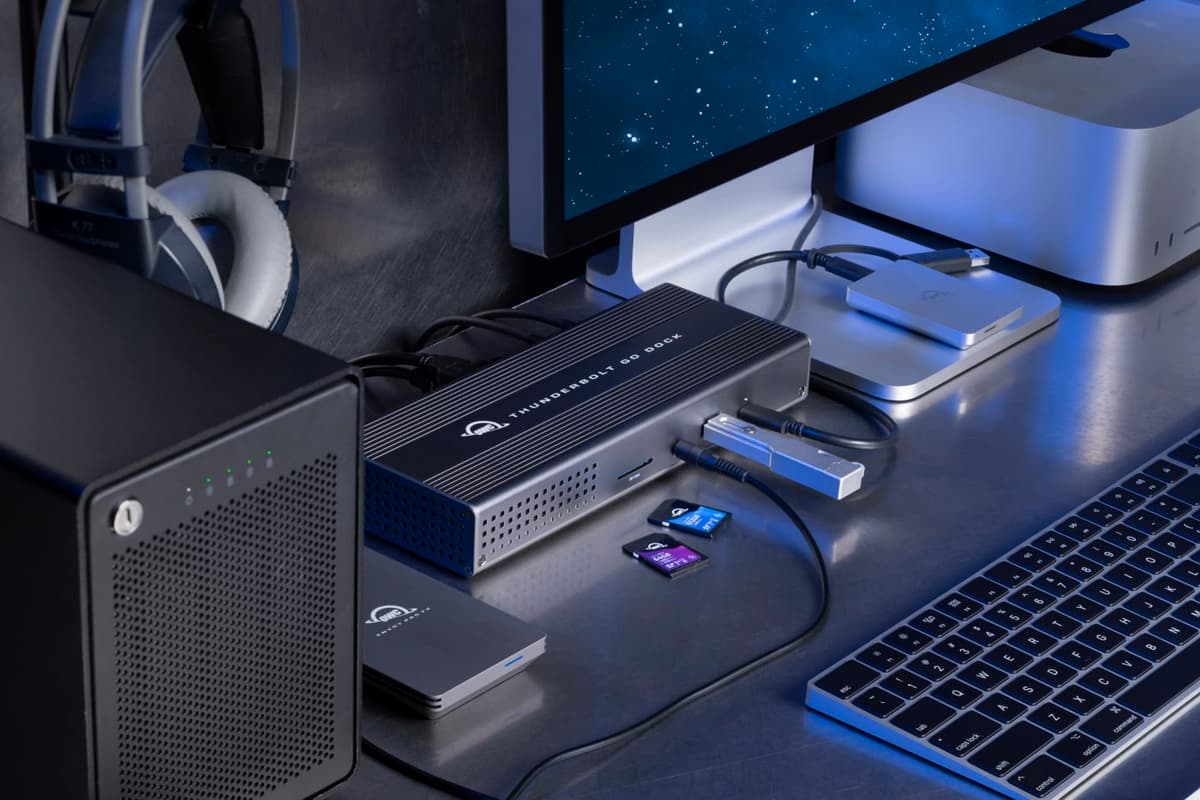
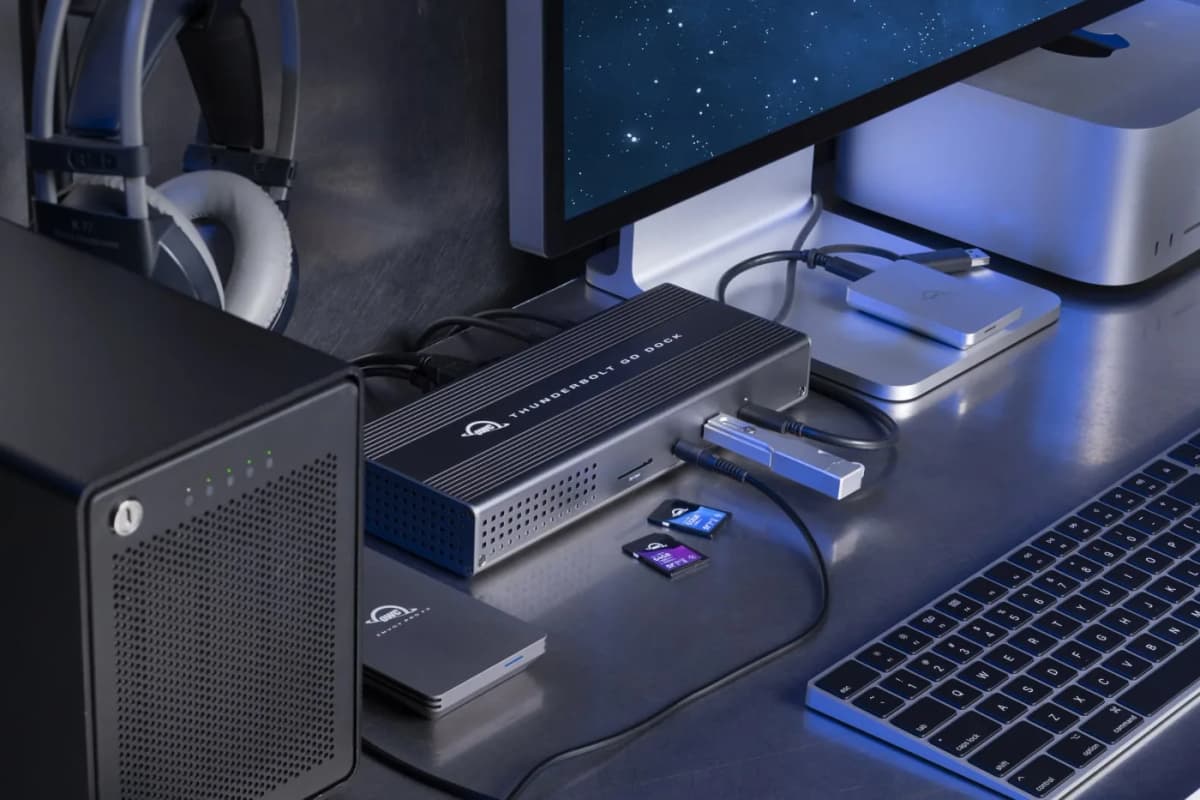
A genuinely small-desk-friendly Thunderbolt dock because it removes the external power brick from the equation while still giving you a full desktop-style port mix.
- Built-in power supply instead of a separate power brick
- Up to 90W notebook charging
- 11 ports including Thunderbolt 4, HDMI 2.1, and 2.5GbE
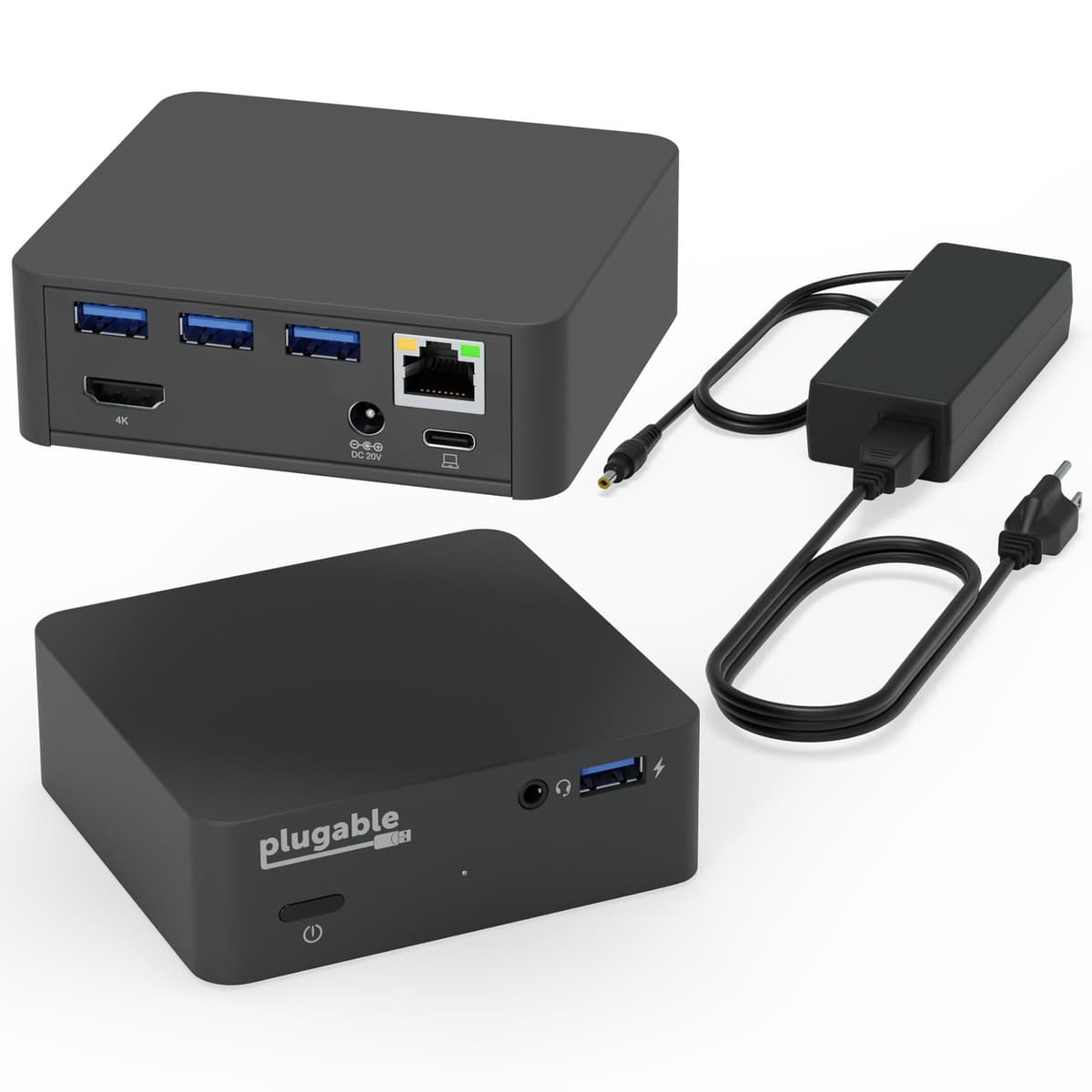
A compact dock with VESA mounting support that makes the most sense when the real goal is getting the dock itself off the desk entirely.
- Includes VESA mount with 50 x 50, 75 x 75, and 100 x 100 mm hole support
- Up to 85W USB-C charging
- Single HDMI output up to 4K 30Hz plus gigabit Ethernet and USB expansion
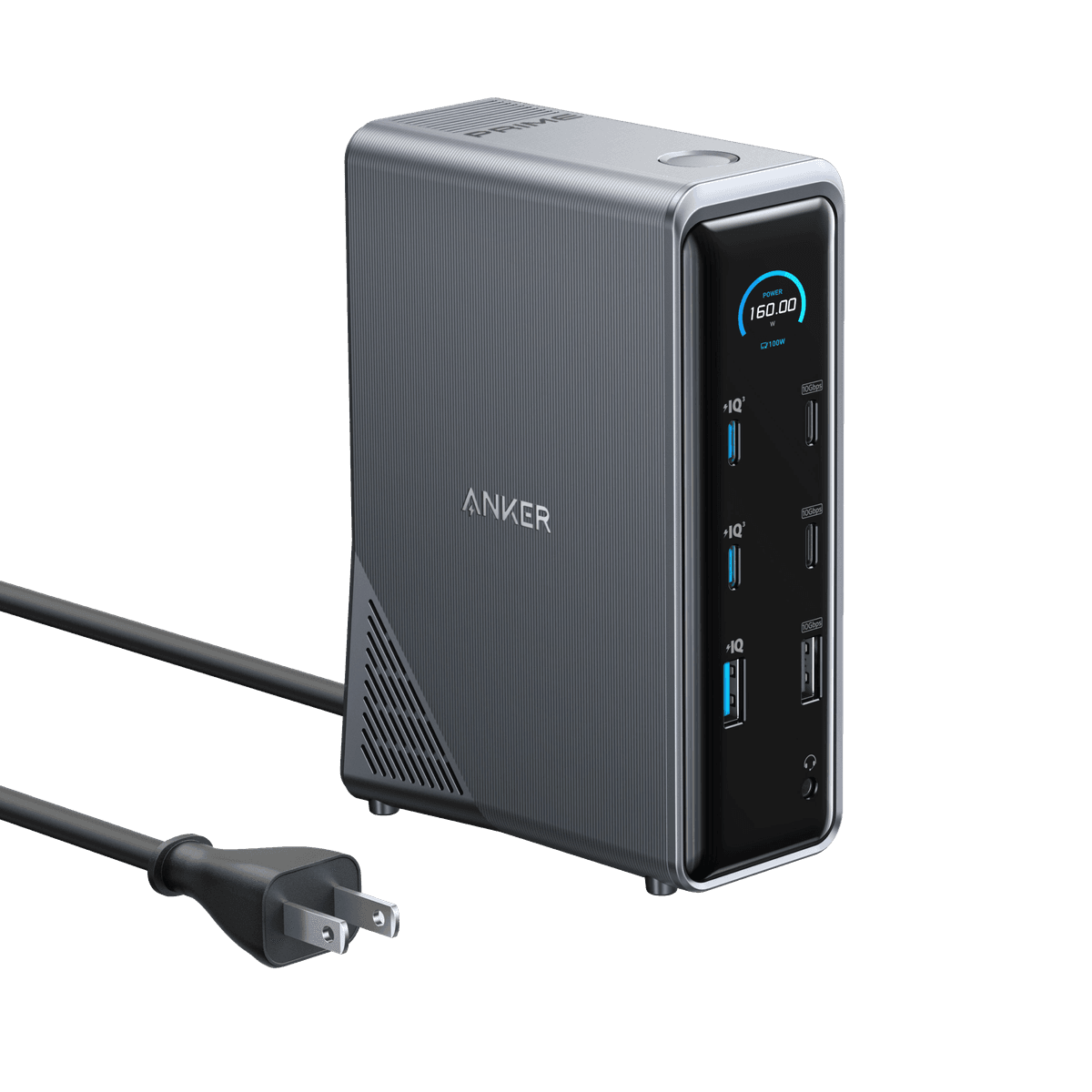
An upright dock for desks that need one tall back-corner device to handle charging, displays, and everyday peripherals without spreading outward.
- 14-in-1 dock with integrated GaN AC-DC power module
- 5.51 x 3.82 x 1.85 in body size
- Up to 100W host charging with 160W total output
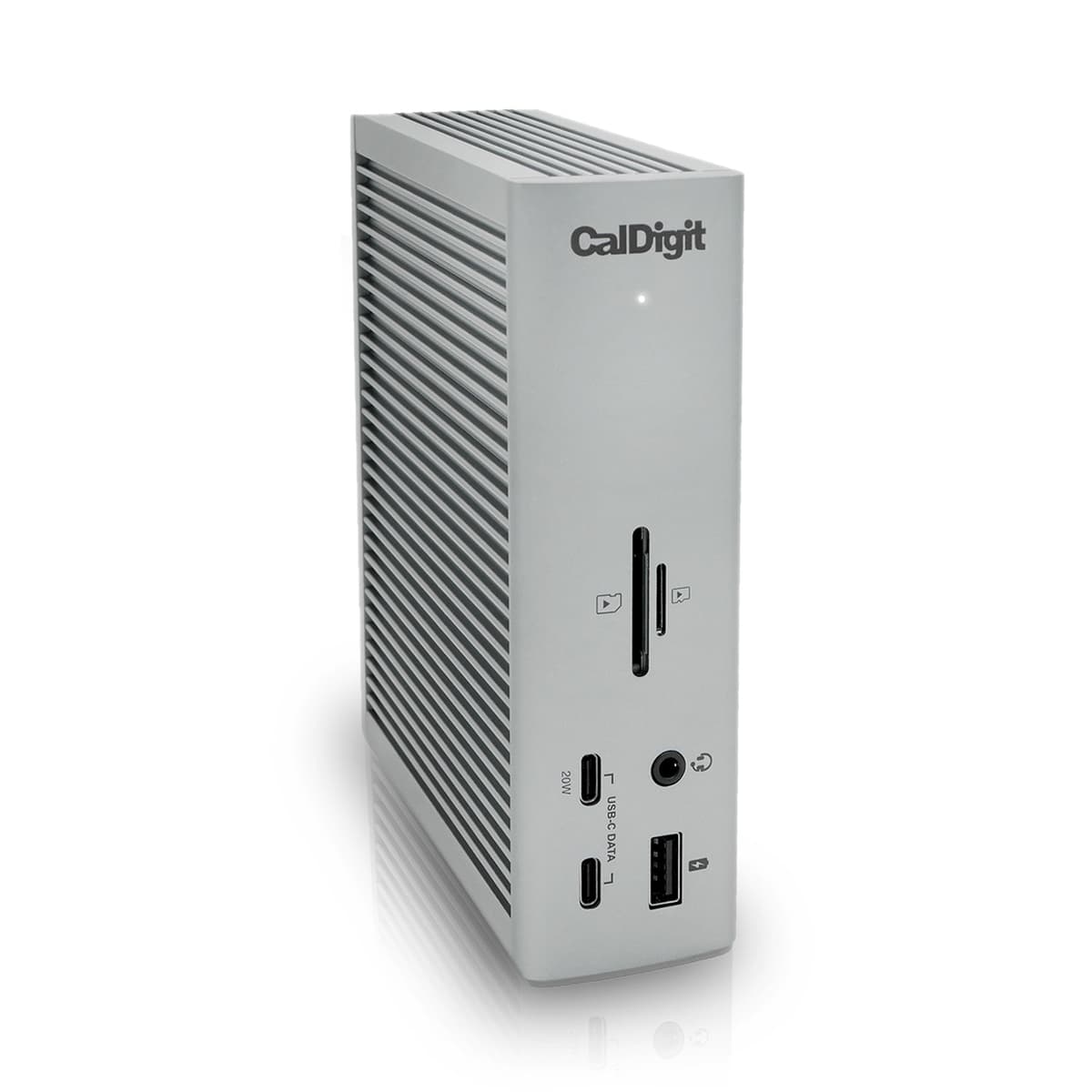
A full-power dock with a slim vertical body and huge port count, but one that only stays visually clean if you have a plan for the large external power supply.
- 18 ports with up to 98W host charging
- 5.55 x 1.65 x 4.46 in dock body
- Includes a 230W external power supply
What actually makes a dock feel cleaner on a small desk
The visual mess does not usually come from the dock itself.
It comes from everything the dock drags along with it:
a separate charger brick; display cables leaving in the wrong direction; USB accessories bunching up at the front edge; a dock body taking the exact space where a notebook, lamp, or mouse should go.
That is why small-desk docks are really about workflow honesty.
If your laptop usually stays open beside a monitor, a dock should make that layout simpler, not busier. If the laptop usually stays closed, the dock should work cleanly with a vertical laptop stand for clamshell setups. And if the rest of the cable mess still lives under the desk, a dock is only part of the answer. That is where Cable management products for cleaner desk setups and Cable trays that work on small desks start mattering more.
1. OWC Thunderbolt Go Dock
OWC Thunderbolt Go Dock is the strongest overall pick because it solves the power-brick problem directly.
OWC calls it the first full-featured Thunderbolt dock with a built-in power supply. The current official page also highlights:
11 ports of connectivity; up to 90W charging power; three Thunderbolt 4 ports; HDMI 2.1; 2.5 Gigabit Ethernet.
On a small desk, the biggest win is not just the port count. It is that the dock uses a standard power cable instead of asking you to hide one more bulky brick.
OWC’s own copy is unusually direct about why that matters: one less power brick means less clutter for cleaner cable management. That is exactly the small-desk case.
This dock makes the most sense when:
you want a real one-cable desk routine; you still need serious port variety; the desk is too compact to tolerate a separate power brick sprawled under or behind it.
Strong fit for: compact desks that need a true dock, not just a charger with a few ports.
Main tradeoff: it is still a premium dock, and it is not invisible. It is cleaner than brick-based docks, not magically tiny.
2. Plugable UD-CAM USB-C Docking Station
Plugable’s UD-CAM is the easiest dock to hide because it is built around VESA mounting from the start.
Plugable describes it as a compact USB-C docking station with VESA mount support and up to 85W of laptop charging. The official page also spells out:
included VESA mount; support for 50 x 50 mm, 75 x 75 mm, and 100 x 100 mm hole patterns; gigabit Ethernet; an HDMI output up to 4K 30Hz; a 1 m USB-C cable in the box.
That changes the whole desk equation.
If the desk feels crowded mainly because too many little boxes are sitting on the surface, hiding the dock behind the monitor is often more useful than buying a more expensive dock with a prettier front edge.
This is especially good for:
one-monitor desks; laptop users who care more about reclaiming surface area than about adding a second or third high-end display path; setups where the dock should disappear instead of becoming a desk object.
Strong fit for: smaller one-monitor desks where keeping the dock off the desktop matters more than maximum display ambition.
Main tradeoff: its video ceiling is more modest than the premium Thunderbolt options. If you need a heavier display setup, this is the wrong category.
3. Anker Prime Charging Docking Station (14-in-1, Dual Display, 160W)
Anker’s upright dock is the strongest all-in-one pick for desks that need a narrow footprint more than they need hidden mounting.
Anker’s current product page lists:
14-in-1 connectivity; an integrated GaN AC-DC power module intended to minimize space usage; body dimensions of 5.51 x 3.82 x 1.85 inches; up to 100W host charging; 160W total output; dual HDMI 2.0 outputs and multiple 10Gbps USB data ports.
That footprint story is the key.
Instead of spreading horizontally like a flatter dock, it gives you one taller back-corner device that can handle laptop power, phone charging, displays, and basic desk peripherals at once.
It is the best fit when:
the desk already has a monitor stand or arm taking up rear depth; you want one vertical device at the back edge instead of several smaller gadgets; charging output matters almost as much as data ports.
Strong fit for: compact desks that want one upright docking and charging hub instead of a flatter workstation dock.
Main tradeoff: it is less of a full workstation Thunderbolt expansion story than OWC or CalDigit. It wins on footprint discipline more than max-end connectivity.
4. CalDigit TS4
CalDigit TS4 is still the most capable dock in the group, but it is only a clean small-desk choice if you know what you are doing with the power supply.
CalDigit’s current official product page lists:
18 ports; up to 98W host power delivery; 2.5 Gigabit Ethernet; a dock body measuring 5.55 x 1.65 x 4.46 inches; an included 230W power supply.
The dock body itself is actually very manageable for a small desk. It is narrow, vertical, and easy to park at the back edge.
The reason it is not the cleanest overall pick is simple: the dock is tidy, but the power setup is not.
If you can mount or hide that 230W power supply cleanly, TS4 becomes a very strong compact-desk dock for demanding setups. If you cannot, the brick can cancel out a lot of the visual neatness the vertical dock body creates.
Strong fit for: power users who need a serious dock and already have a plan for under-desk power and cable routing.
Main tradeoff: the external power supply is large enough that it needs its own hiding strategy.
When a dock is actually worth it on a small desk
The right dock can help a compact desk feel calmer. The wrong one is just another accessory.
A dock usually makes sense when:
you connect the same display, power, and peripherals every day; you want the laptop to arrive and leave with one cable instead of four; the setup uses one monitor and a laptop or a true clamshell workflow; the desk keeps accumulating chargers, dongles, and adapters around the back edge.
If all you really need is a charger, one display cable, and one USB receiver, a simpler hub or a cleaner cable routine may be enough.
That is why this category overlaps so closely with desk layout. If the laptop is still open beside the monitor, go next to How to set up one monitor and a laptop on a small desk. If the laptop usually stays closed, pair this with Vertical laptop stands for clamshell setups. And if the dock’s cables still have nowhere disciplined to go after they leave the back edge, follow up with Under-desk power strips for cleaner cable runs.
For a small desk, the cleanest laptop dock is the one that reduces the number of visible decisions you have to make every day.
That is why OWC Thunderbolt Go Dock stands out most strongly here: it gives you real desktop-grade connectivity without asking you to hide a separate power brick too. If hidden mounting matters most, Plugable’s UD-CAM is the sharper answer. If vertical footprint matters most, Anker is the tidier fit. And if raw capability matters most, CalDigit TS4 is still the big gun as long as the power supply has a place to disappear.