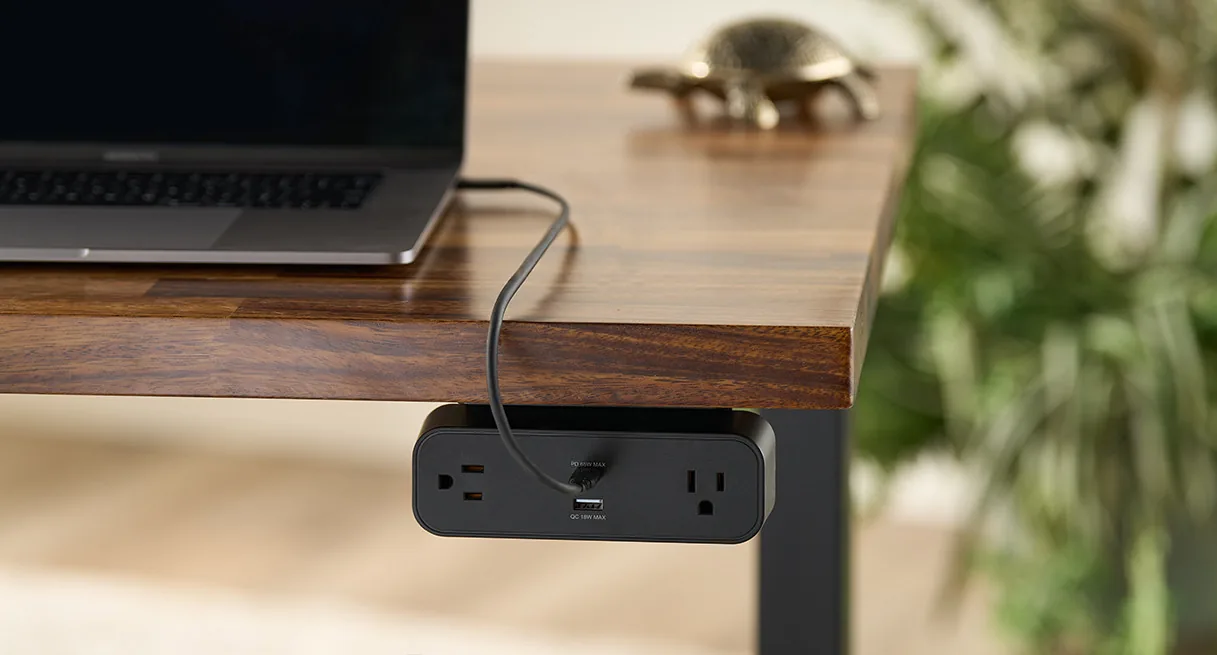

Cable trays matter more on small desks than on large ones.
On a wide desk, bad cable management is messy. On a small desk, it starts affecting what the desk can physically do. A bulky power strip on the floor, a loose adapter hanging near the back edge, or a tray that steals knee room can turn a compact setup from "tight but workable" into constantly annoying.
That is why this page is not just a generic cable-management list.
The filter here is stricter:
can the tray actually fit a smaller desk underside without feeling oversized?; does it leave room for monitor arms, drawers, or a cleaner center zone?; does it help a 24-inch-deep or 42- to 48-inch-wide desk feel calmer instead of more crowded?
This roundup stays tied to current official dimensions, compatibility notes, and mount details from the brands themselves. The fit calls are editorial inferences from those official details, not hands-on testing.
- most adaptable tray for small desks: UPLIFT FlexMount Cable Manager
- easiest no-drill tray: VIVO Clamp-on Cable Management Tray
- smartest split-tray layout: Progressive Desk Under-Desk Cable Trays (Set of 2)
- cleanest compact standing-desk tray: Vari Cable Management Tray
How we narrowed the list
Small desks do not need the biggest tray. They need the tray that wastes the least usable space while still solving the real cable problem.
For this page, I gave extra weight to trays that:
publish clear mounting or desk-thickness details; avoid excessive front-to-back bulk under shallow desks; make sense alongside monitor arms, drawers, or compact desk frames; can actually hold the kind of outlet strips, adapters, and cable slack people use in real home-office setups.
That is why this list mixes one highly adjustable tray, one clamp-on no-drill tray, one split-tray layout, and one frame-integrated standing-desk tray. These are not four copies of the same idea. They solve slightly different small-desk problems.
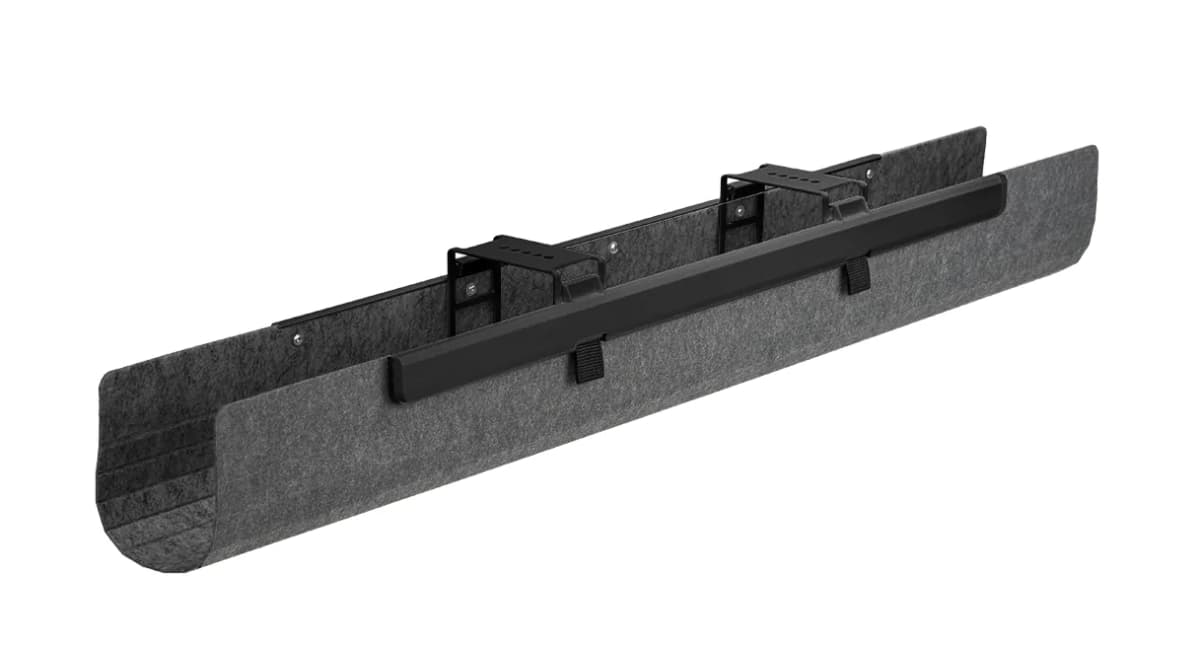
A vertically and front-to-back adjustable cable basket that is unusually good at working around monitor arms and other underside accessories on smaller desks.
- Supports up to 10 lb of wires and adapters
- Four vertical settings to fit different cable and adapter volume
- Five mounting positions for forward and backward adjustment
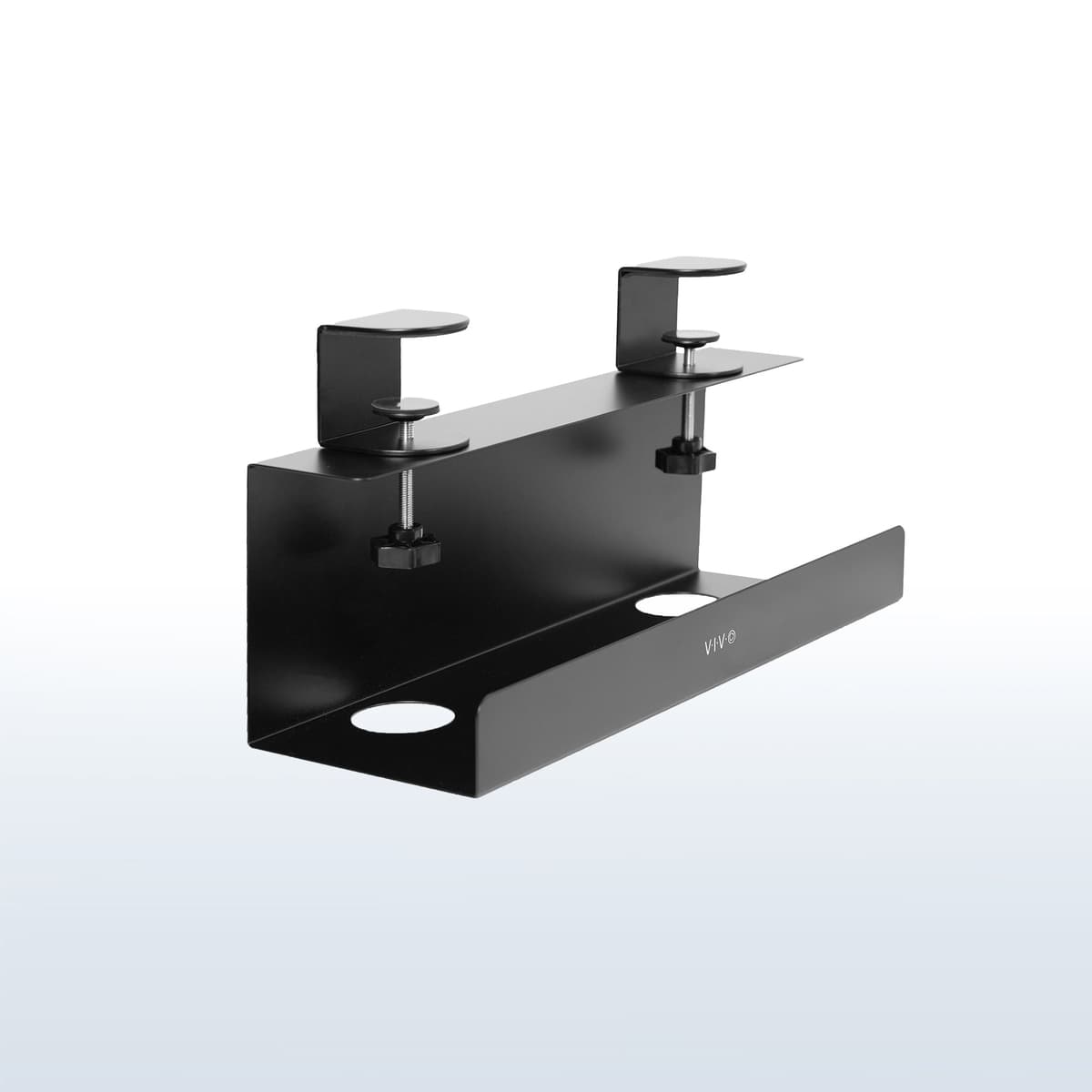
A clamp-on tray for small desks where drilling is a non-starter and the real goal is simply getting the strip and adapter clutter off the floor fast.
- Clamp range of 5 to 50 mm according to the official manual
- Maximum load of 11 lb per tray
- Hand-tightened installation with protective padding
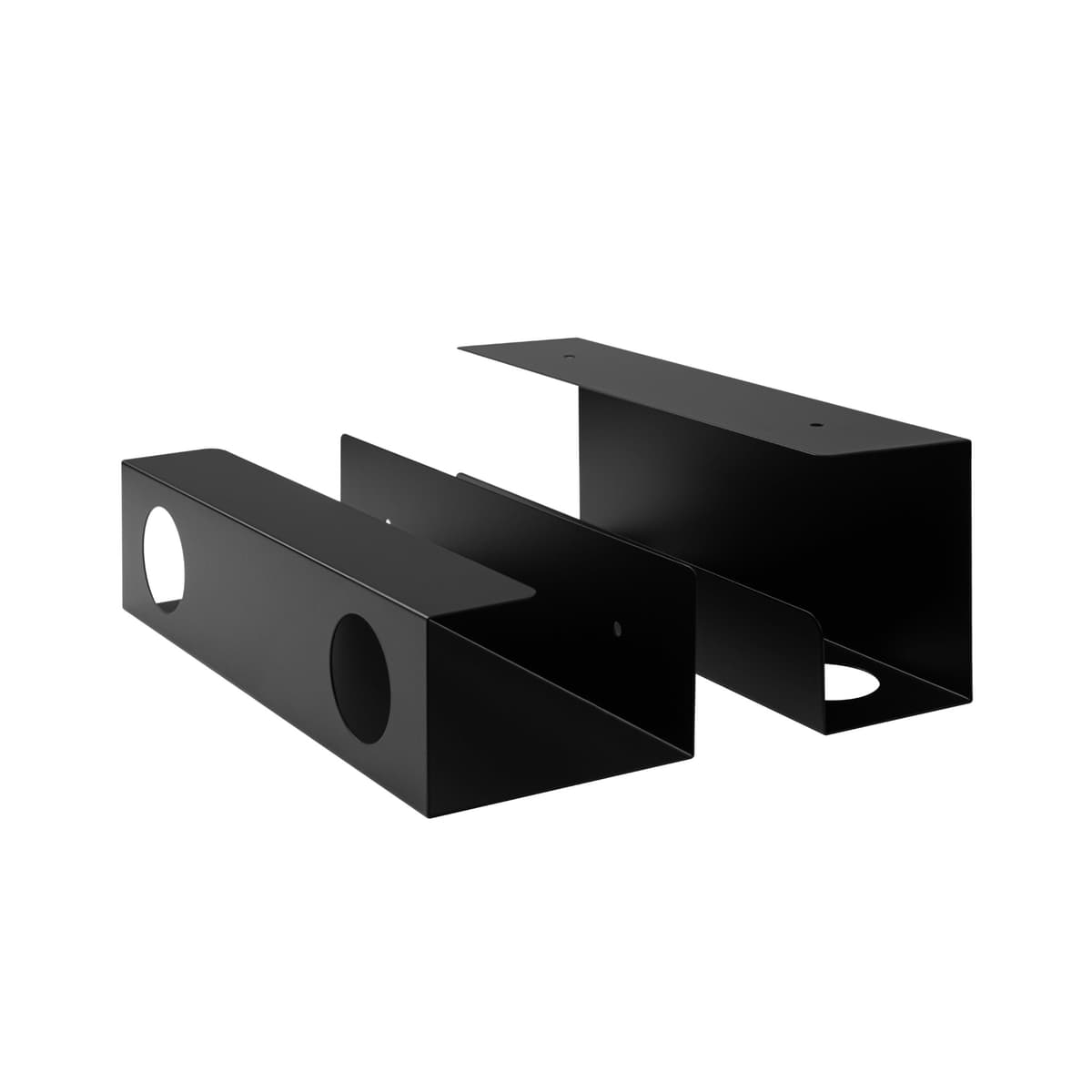
A two-tray layout that gives smaller desks more routing flexibility than a single full-width tray, especially when the center zone already has a monitor arm or drawer.
- Two trays, each 12" x 4.3" x 3.5"
- Supports up to 5 lb per tray
- Leaves the center underside open for other hardware
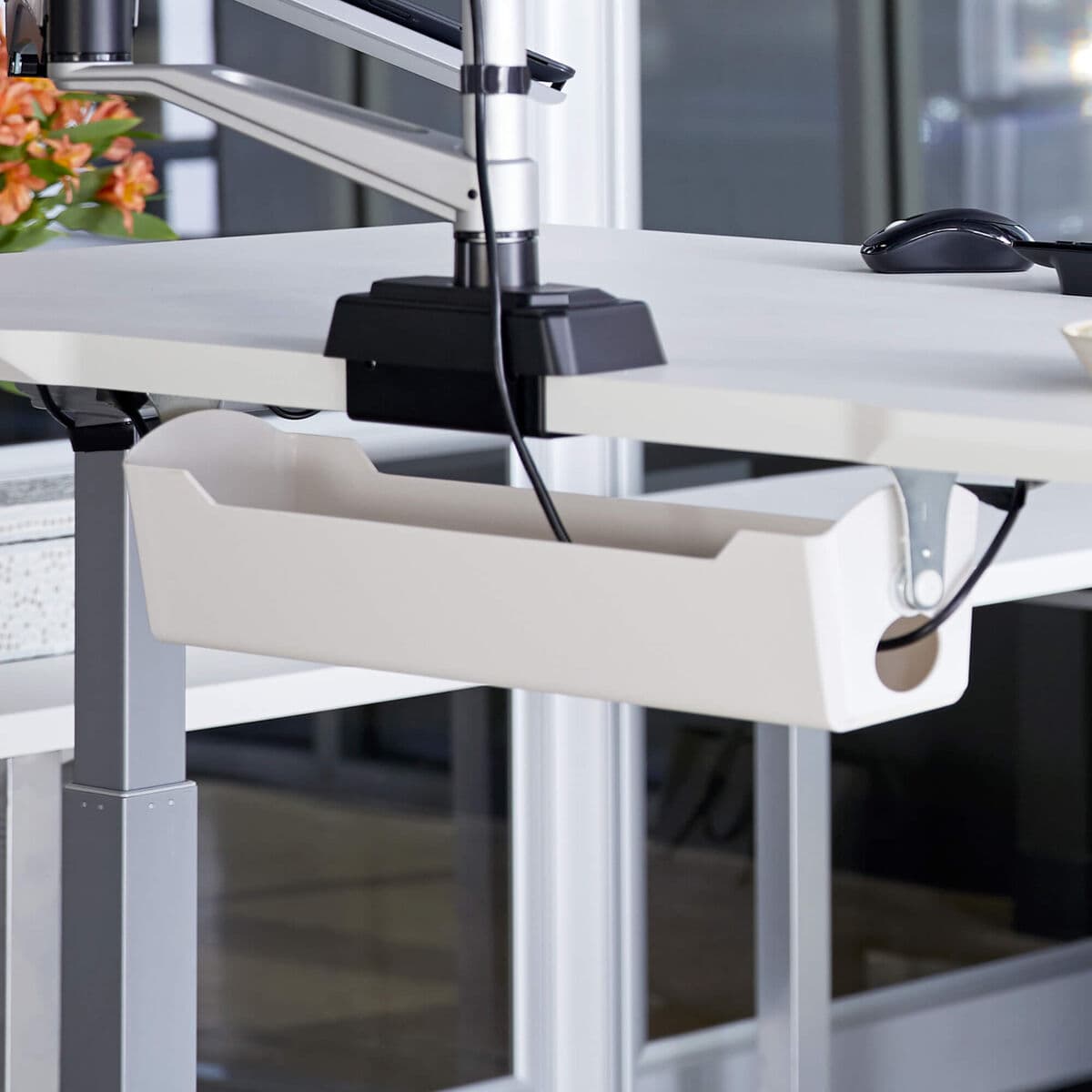
A cleaner-looking tray for compatible Vari desks, with a wide opening and rotating brackets that make it easier to tuck a power strip underneath without a bulky basket feel.
- 21.5" opening width and 5" depth
- 1 5/8" opening height with 4.25" bracket height
- Rotating metal mounting brackets
What matters most in a cable tray on a small desk
The first mistake is buying by tray length alone.
On a small desk, the better questions are:
front-to-back depth: does the tray hang too far into the underside and make the desk feel busier?; mount style: clamp-on, screw-on, or frame-mounted?; center access: does the tray block the best place for a monitor arm or cable drop?; capacity: can it hold a power strip and bulky adapters without sagging into chaos?; desk compatibility: is it universal, or only really smart if you already own a compatible desk system?
That is why this category branches so quickly. A tray that is perfect on a big open standing desk can be awkward on a shallower 24-inch-deep desk with a drawer, laptop shelf, or monitor arm already competing for the underside.
If the rest of the cable system still feels unresolved, keep this paired with Cable management products for cleaner desk setups. A tray is the foundation piece, not the whole cable plan.
1. UPLIFT FlexMount Cable Manager
UPLIFT FlexMount Cable Manager is the strongest overall pick because it solves the hardest small-desk problem well: underside conflict.
UPLIFT's current product page lists:
support for up to 10 lb of wires and adapters; four vertical settings; five mounting hole locations for front-to-back adjustment; positioning designed to work around accessories like monitor arms and modesty panels.
That combination is unusually useful on small desks.
Most trays are either fixed baskets or simple metal channels. UPLIFT's system does more than that. It gives you enough adjustment to work around the things that often make compact desks harder to organize:
a monitor arm landing in the center; a desk frame or crossbar sitting farther forward than expected; bulky adapters that need more vertical clearance.
That makes it especially strong for compact standing desks, where the underside tends to get crowded fast.
Strong fit for: smaller desks with monitor arms or other underside accessories that make fixed-position trays awkward.
Main tradeoff: it is more of a premium system tray than a cheap universal fix.
2. VIVO Clamp-on Cable Management Tray
VIVO's Clamp-on Cable Management Tray is the easiest no-drill answer because it gets the cables off the floor without asking you to commit hardware to the underside first.
From VIVO's official product page and assembly manual:
the clamp range supports desktops from 5 mm to 50 mm; maximum load is 11 lb per tray; the tray installs with simple hand tightening; the clamp includes padding to protect the desk surface; VIVO says it can hold power strips and small adapters.
That is exactly the kind of practicality a small desk often needs.
If the real problem is just that your strip and adapter bundle are still floating around the floor or back edge, this is the cleanest fast fix in the roundup.
The no-drill mount matters for:
rented spaces; laminate tops you do not want to drill; people still experimenting with tray position before committing permanently.
Strong fit for: renters and small-desk setups that need a fast, reversible tray without measuring screw positions.
Main tradeoff: clamp-on trays stay more visible than cleaner integrated frame-mounted options.
3. Progressive Desk Under-Desk Cable Trays (Set of 2)
Progressive Desk's two-tray set is the smartest split-tray layout because small desks often benefit more from gaps than from one longer tray.
Progressive Desk's current product page lists:
two trays; each tray sized at 12 x 4.3 x 3.5 inches; support for up to 5 lb per tray; straightforward under-desk installation.
That split matters a lot more than it sounds.
On a compact desk, the center underside is often the most contested zone. That is where a monitor arm, laptop mount, or cable drop wants to live. A full-width tray can solve the cable mess while creating a new hardware conflict.
Two smaller trays fix that more gracefully because you can:
park one on each side; leave the center open; separate a power strip from bulkier adapters; route monitor-arm cables without stuffing everything into one basket.
Strong fit for: smaller desks that already use a center-mounted monitor arm or need more flexible tray placement than a one-piece basket allows.
Main tradeoff: total storage volume is lower than on a single large tray.
4. Vari Cable Management Tray
Vari's Cable Management Tray is the cleanest compact standing-desk tray here because it feels less like a hanging basket and more like a built-in desk accessory on compatible desks.
Vari's current product page and spec sheet list:
21.5-inch opening width; 5-inch depth; 1 5/8-inch opening height; 4.25-inch bracket height; rotating metal mounting brackets.
That shape makes it different from the other picks.
Instead of acting like a bigger storage basket, it behaves more like a controlled access channel under the desk. That works especially well when the cable goal is tidy routing rather than stuffing in a pile of surplus hardware.
It is also the most desk-system-dependent pick here. Vari positions it for compatible Vari desks, which makes it cleaner if you are already in that ecosystem and much less compelling if you want a universal tray.
Strong fit for: compatible Vari desks that want a cleaner, lower-profile tray than a generic hanging basket.
Main tradeoff: desk compatibility matters more here than with the more universal clamp or screw-on trays.
Which one should you actually buy?
Use this shortcut:
choose UPLIFT FlexMount Cable Manager if the underside already has conflicts and you need adjustability more than simplicity; choose VIVO Clamp-on Cable Management Tray if you want the easiest no-drill fix for a small desk; choose Progressive Desk Under-Desk Cable Trays (Set of 2) if the desk needs a tray system that leaves the center zone open; choose Vari Cable Management Tray if you already own a compatible Vari desk and want the cleanest integrated look.
That is the real split.
The best cable tray for a small desk is not the one that stores the most. It is the one that solves the cable mess without creating a new hardware problem underneath the desk.
Common buying mistakes
1. Using one huge tray when the center underside is already busy
On a small desk, one oversized tray can block the exact place the monitor arm or cable drop needs to sit.
2. Forgetting desk thickness and mount style
Clamp trays and screw-on trays solve different problems. If you skip compatibility first, the rest of the comparison gets muddy.
3. Treating cable trays like power strips
Trays hold and route. They do not automatically solve outlet access or charging. If the outlet strip itself is the problem, Under-desk power strips for cleaner cable runs is the more specific page.
4. Stuffing too much weight into a neat-looking tray
Adapters, bricks, and power strips add up faster than they look. Published load limits matter.
5. Ignoring depth on shallow desks
The desk can have enough width for the tray and still feel worse underneath if the tray is too bulky for a 24-inch-deep setup.
Related reading
- How to place a cable tray under a small desk without losing knee room
- Cable management products for cleaner desk setups
- Under-desk power strips for cleaner cable runs
- How to set up a small desk without losing usable space
- Standing desks that fit small spaces
- Desk drawer organizers for shallow desks
- Headphone hooks for better desk organization