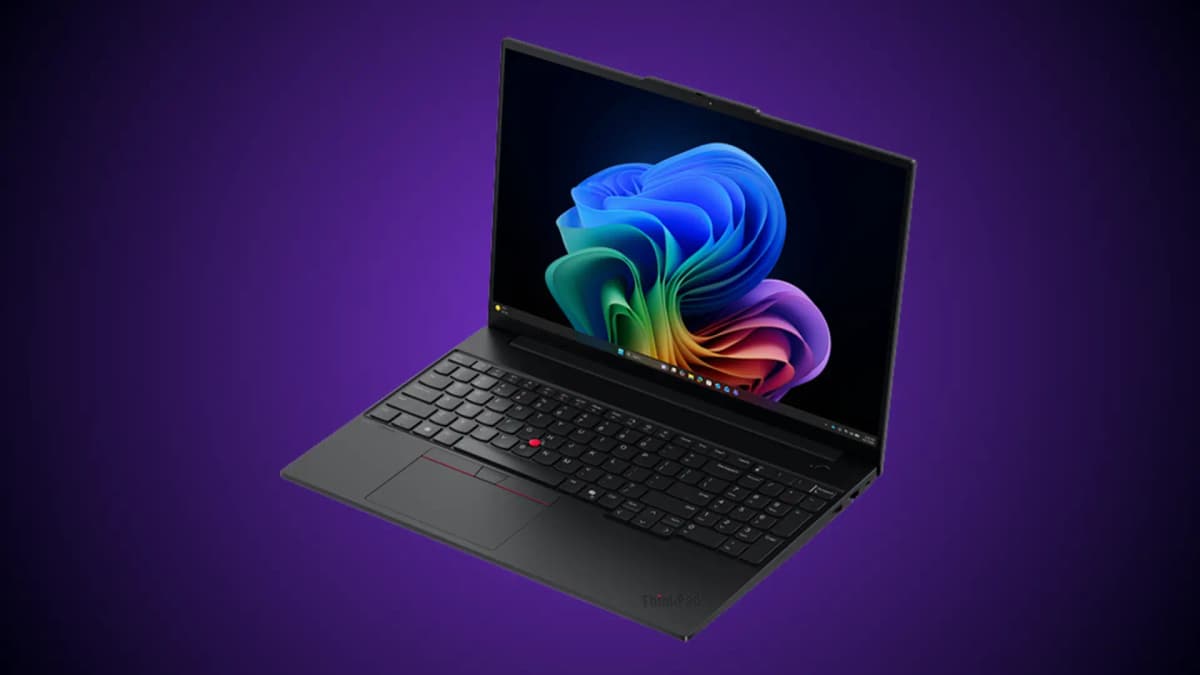
The Lenovo Legion 5i with RTX 5070 makes sense for one very specific reason: it spends the money where a gaming laptop usually feels cheap first.
The 15.1-inch 2560 x 1600 OLED panel is the hook. The RTX 5070 laptop GPU is the muscle. The Intel Core i7-14700HX gives it enough CPU headroom for gaming, streaming, schoolwork, and creator workloads. None of that makes it perfect. It still has the usual gaming-laptop compromises: fan noise, short unplugged gaming time, and a 16 GB memory configuration that looks more like a starting point than an ideal long-term setup.
But if the price is right, the balance is strong.
This is a research-based buyer review built from the supplied Amazon listing, official platform information from NVIDIA, Lenovo's public PSREF product page, retailer configuration data, and independent coverage from PC Gamer, TechRadar, GamesRadar, and Tom's Guide. We have not run our own benchmarks on this exact Amazon unit, so performance comments below are based on the configuration, published testing of closely related Legion 5i Gen 10 models, and the limits of the RTX 5070 laptop GPU class.
- Best reason to buy: The 15.1-inch 1600p OLED display makes this feel more premium than many midrange gaming laptops.
- Main compromise: Battery life and fan noise are the expected tradeoffs for an HX CPU and RTX 5070 laptop GPU.
- Upgrade to plan: Start with 16 GB if the price is right, but budget for 32 GB RAM if you keep laptops for several years.
- Best price zone: Most compelling near $1,500; harder to justify as it moves toward $1,800 or higher.
The Configuration That Matters
The listing we reviewed describes a Lenovo Legion 5i gaming laptop with an Intel Core i7-14700HX processor, NVIDIA GeForce RTX 5070 graphics, 16 GB of memory, 1 TB of storage, a 15-inch class 2.5K WQXGA OLED display at 165 Hz, and 3 months of PC Game Pass.
That combination puts the machine in a useful middle lane. It is above budget RTX 5050 and RTX 5060 laptops, but it is still more practical than heavier, more expensive RTX 5080 and RTX 5090 systems.

A research-reviewed Legion 5i configuration built around a 15.1-inch 1600p OLED display, RTX 5070 laptop graphics, and Intel HX-class CPU performance.
- Best fit for plugged-in gaming, schoolwork, creator apps, and desk setups.
- OLED display is the clearest advantage over cheaper gaming laptops.
- 16 GB RAM is usable, but 32 GB is the better long-term target.
- Worth comparing carefully by exact model code, GPU wattage, warranty, and return policy.
- CPU
- Intel Core i7-14700HX
- GPU
- GeForce RTX 5070 Laptop GPU
- Display
- 15.1-inch 2560 x 1600 OLED, 165 Hz
- Memory
- 16 GB
- Storage
- 1 TB SSD
- Best use
- Plugged-in gaming and creator work
| Area | What the listing points to | Why it matters |
|---|---|---|
| CPU | Intel Core i7-14700HX | A high-power 20-core HX-class chip for games, compiling, rendering, and multitasking. |
| GPU | NVIDIA GeForce RTX 5070 Laptop GPU | Strong 1600p gaming potential, especially with DLSS support in modern titles. |
| Display | 15.1-inch 2560 x 1600 OLED, 165 Hz | The biggest reason to consider this model over cheaper gaming laptops. |
| Memory | 16 GB | Fine to start, but 32 GB is the cleaner target for heavy gaming and creation. |
| Storage | 1 TB SSD | Reasonable for a gaming laptop, though large game libraries fill it quickly. |
| Positioning | Gaming, streaming, coursework, creation | More of a student/creator/gamer crossover than a pure desktop replacement. |
Swipe sideways to compare the full chart.
The exact model code matters. Lenovo sells many Legion 5 and Legion 5i Gen 10 configurations across regions, processors, GPU wattages, displays, memory layouts, and keyboard options. Lenovo's official PSREF page also warns that listed models may not be available in every country, so you should verify the exact retailer SKU before buying.
Treat the model code as part of the spec sheet. With gaming laptops, the name on the lid rarely tells you enough.
The OLED Screen Is the Main Event
Most midrange gaming laptops still make you choose between performance and display quality. The Legion 5i tries to avoid that tradeoff.
A 15.1-inch 2560 x 1600 OLED panel at 165 Hz is a real upgrade over the dim, washed-out IPS panels that still show up in cheaper gaming machines. The higher 16:10 resolution gives you more vertical room for documents, timelines, browser tabs, and game HUDs. OLED also gives games and movies the kind of contrast that a basic LCD panel cannot fake.
Independent coverage of Legion 5 Gen 10 systems has been unusually consistent on this point. GamesRadar called the OLED panel a standout for the class, while Tom's Guide's Legion 5i Gen 10 review praised the display quality, build, keyboard, and overall value in a related RTX 5060 configuration.
That matters because the screen is the part you live with even when the GPU is not under load. If you use one laptop for gaming, classwork, writing, editing, and watching video, the OLED panel is not a cosmetic upgrade. It changes the daily experience.
There is one OLED caveat: glossy panels can reflect bright windows and overhead lighting. If you work in harsh daylight, the richer contrast may come with more glare than a matte IPS screen.
RTX 5070 Laptop Performance: Good, Not Magical
NVIDIA's official RTX 50 Series laptop page positions the Blackwell generation around AI-assisted performance, ray tracing, creator acceleration, and Max-Q efficiency. The current NVIDIA DLSS page also describes DLSS as an AI rendering suite that can boost frame rates and includes Multi Frame Generation in supported games.
That is the right context for the RTX 5070 Laptop GPU. It is not a desktop RTX 5070 squeezed into a notebook. Laptop GPUs are constrained by power, cooling, chassis thickness, and manufacturer tuning. In this class, GPU wattage is just as important as the chip name.
PC Gamer specifically identified a Legion 5i Gen 10 RTX 5070 configuration with a 115 W RTX 5070 laptop GPU and argued that DLSS and Multi Frame Generation help it make better use of the 1600p OLED display. That is the realistic read. Native 2560 x 1600 gaming at ultra settings will not be effortless in every demanding title, but high settings with DLSS support should be the sweet spot.
Expect the Legion 5i RTX 5070 to be strongest in these situations:
- Competitive games where 165 Hz matters and settings can be tuned easily.
- AAA games using DLSS, Frame Generation, or Multi Frame Generation.
- Creator apps that can use NVIDIA GPU acceleration.
- External-monitor setups where you want a laptop that can also work as a desk machine.
The wrong expectation is "desktop-class 5070 performance anywhere, anytime." The better expectation is "very capable 1600p laptop gaming when plugged in, with fan noise under serious load."
The i7-14700HX Is Powerful, but It Needs Cooling
The Core i7-14700HX is not a low-power chip. It is an HX-class processor built for high sustained performance, and that is useful if you do more than game. Code builds, virtual machines, video exports, Blender scenes, large spreadsheets, and livestreaming all benefit from the extra CPU headroom.
That power also has a cost. A CPU like this can push heat into the chassis quickly, especially when the RTX 5070 is working at the same time. Lenovo's Legion line usually handles cooling better than thin lifestyle gaming laptops, but physics still wins eventually.
The practical translation is simple: buy this laptop for plugged-in performance, not quiet lap use. During heavier gaming or rendering, expect fans. During lighter browsing, writing, streaming, or coursework, it should behave more like a normal high-performance laptop.
16 GB RAM Is the First Upgrade I Would Plan
The supplied listing's 16 GB memory spec is acceptable, but it is the least future-proof part of the configuration.
For current games, 16 GB can still work. For a laptop in this price and performance class, it is less ideal. Modern games, browser tabs, Discord, game launchers, recording tools, and creator apps can crowd 16 GB quickly. If you use the Legion 5i for school or work during the day and gaming at night, 32 GB is the more comfortable target.
The good news is that Legion 5i configurations in this family are commonly sold with upgradeable DDR5 memory, and multiple retailer listings for Gen 10 models describe two memory slots. Still, do not assume. Check the exact model code before buying, especially if you are comparing a retailer unit, marketplace unit, and Lenovo direct configuration.
Storage is less urgent. A 1 TB SSD is enough for Windows, core apps, and a rotating game library. It is not enough if you keep several 100 GB games installed at once, but storage is easier to manage than memory pressure.
Build, Keyboard, and Ports
The Legion 5i's biggest design strength is that it does not try too hard to look like a gaming laptop. It is still a performance notebook, but the chassis is cleaner and more work-appropriate than many RGB-heavy alternatives.
Published reviews of related Legion 5i Gen 10 models describe a sturdy design, a good keyboard, and enough I/O for a real desk setup. That fits the role this laptop is trying to play. It is not just a gaming box with a screen attached. It can sit on a desk with a monitor, keyboard, mouse, Ethernet, and charger and still make sense as a workstation.
The keyboard also matters more than spec sheets admit. If you are buying this for university, remote work, or daily writing, the keyboard and touchpad need to be tolerable. Reviews of the Gen 10 chassis have generally been positive here.
Battery Life Is the Tradeoff
Gaming laptops with HX processors, OLED panels, and RTX graphics are not battery-life machines. That does not mean the Legion 5i is unusable away from the wall, but it does mean unplugged gaming should not be part of the buying fantasy.
Tom's Guide found poor battery life in its related Legion 5i Gen 10 review, especially for gaming. That is not surprising. The same parts that make the laptop appealing while plugged in become liabilities on battery.
If you need a laptop for eight-hour classroom days without carrying a charger, this is the wrong category. If you need a powerful portable machine that moves between a desk, dorm, office, and couch, the compromise is easier to accept.
What Buyers Are Saying
The Amazon listing in the supplied brief showed a 4.6 out of 5 rating from 135 global ratings at the time it was captured. The review summary leaned positive on performance, screen quality, gaming ability, and build. The mixed notes were exactly where you would expect them: thermals, fan noise, value, wireless connectivity, and speakers.
That pattern is believable for this hardware class. OLED and performance impress immediately. Fan noise and battery life become obvious after a few days. Speakers are rarely the reason to buy a gaming laptop. Wi-Fi complaints are harder to generalize because they can come from drivers, routers, Windows power management, or a bad unit.
The useful signal is not that every buyer has the same experience. It is that the praise and complaints line up with the laptop's design tradeoffs.
Price: When It Becomes a Good Buy
This laptop is attractive when it lands near the lower end of RTX 5070 OLED pricing. PC Gamer highlighted a similar RTX 5070/OLED/i7-14700HX Legion 5i Gen 10 deal under $1,500 in 2025. At that level, the value is easy to understand.
At around $1,800, the decision gets harder. You should compare it against:
- RTX 5070 laptops with 32 GB RAM already installed.
- RTX 5060 OLED laptops that cost much less.
- Lenovo Legion 7i or Legion Pro models during sales.
- Creator laptops with better battery life if gaming is secondary.
For buyers outside the United States, shipping and import charges can destroy the value quickly. The supplied Amazon page showed very high shipping and import costs to Bangladesh, which changes the purchase from "strong deal" to "think carefully." Hardware value is always local.
Buy or Skip
| Decision | Strong signal |
|---|---|
| Buy it | You want one laptop for gaming, coursework, creator apps, and a real desk setup without paying flagship prices. |
| Buy it | The built-in screen matters to you. The OLED panel is not a side feature; it is the reason this machine stands out. |
| Buy it | You mostly play plugged in and are comfortable with fan noise during heavy loads. |
| Skip it | Battery life is one of your top three priorities. |
| Skip it | You need quiet performance under load. Cooling an HX CPU and RTX 5070 laptop GPU takes airflow, and airflow makes noise. |
| Skip it | The exact unit costs much more than competing RTX 5070 systems with 32 GB RAM. |
Swipe sideways to compare the full chart.
A thin productivity laptop, gaming handheld plus desktop, or more efficient creator notebook will make more sense if you need all-day unplugged use. The Legion 5i is for people who can accept gaming-laptop physics in exchange for a better screen and stronger plugged-in performance.
The Lenovo Legion 5i RTX 5070 is at its best when you judge it as a practical performance laptop with an unusually good screen, not as a dream machine with no compromises.
The OLED display gives it a daily-use advantage. The RTX 5070 laptop GPU gives it enough gaming and creator power to justify the chassis. The i7-14700HX gives it workstation-like CPU headroom. The weak points are predictable: battery life, fan noise, and the need to think about a 32 GB memory upgrade.
If you find it near $1,500, it is one of the more compelling OLED gaming laptops in the midrange. If it is closer to $1,800 or higher, compare the exact model code, RAM, GPU wattage, warranty, and return policy before you commit.
Sources Checked
- Lenovo PSREF: Legion 5 15IRX10
- NVIDIA GeForce RTX 50 Series Gaming Laptops
- NVIDIA DLSS technology
- PC Gamer: Lenovo Legion 5i Gen 10 RTX 5070 OLED deal coverage
- TechRadar: best Australian gaming laptops for 2026
- Tom's Guide: Lenovo Legion 5i Gen 10 review
- GamesRadar: Lenovo Legion 5 Gen 10 review
- EXcaliberPC: Lenovo Legion 5i Gen 10 configuration reference