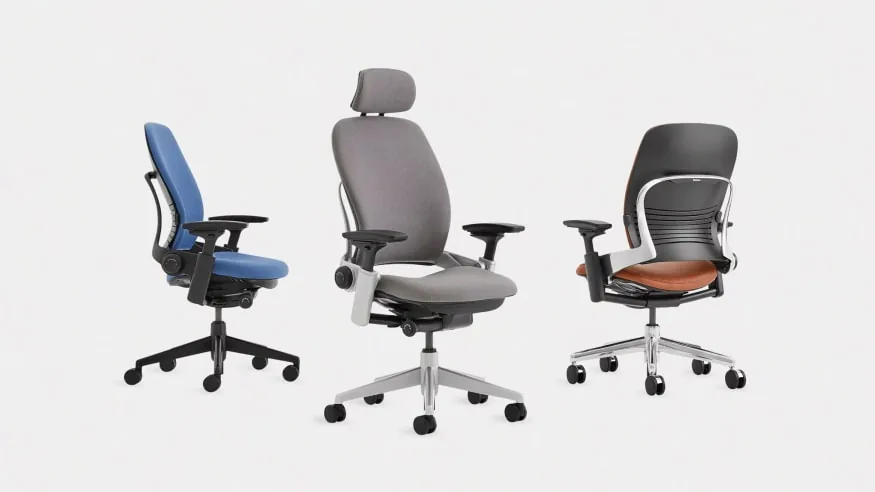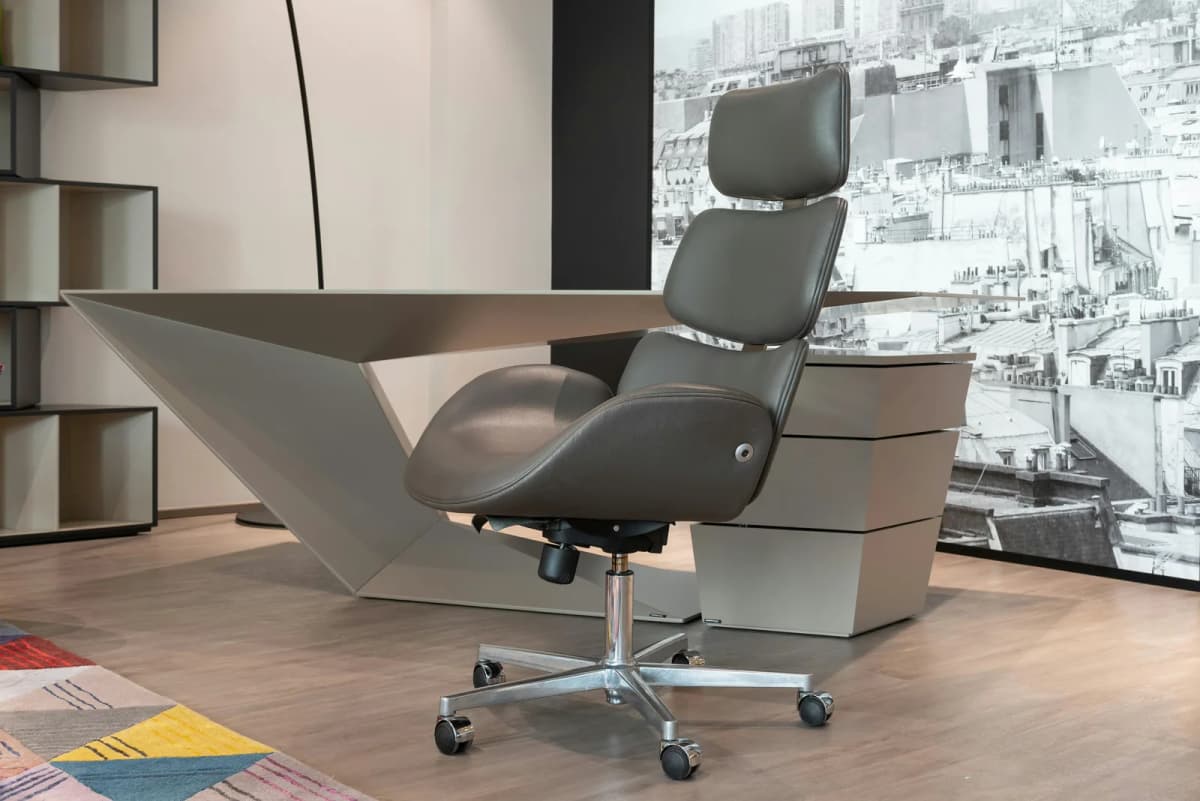

Comparing the Branch Ergonomic Chair vs Steelcase Series 1 can get frustrating fast. Both are adjustable mesh-back chairs, both suit compact workspaces, and sale prices can bring them closer together than their usual positions suggest.
The practical difference is simpler. Branch gives you more hands-on control in a warmer, home-friendly design. Steelcase gives you automatic recline tension, more versatile armrests, a higher weight limit, and longer warranty coverage.
Neither chair is the automatic winner for every body. Your seat height, leg length, desk clearance, and preferred way of reclining matter more than the number of features in a product listing.
How this comparison was built We checked the current Branch product specifications, Branch warranty terms, Steelcase Series 1 product page, Steelcase's North American specification guide, and the Steelcase Store's assembly information. We also checked independent hands-on reviews from TechRadar and Creative Bloq for comfort points that specifications cannot settle. Prices and configurations can change, so verify the exact chair in your cart.
Quick Decision Framework
Choose the Branch Ergonomic Chair if you want a softer, more residential look, prefer to set your own tilt tension, and need adjustable seat depth and removable arms without moving into premium-chair pricing.
Choose the Steelcase Series 1 if you want the chair to set recline resistance for you, need armrests that also pivot, or value its 400-pound chair rating and 12-year parts-and-labor warranty.
Engineering Fit Analysis
Three measurements and controls do most of the work here:
The standard Series 1 drops to 16.5 inches, half an inch lower than Branch. That gives Steelcase a small advantage for shorter legs. Whichever chair you choose, your feet should rest flat and your knees should sit around hip height.
Series 1 adjusts recline tension to your body weight and adds a firmer “boost” mode. Branch uses a manual tension control instead. The automatic system is easier, while the manual control gives you more say over the feel.
The armrests may settle the decision. Branch lets you adjust their height, width, and depth. Series 1 also lets you pivot them, which helps when you move between typing, using a mouse, and writing by hand.
Key Specs at a Glance
At‑a‑glance specs — Branch vs Steelcase Series 1.
| Feature | Branch Ergonomic Chair | Steelcase Series 1 |
|---|---|---|
| Price position | Mid-range | Mid-range |
| Seat Height | 17"–21" | 16.5"–21.5" |
| Seat Depth | 18"–22" published range | 15.5"–17.75" functional depth |
| Armrests | 3-way (height, width, depth) | 4-way (height, width, depth, pivot) |
| Lumbar | Height-adjustable and removable | Height-adjustable on current retail chair |
| Weight Capacity | 275 lbs | 400 lbs |
| Warranty | 7 years on parts and components | 12 years on parts and labor |
| Assembly | Assembly required | Under 2 minutes; no tools required |
Swipe sideways to compare the full chart.
Retail configurations and pricing change frequently; compare the exact versions before buying.
Adjustability: What You Actually Get
Both chairs let you change the basics. The real difference is how much work you want the chair to do for you.
Branch — Manual Customization
Branch lists eight adjustments. You can change the seat height and depth, recline and tilt tension, lumbar height, and the height, width, and depth of the armrests. That is plenty of control for most home-office setups, but you will need to spend a few minutes dialing it in.
Branch gives you more control over thigh support and recline resistance thanks to its seat-depth range and manual tilt tension.
The arm pads slide forward and back, but they do not pivot. If you angle your forearms inward at a compact keyboard, the Series 1 arms are easier to place underneath them.
Solid mid-range value with 8 points of adjustment. Ideal for petite and average height users looking for a modern look.
- 8 points of adjustment including seat height, depth, and tilt
- Removable arms for tighter desk clearance
- Clean residential silhouette that blends with home furniture
Steelcase — Active Response
Series 1 uses your body weight to set the basic recline resistance. Its comfort dial gives you full recline, full recline with 20% more tension, or an upright back stop.
You can sit down and recline without tuning a spring knob. The 4D arms also pivot in addition to moving up, down, inward, outward, forward, and back.
The weight-activated system still has limits. You get three useful dial positions, but Branch is the better choice if you want to set a very specific amount of resistance yourself.
The home-delivery version is also easier to build. Steelcase says it takes under two minutes and requires no tools; you attach the base, seat, and back, then sit down to secure the parts.
Enterprise-grade build quality with weight-activated back controls and 4-way arm adjustment. 12-year warranty.
- Weight-activated recline adjusts automatically to your body
- 4-way adjustable armrests with professional-grade friction
- 12-year warranty covers daily office use
Lumbar Support: What to Know
Lumbar support is personal. A support bar that lands in the right place for one person can feel distracting to someone with a different torso length or spinal curve.Branch uses a firm, height-adjustable lumbar piece behind the mesh. You can remove it if you prefer the backrest on its own. Hands-on reviewers generally describe it as noticeable and supportive, but that firmness is exactly why trying the chair—or keeping the return window in mind—matters.
Steelcase pairs its lumbar support with internal flexors in the 3D Microknit back. The flexors move with you, while the separate lumbar piece slides vertically so you can place it at your beltline. The current North American retail chair includes height adjustment, but dealer and international configurations differ, so check the options before ordering.
Neither common configuration gives you a large lumbar-depth range. If you need strong forward pressure for a diagnosed back condition, do not buy from the feature list alone; ask a clinician for guidance and test the chair if possible.
Build Quality & Materials
Branch uses a double-woven nylon mesh back, a high-density foam seat, and an anodized aluminum base. The chair weighs 42 pounds and carries a 275-pound limit. Branch calls it contract-grade, but the written warranty is more useful: parts and components are covered for seven years, while the fabric is covered for three.
Series 1 uses a plastic frame and base in its standard configuration, with an optional polished-aluminum base. That does not make it flimsy. The current chair is weight-tested to 400 pounds, is listed as BIFMA compliant, and has replaceable seat and back assemblies. It is also much lighter than Branch at about 29 pounds.
Steelcase has the stronger paper case for demanding use because its 12-year warranty explicitly covers parts and labor in 24/7 multi-shift settings. That is more useful evidence than guessing durability from how much plastic you can see.
Design: Home vs Workstation
Branch has the warmer, more furniture-like look. Its mesh back, rounded frame, and home-friendly color combinations work well when your desk shares a bedroom or living area. It measures 25 inches wide and 24 inches deep, though the 27.6-inch base is the number to check around tight desk legs.
Steelcase looks more like a dedicated task chair, but it is not automatically the bulkier choice. The standard work chair spans 23.5 to 27 inches wide as the arms move and 21 to 23.75 inches deep as the seat slides. You can also choose the fabric-covered 3D Microknit back or the more graphic Air Back, depending on the seller.
Branch is easier to blend into a relaxed room. Series 1 is easier to move and can occupy less depth. Measure the chair at its base and the desk opening before making the decision on looks alone.
Long-Term Cost of Ownership
The warranty gap is large, but the fine print still matters.
- Branch covers parts and components for seven years and furniture fabric for three. Coverage is non-transferable and limited to the continental United States and Canada. Purchases from an authorized third party may require registration or proof of purchase.
- Steelcase covers parts and labor for 12 years on the current North American Series 1, including chairs used around the clock in multiple shifts. Terms can vary by country and sales channel.
Do not compare the lowest prices without opening the configuration details. Series 1 can be sold with different backs, arm packages, bases, casters, and lumbar setups. Branch also offers several colors and an optional headrest. Match the features you actually want, then confirm that the seller is authorized before treating the warranty as part of the value.
Fit Trade-offs: Who Should Choose Which
Before you buy, check these three practical trade-offs:
- Series 1 reaches half an inch lower in its standard form, so it has the better starting point for shorter legs. Seat depth matters too. Sit fully against the back and look for roughly two to three inches between the seat edge and the back of your knees. A footrest can solve a small height mismatch, but it cannot shorten an overly deep seat.
- Choose Steelcase if you want the chair to manage back tension with minimal input. Choose Branch if you would rather turn a control until the recline feels exactly right.
- Branch has the more residential appearance. Steelcase is the better fit if lower weight, a compact depth, or pivoting arm pads matter more. In either case, compare arm height with the underside of your desk so the chair can roll in properly.
Bottom Line
The Branch Ergonomic Chair is the better value for a design-conscious home office when you want solid core adjustments, manual recline control, and removable arms. Its seven-year warranty is good for the category, but its 275-pound limit and non-pivoting arm pads are real boundaries.
The Steelcase Series 1 is the stronger technical package. It sits slightly lower, adjusts recline tension automatically, adds pivoting arms, supports up to 400 pounds, and carries much longer coverage. It is also lighter and quicker to assemble.
If the configured prices are close, Series 1 is the easier long-term recommendation. Choose Branch when its look, manual feel, or lower price matters more to you. Whichever way you go, fit beats reputation: confirm seat height, seat depth, desk clearance, and the seller's return policy before ordering.