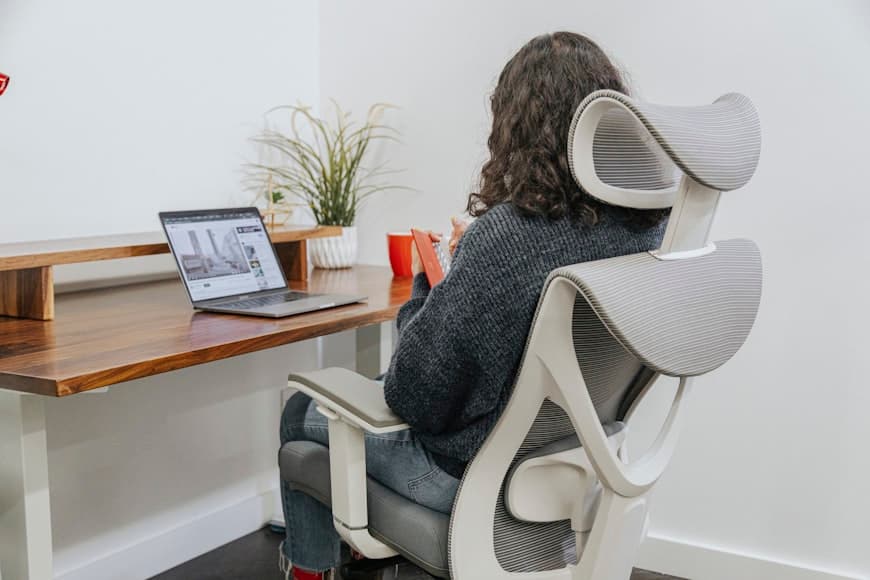
Vertical laptop stands only make sense when the laptop screen is no longer the main event.
That is the whole category in one sentence.
If your desk workflow usually runs through one external monitor, keyboard, mouse, and a dock or charger, a vertical stand can reclaim a surprising amount of surface area. If you still need the laptop open as a second screen, a normal open stand is usually the better buy.
If the remaining question is which dock actually keeps that setup cleaner instead of adding one more box, Laptop docks that keep small desks cleaner is the direct follow-up.
That is why this guide stays narrow.
The best vertical laptop stands for clamshell setups are not just the prettiest metal wedges on a product page. They need to fit the actual laptop thickness, stay planted when cables pull from the side, protect the chassis, and avoid turning a closed-lid setup into one more fiddly desk ritual.
The picks below are based on current official product pages, with special attention to fit range, materials, desk footprint, adjustability, and whether the stand actually makes sense for a real closed-lid workflow.
- overall vertical stand: HumanCentric Vertical Laptop Stand
- budget adjustable stand: UGREEN Adjustable Vertical Laptop Stand
- premium desk-aesthetic dock: Oakywood Laptop Dock
- minimalist MacBook-first stand: Twelve South BookArc Flex
overall vertical stand
A clean all-around clamshell pick with an auto-adjusting slot, solid aluminum body, and enough compatibility to work well on most closed-lid desk setups.
- Patented mechanism adjusts automatically as the laptop is inserted
- Works for laptops up to 1 inch thick
- Solid anodized aluminum body with silicone protection
budget adjustable stand
A lower-cost adjustable stand that still covers the basics well if you want clamshell space savings without paying for premium materials or design language.
- Adjustable slot width from 12 mm to 26 mm
- Sized for laptops up to 15.6 inches
- Aluminum frame with silicone protection and open cooling design
premium desk-aesthetic dock
A more design-forward premium stand with adjustable fit, wood-and-aluminum construction, and enough polish to feel like part of the desk rather than a generic accessory.
- Supports devices up to 34 mm thick
- Adjustable width with felt-and-flock lining
- Solid wood, solid aluminum, and micro-suction base
minimalist MacBook-first stand
A minimal stand for people who want the cleanest possible look and use a thinner MacBook or similar laptop in a monitor-first setup.
- No inserts or extra adjustments
- Fits most laptops up to 14 inches and less than 1 inch thick
- Designed to improve airflow while keeping the footprint visually light
Why vertical stands are different from open laptop stands
An open laptop stand helps when the laptop screen is still doing real work.
A vertical stand helps when the laptop itself is basically acting like the computer tower.
That changes the buying criteria.
For a clamshell setup, the important questions are:
fit range: whether the stand actually matches your laptop thickness, sleeve, or skin; stability: whether the base stays calm when power, display, and USB cables tug sideways; surface use: how much desk width and depth the stand gives back; protection: whether the inner surfaces are padded well enough to avoid scratches; workflow honesty: whether you really keep the laptop closed most of the time.
If the laptop still needs to stay open for messaging, reference windows, or camera use, stop here and go to Laptop stands that fit small desks instead. A vertical stand is great for a closed-lid workflow. It is the wrong category for a side-screen workflow.
How we narrowed the list
This page stays focused on stands that make sense for actual clamshell desk setups, not every stand-shaped laptop accessory on the market.
That means the picks had to do at least one of these well:
handle common closed-lid desk setups without vague fit claims; reclaim meaningful surface area on smaller desks; support cable-connected daily use instead of just looking tidy in staged photos; offer a clear reason to choose them over a normal open laptop stand.
I also favored products with published thickness limits, materials, and setup intent on the official product pages. If a brand could not clearly explain who the stand fit or how it stayed planted, it was not a strong candidate for this list.
1. HumanCentric Vertical Laptop Stand
HumanCentric is the best overall pick because it solves the most common clamshell problem without making the setup feel delicate or overly specific.
HumanCentric describes the stand as a desk-saving vertical dock for use with an external monitor, keyboard, and mouse. The current official page also says the patented adjustment mechanism automatically sizes the stand when the laptop is inserted, the body is machined from solid anodized aluminum, silicone pads protect the laptop, and it supports laptops up to 1 inch thick.
That combination is what makes it the strongest default choice.
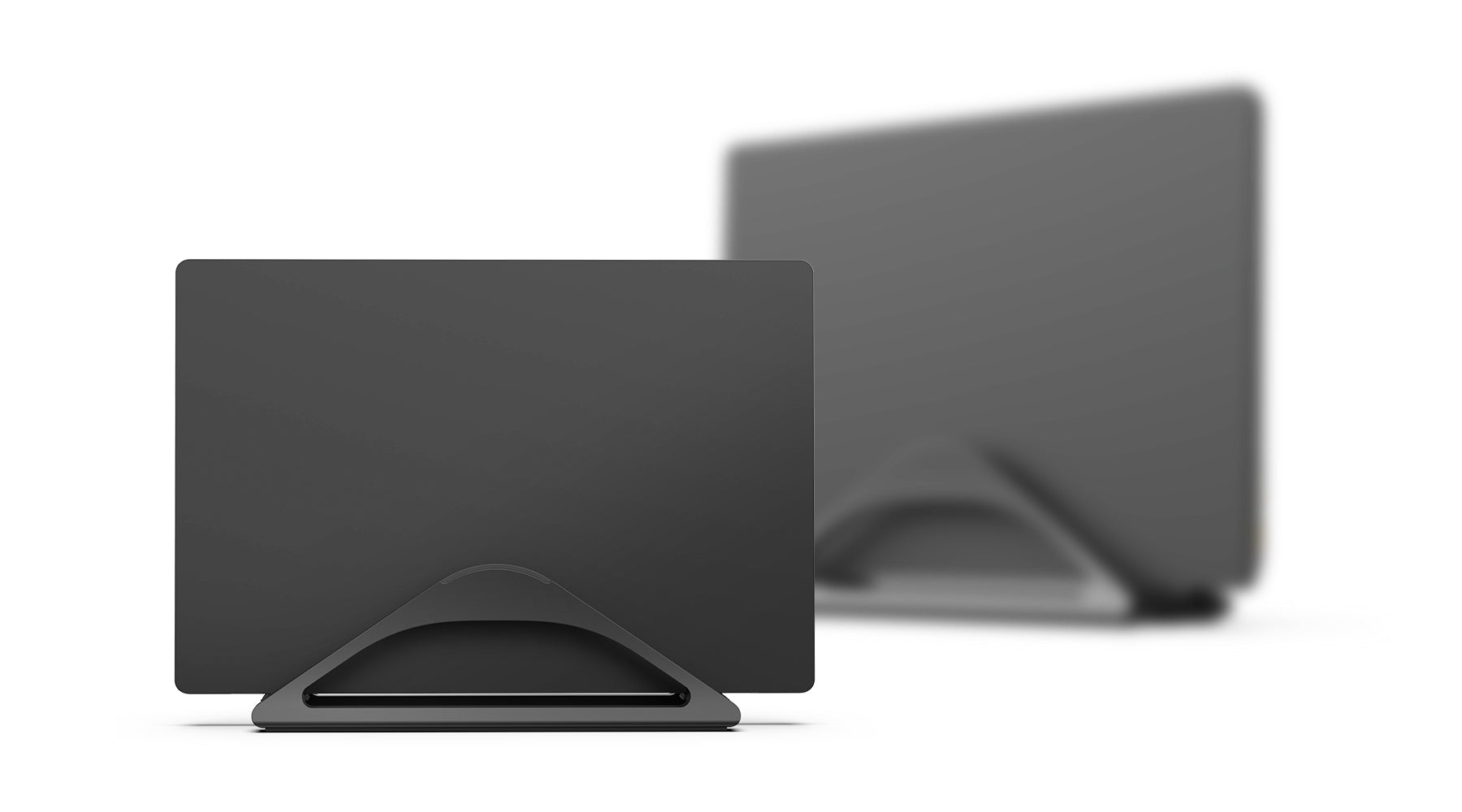
You do not have to commit to a very narrow Mac-only fit, and you do not have to fiddle with a tiny screw every time you change machines. It still looks clean enough for a home office, but the bigger advantage is practical: it removes enough setup friction that the closed-lid workflow actually stays usable day to day.
Strong fit for: most people who want a reliable clamshell stand without overthinking aesthetics or niche compatibility.
Main tradeoff: it is more functional than distinctive. If you want the stand to be part of the desk’s visual identity, one of the premium options feels more special.
2. UGREEN Adjustable Vertical Laptop Stand
UGREEN is the strongest budget option because it covers the core clamshell job without pretending to be luxurious.
UGREEN’s current official specs describe an aluminum vertical stand with silicone protection, an adjustable slot range from 12 mm to 26 mm, support for laptops up to 15.6 inches, and a compact body designed to save desktop space while leaving the device standing for better airflow.
That is enough for a lot of setups.
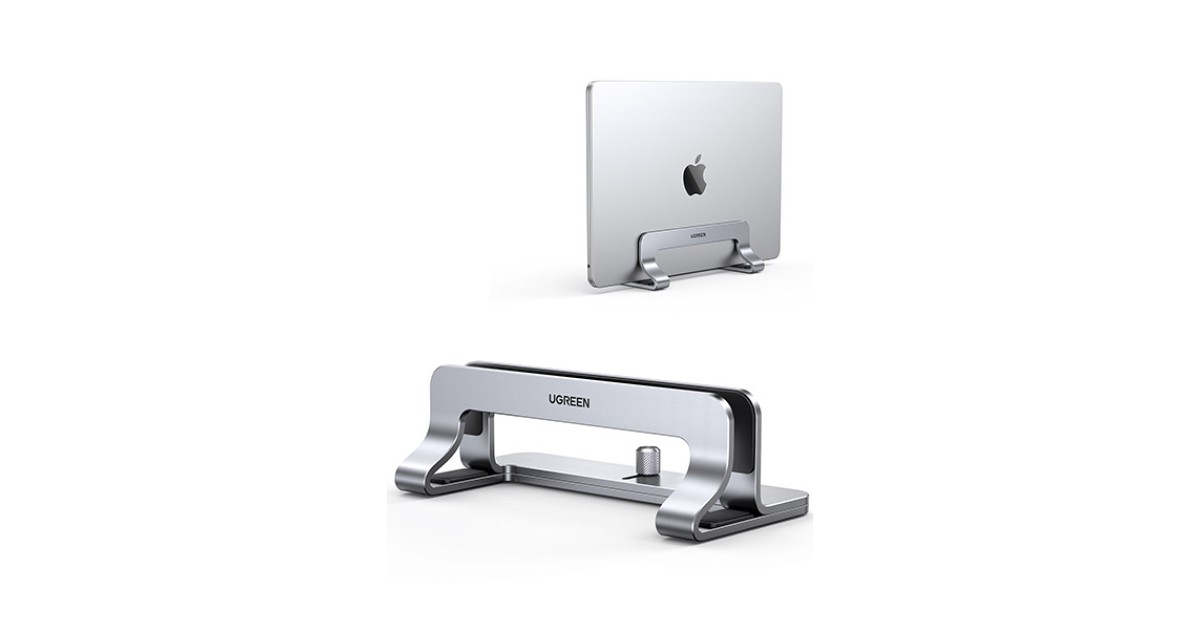
If the real goal is simple, this is exactly the right kind of product:
keep the closed laptop off the main surface; hold it securely without scratching the chassis; avoid paying extra for materials or branding you do not care about.
It is the most sensible pick when the clamshell stand is just one part of a larger desk cleanup and you would rather spend the real money on the monitor arm, dock, or lighting.
Strong fit for: budget-conscious setups that still need a real adjustable vertical stand instead of a flimsy generic placeholder.
Main tradeoff: it is more tool-like than refined, and it does not have the premium material story or desk presence of Oakywood or Twelve South.
3. Oakywood Laptop Dock
Oakywood is the premium pick if the stand needs to feel like part of the workspace, not just a place to park the laptop.
Oakywood’s current product description says the Laptop Dock uses solid wood and solid aluminum, stays planted with micro-suction, supports devices up to 34 mm thick, offers adjustable width, and lines the opening with felt and flock to protect the laptop while improving ventilation.
That spec mix is unusually good for premium desk setups.
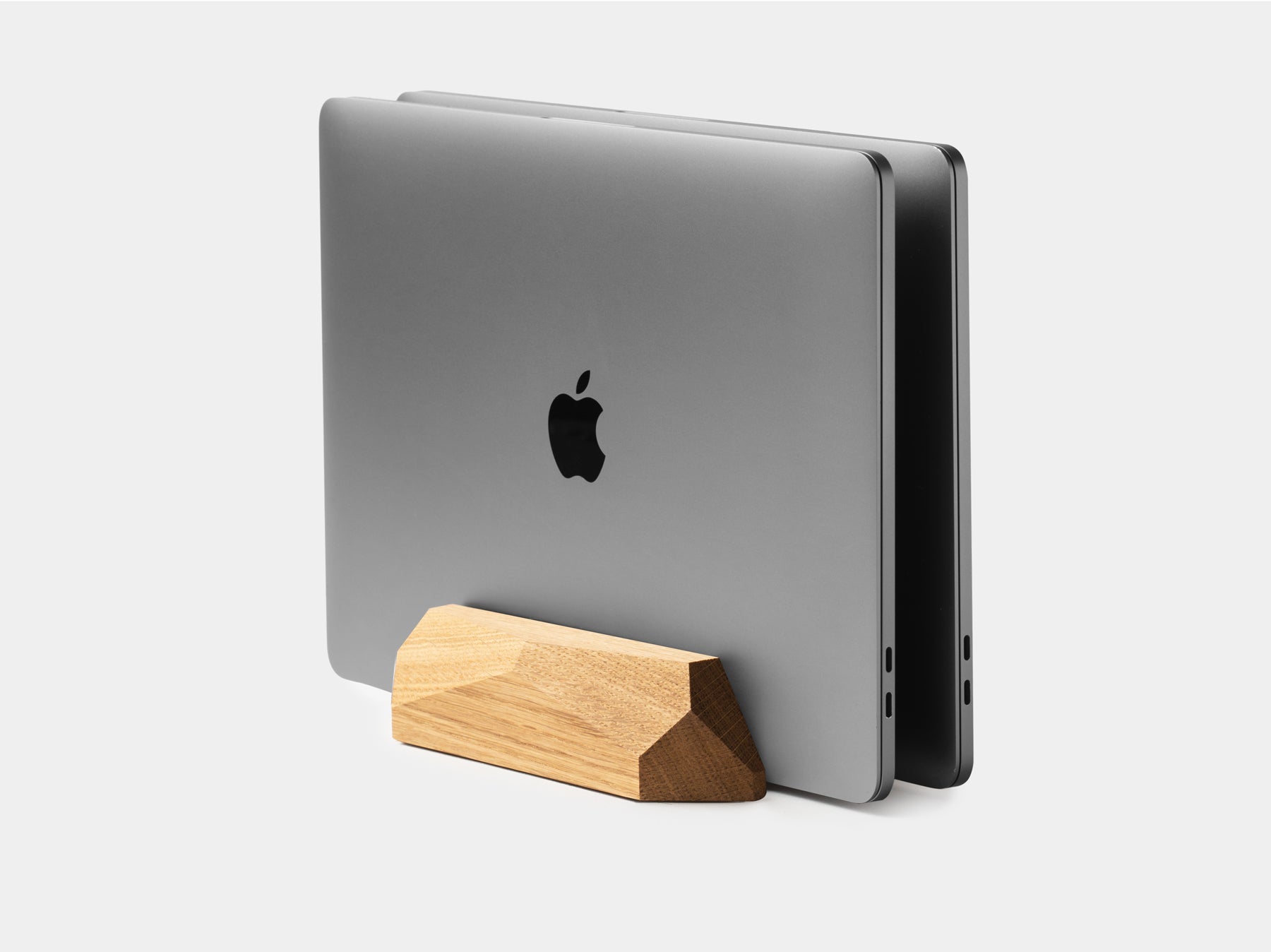
You get:
a thicker fit range than many Mac-first stands; better scratch protection than a bare metal channel; a more furniture-like visual feel than typical aluminum-only holders.
This is the stand that makes the most sense when the desk itself is already carefully built around material quality and visual calm. It is also a strong choice if your laptop is a bit thicker than the slimmer Apple-leaning stands comfortably allow.
Strong fit for: premium home desks where material quality and fit range both matter.
Main tradeoff: price. If all you need is basic vertical storage, this is easy to overspend on.
4. Twelve South BookArc Flex
BookArc Flex is the best minimalist MacBook-first option because it is built around a very specific kind of clean closed-display desk.
Twelve South says BookArc Flex is designed to hold a MacBook or laptop without inserts or extra adjustments, works with most laptops up to 14 inches and less than 1 inch thick, and is meant to improve airflow while keeping the desk visually organized.
That makes it more specialized than the others, but also more appealing if the setup fits.
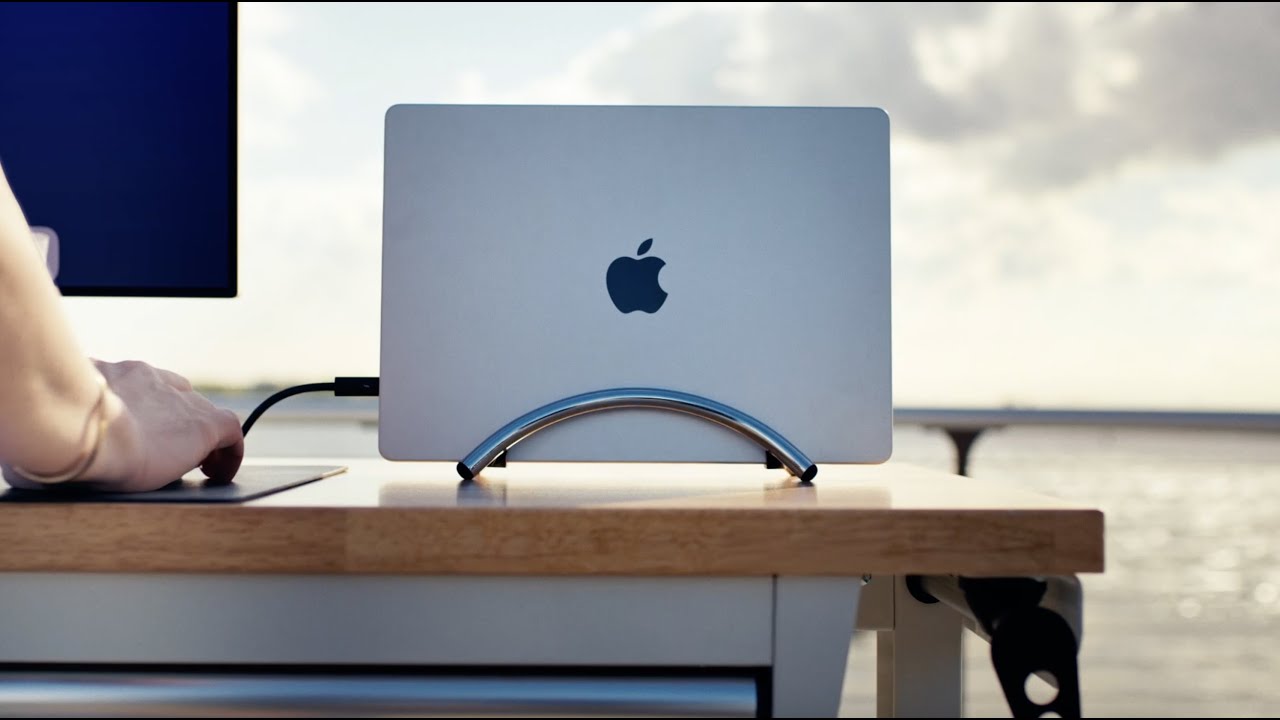
It is a very good answer when:
the laptop is relatively thin; the external monitor is clearly the main display; you want the stand to visually disappear; the desk is more design-led than hardware-led.
BookArc Flex is not the best universal stand in the group, but it is the cleanest one for the thinner-laptop, monitor-first workflow it is designed around.
Strong fit for: MacBook-heavy desks and thinner laptops where aesthetics and minimal footprint matter as much as utility.
Main tradeoff: narrower compatibility. If your laptop is thicker, larger, or less predictable, the more adjustable options are safer.
What to measure before you buy
Do not buy a vertical stand until you check these five things:
- Actual laptop thickness Measure the real closed thickness, not the laptop family name.
- Cable direction Think about where charging, display, and dock cables exit the machine.
- Desk edge clearance A vertical stand saves surface area, but it still needs a calm place to sit.
- Whether you really use clamshell mode If you still rely on the laptop screen, a vertical stand is solving the wrong problem.
- Cooling confidence A stand should keep the machine stable and ventilated, not wedge it into a tight slot with no breathing room.
If your real workflow is one open laptop plus one monitor, How to set up one monitor and a laptop on a small desk is the more important guide. If the goal is reclaiming space on a tighter desk overall, How to set up a small desk without losing usable space is the better companion read.
When a vertical stand is the better answer
A vertical stand usually wins when:
the laptop is almost always closed; the external monitor is the real main display; you want the desk to feel less crowded without buying a larger desk; cable routing and dock placement already make sense.
That is why vertical stands pair well with:
an external monitor; a dedicated keyboard and mouse; a dock or a simple charging/display cable routine; cleaner cable control underneath or behind the desk.
If you have not cleaned that last part up yet, Laptop docks that keep small desks cleaner and Cable management products for cleaner desk setups are the smarter follow-ups than another accessory.
When a vertical stand is not the right answer
Sometimes the better purchase is not a vertical stand at all.
Skip this category if:
you still want the laptop screen visible every day; you switch frequently between open and closed use during the same work session; your laptop fit is unusually thick or awkward; the real desk problem is still monitor depth, not laptop storage.
That last point matters more than people expect.
If the external monitor still eats too much of the desk, reclaiming the laptop footprint alone will not fix the workstation. At that point, the more relevant question is whether the monitor belongs on an arm or riser. Monitor arm vs monitor riser: which is better for posture? is the better next read for that decision.
The best vertical laptop stand for clamshell setups is the one that makes the closed-lid workflow feel easier, not more precious.
For most people, that is the HumanCentric stand because it balances fit, stability, and ease of use well. If you want a cheaper adjustable option, UGREEN is the straightforward answer. If the stand needs to look as good as the rest of the desk, Oakywood is the premium pick. And if you want the cleanest minimalist stand for a thinner MacBook-style setup, BookArc Flex is the nicest fit.
That is the simplest way to think about the category:
best overall: HumanCentric; best budget: UGREEN; best premium: Oakywood; best minimalist MacBook-first option: Twelve South.