
I was already pricing bigger desks when I realized I was blaming the wrong thing.
The desk felt cramped in all the familiar ways. My keyboard kept ending up on the front edge. The mouse drifted outward. A notebook only fit if it overlapped something else. Every product page for a wider or deeper desk started looking reasonable.
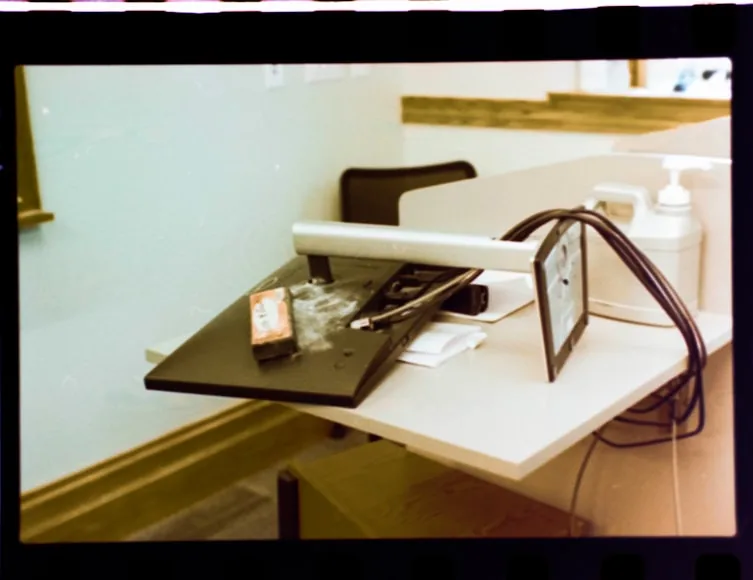
Then I pulled the monitor forward, looked at the stand, and noticed what should have been obvious: the desk was not losing space evenly. The stand was eating the exact part of the desk that needed to stay calm.
That was the turning point. I did not need a new desk first. I needed to stop letting a fixed monitor stand decide where the whole setup had to live.
What changed the diagnosis
The desk was not too small everywhere. The monitor stand was stealing the exact zone that needed to stay clear.
If moving the screen back would calm the whole layout, solve the monitor support before shopping for a bigger desk.
The giveaway was not the desk size
This is the part that makes the problem easy to miss. A desk can look tidy and still feel impossible to use because the most important zone is not the full surface. It is the strip directly in front of you where the keyboard, mouse, and your hands need to work without negotiation.
The basic rules are simple: the monitor should sit directly in front of you, the screen should not be crowding your face, and the things you use most should stay inside the part of the desk your hands can reach naturally. When a monitor stand is deep, wide, or fixed at the wrong point on the desk, those rules start fighting each other fast.
That is exactly what happened to me. The stand base forced the monitor forward. The forward monitor pushed the keyboard closer to the edge. The keyboard position made the mouse zone feel tighter than it really was. By the time I thought about writing space or a laptop, the desk already felt half-used.
From a distance, it looked like a desk-size problem. In practice, it was a support-footprint problem.
What made the difference for me was noticing that the desk did not feel bad everywhere. It felt bad in one exact strip: the place where the keyboard, mouse, and my hands were supposed to settle. That is not how a truly undersized desk usually behaves. That is how a bulky support behaves when it claims the most valuable part of the surface.
What the stand was actually stealing
What finally made the issue click for me was realizing the stand was not just taking up surface area.
It was stealing depth. A good rule of thumb is that the monitor should sit directly behind the keyboard and roughly an arm's length away. That gets much harder when the stand base forces the screen several inches farther forward than it needs to be.
It was stealing the centerline. A lot of monitor stands are deeper or wider than they look in product photos. Once the base lands in the middle of the desk, the keyboard and mouse stop feeling like the main event. They start orbiting around the stand instead.
And it was stealing flexibility. A fixed stand does not care whether your desk is shallow, whether you want the monitor slightly farther back, or whether you need the screen height to change without moving the keyboard. It gives you one footprint and one basic geometry. Everything else adapts around it.
That is why a desk can feel too small even when the actual width is not the first problem. The stand can quietly force a bad layout before the desk has had any chance to work properly.
The moment the desk started feeling normal again
I did not buy a desk right away. I ran a simpler test first.
I cleared the center of the desk, pulled the keyboard and mouse into the position I actually wanted, and then asked a much more useful question: what would the setup feel like if the monitor support took up less space or let the screen sit farther back?
That test changed everything.
The moment the screen stopped bossing the front half of the desk, the desk stopped feeling absurdly small. The keyboard had room to breathe. The mouse no longer felt pushed into a side compromise. A notebook could sit beside the input zone instead of fighting it. Even the desk looked better because the layout finally made sense.
This is where the wrong purchase instinct shows up. When the stand is the bottleneck, people often buy desk organizers, drawers, shelves, or a larger desk before they ever challenge the footprint of the thing sitting in the center. That usually means spending more money to work around the stand instead of solving the stand.
If the setup feels familiar, Monitor arm vs monitor riser: which is better for posture? and Do you need a monitor riser on a 24-inch deep desk? are the two most useful follow-ups.
How I would tell if the stand is guilty
You do not need a tape measure or a shopping cart to figure this out. You just need to notice what changes when the screen support stops dominating the desk.
If the whole desk feels calmer the moment you imagine the monitor farther back, the stand is stealing depth. If the keyboard only works at the edge because the base owns the middle, the desk may be fine and the support may be the real issue. If the screen is low and too close at the same time, height is only half the problem. And if the mouse feels cramped even when the desk looks clean, the center zone is probably being forced into a bad shape by the support geometry.
That last line matters because not every desk gets acquitted. Sometimes the desk really is too shallow or too narrow. But it is much easier to see that honestly once the monitor support stops warping the rest of the layout.
When I would stop defending the desk
There is a point where a bigger desk becomes the right answer. I just think it should earn that verdict.
If the monitor can sit where it should, the keyboard and mouse have a proper zone, and the desk still cannot hold the way you actually work, then yes, the furniture is the constraint. That is especially true if you need a monitor plus a laptop plus writing space, or if the desk is so shallow that even a better support solution still leaves the screen uncomfortably close.
That is where How deep should a desk be for one monitor vs two? and Why your small desk setup still feels cramped become the more honest reads.
But I would not jump there first anymore. A stand problem can fake a desk problem very convincingly.
What I would buy first now
If the stand is bulky, fixed, and obviously pushing the screen forward, I would solve that before I touched the desk. For some setups, that means a monitor arm. For others, it means a shallower riser or a different stand footprint. If the only issue is screen height and distance already feels fine, then a riser can still make sense. If the screen needs to move back as much as it needs to move up, the stand has already answered the question.
That is the part I wish I had understood earlier.
I thought I needed a bigger desk because the setup felt crowded every day. What I actually needed was to stop giving the worst object on the desk the most important real estate.
Once I saw that, the next decision got much cheaper.