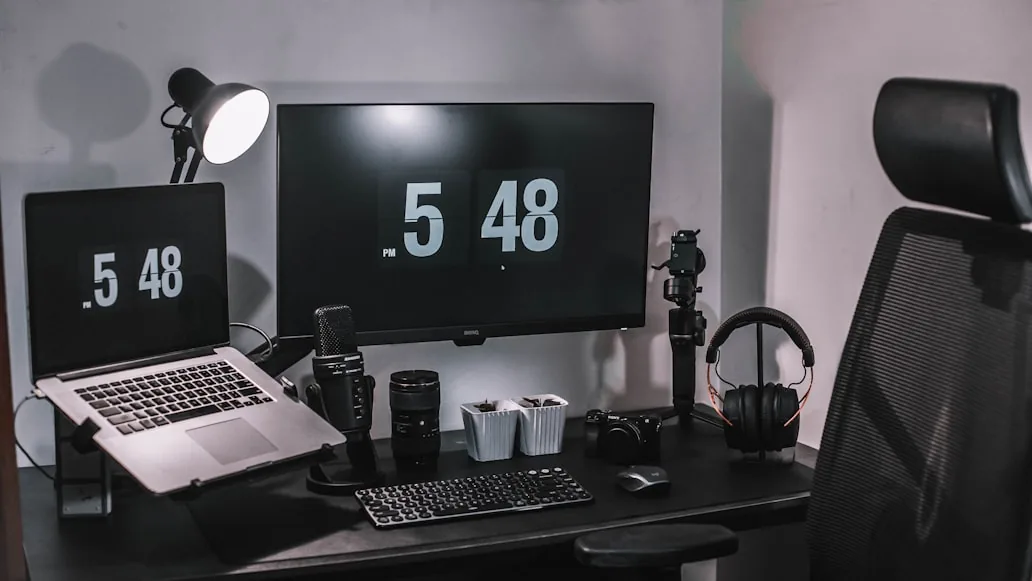

If your table and chair have a height difference that feels too large, do not start by replacing furniture. Set the chair to fit your body first, add a footrest if your feet hang, then fix the keyboard zone. The mismatch is usually solvable in five to ten minutes with adjustments, not purchases.
When a desk and chair height do not match, the setup usually starts trading one problem for another.
You lower the chair until the feet feel better and end up typing with raised shoulders. You raise the chair until the arms feel better and your feet start dangling. Then the chair, the desk, or even your body gets blamed when the real problem is the relationship between the two heights.
That is why this kind of setup feels strangely impossible: the lower half and upper half of the workstation are asking for opposite fixes at the same time.
Mayo Clinic, OSHA, and CCOHS all point back to the same workstation basics: feet need support, the chair has to let the body settle naturally, the keyboard and mouse should sit at a comfortable working height, and the monitor should be adjusted only after those foundations are stable. When the desk and chair do not match, the right move is not to guess which product is wrong first. It is to fix the setup in the right order so the real constraint becomes obvious.
The workable order
If your desk and chair height do not match, work in this order:
- fit the chair to your body first
- restore foot support if the correct chair height leaves your feet hanging
- fix the keyboard-and-mouse zone so your shoulders can drop
- adjust the monitor only after the seated position and hand position are stable
- decide whether the mismatch is truly fixable or whether the desk-chair pairing is just wrong
That order matters because the chair is supposed to fit you, not the desk.
If you reverse that logic, the rest of the workstation starts compensating around a bad starting position.
1. Fit the chair to your body first, not to the desk
This is the part people skip because the desk feels more visually obvious than the chair.
But Mayo Clinic's basic workstation guidance starts with the body:
feet supported on the floor or a footrest; thighs roughly parallel to the floor; knees around hip level; lower back supported by the chair.
That means your first job is not to make the desk feel acceptable.
It is to set the chair so your body lands properly in it.
Start here:
sit fully back in the chair; set the seat height so the legs feel supported rather than perched; check whether the lumbar support meets the lower back; lower the armrests if they lift the shoulders or stop you from getting close enough to the desk.
If the chair itself still feels uncertain, Ergonomic chair settings that actually improve comfort and How to choose an ergonomic office chair are the best next guides.
2. If the right chair height leaves your feet unsupported, fix the feet next
This is the most common fixed-desk problem.
You raise the chair until the arms and shoulders feel closer to right, and then the feet lose easy support.
That does not mean the chair height was wrong.
It usually means the workstation now needs a second fix underneath.
CCOHS is very practical about temporary setups here: employers may provide or allow equipment such as a footrest, but household objects can also be used creatively to improve a temporary workstation. The important part is stability, not elegance.
So if the correct chair height leaves your feet hanging:
use a stable footrest; or use a solid temporary platform that does not slide; do not leave the legs dangling just because the desk now feels better for the hands.
This matters because unsupported feet usually turn into:
thigh pressure; forward perching; lower-back fatigue; constant shifting that travels upward into the shoulders.
If this is the main issue, Do you actually need a footrest at your desk? and Footrests that improve desk posture and circulation are the right follow-ups.
3. If the chair height is right for your body but the desk is still too high, fix the hand zone next
Once the chair is set for the body and the feet are supported, the next question is:
where do your hands land?
OSHA's keyboard guidance is consistent here: elbows should be about the same height as the keyboard, shoulders should stay relaxed, and wrists should stay in a neutral position. CCOHS adds that the keyboard should be at the right height and the mouse should sit nearby without arm or wrist strain.
That means the real problem is often not “desk discomfort” in the abstract.
It is:
a keyboard that sits too high; a mouse that sits too far outward; a thick desk top or center drawer that steals the space needed to keep the hands calm; a chair-and-desk pairing that only works if the shoulders stay slightly raised.
If that sounds familiar, do this next:
center the keyboard directly in front of you; place the mouse immediately beside it; check whether the elbows stay near the torso; notice whether the wrists stay straight instead of bending upward.
If they do not, the desk height is still wrong for the hand zone even if the chair is now correct for the legs.
That is exactly where How to position your keyboard and mouse for shoulder comfort becomes useful.
4. Learn the failure patterns, because they tell you which half of the mismatch is winning
This part is worth slowing down for.
When desk and chair height do not match, the body usually tells on the setup in very specific ways.
If you notice:
shoulders lifting or forearms hovering -> the desk is still too high for the seated arm position; feet dangling or pressure under the thighs -> the chair is high enough for the desk, but not right for the legs; knees jammed under the desk -> the desk, drawer, or under-desk hardware is stealing clearance; wrists bending upward -> the keyboard is too high for the way you are sitting; sliding forward in the chair just to type -> the chair and desk only feel compatible when you abandon the backrest.
Those are not random annoyances.
They are clues about which part of the mismatch is still in control.
If the only way to make the hands happy is to make the legs worse, or the only way to make the legs happy is to make the shoulders worse, the workstation is still mismatched.
5. Do not use the monitor to hide a desk-and-chair problem
This is the other common trap.
People start changing the screen first because it is easy to see.
But if the chair height and keyboard zone are still wrong, monitor adjustments often just decorate the real problem.
Mayo Clinic says the monitor should usually sit about an arm's length away with the top of the screen at or slightly below eye level. That guidance matters, but it matters after the sitting position and hand position make sense.
So:
do not judge monitor height before the chair is fitted properly; do not blame monitor distance if the desk height is forcing you forward; do not try to solve shoulder tension with a screen change when the keyboard is still too high.
Once the body and hands are stable, then it makes sense to fine-tune the screen with How high should your monitor be for good posture? and How far should a monitor be from your eyes on a small desk?.
6. Know when the mismatch is real and not just poorly adjusted
Some desk-and-chair mismatches are fixable with better sequencing.
Some are not.
The mismatch is probably real if:
the chair only fits your body when the desk feels too high; the desk only feels usable when your feet lose support; a reasonable footrest still leaves the thighs jammed under the desk; the center drawer or underside prevents the chair from getting where it needs to go; the only comfortable typing position requires sitting forward instead of using the backrest.
At that point, the smartest conclusion may be:
this pairing is wrong, even if each piece seems acceptable on its own.
That does not always mean replacing everything immediately.
It does mean stopping the cycle of blaming the wrong piece and buying around the mismatch.
A five-minute mismatch test
If you want one fast test, do this:
- set the chair so your body sits correctly in it
- restore foot support if the feet no longer land well
- center the keyboard and mouse
- let the shoulders drop and check whether the wrists stay neutral
- work for five minutes and notice what starts compensating first
If the first compensation is:
raised shoulders -> desk or keyboard height; dangling feet or thigh pressure -> unsupported lower body; knees hitting something -> under-desk clearance; leaning forward toward the screen -> a remaining desk-depth or monitor problem after the height mismatch.
That quick test will not solve every edge case.
But it usually shows whether the workstation needs one more adjustment or whether the desk-chair pairing itself is the real problem.
Bottom line
If your desk and chair height do not match, do not start by forcing one piece to “win.”
Start by fitting the chair to your body, restoring foot support, and then checking whether the keyboard and mouse can sit at a calm working height.
If that order still leaves you choosing between:
relaxed shoulders; supported feet; and a usable typing position.
then the mismatch is real.
And once that becomes clear, the next decision gets much cleaner because you are no longer buying around the wrong problem.
Products that fix the most common mismatches
If the adjustment order above did not fully solve the height mismatch, these products address the two most frequent gaps.
Adjustable footrest that restores foot support when the correct chair height leaves your feet off the floor. The fastest fix for a height mismatch.
- Adjustable height
- Non-slip base
- Compact under-desk fit
Slide-out keyboard tray that lowers the typing surface when the desk height cannot be reduced. Brings the keyboard zone to elbow level.
- Slide-out rail mount
- Full-size tray
- Adjustable height
Related reading
- Why your expensive ergonomic chair still feels wrong
- How to tell if your chair, desk, or monitor is causing the pain
- What to fix first when your workspace feels uncomfortable
- Why your desk setup feels tiring even when it looks fine
- Ergonomic chair settings that actually improve comfort
- How to choose an ergonomic office chair
- How to position your keyboard and mouse for shoulder comfort
- Do you actually need a footrest at your desk?
- Footrests that improve desk posture and circulation
- How high should your monitor be for good posture?
- 7 questions to ask before buying a desk for a small room