
The right mouse should feel almost invisible. Your hand stays comfortable through a long workday, the pointer goes exactly where you expect, and nothing distracts you in the middle of a game.
Finding that mouse is harder than it sounds. The 2026 market is packed with excellent sensors, similar specifications, and product names that do little to explain how a mouse will actually feel in your hand.
Raw sensor performance no longer separates the best models as clearly as it once did. Shape, weight, battery life, button layout, and software now matter more. A good 2.4GHz wireless connection feels as responsive as a cable to most people. Competitive models reach 8,000Hz polling rates, flagship gaming mice weigh roughly 55–63 grams, and productivity mice are even borrowing haptic feedback from phones and game controllers.
The old boundary between a “gaming mouse” and a “work mouse” is fading too. A comfortable gaming mouse can handle spreadsheets perfectly well, while a feature-rich office mouse may be the better tool for creative software.
Our best mouse 2026 picks cover gaming, productivity, travel, ergonomics, basic use, and left-handed users. The goal is simple: help you choose the mouse that fits your hand, desk, and daily routine—not the one with the largest number on the box.
If a mouse fits your hand and grip, almost any modern sensor will feel accurate. Choose the shape first, then compare weight, buttons, connection type, and battery life.
What makes a good productivity mouse?
For office work, DPI is rarely the deciding factor. Pay more attention to these three details:
- Balance: A well-balanced mouse takes less effort to guide. A rear-heavy design may feel planted under your palm, while an evenly balanced model is easier to lift and reposition. The better choice depends on your grip.
- Sensor position: The sensor's location changes how pointer movement follows your wrist and fingers. A position closer to the front can feel more direct, especially with a fingertip grip.
- Click feel: Work calls for switches that feel deliberate without becoming tiring. Very light buttons can trigger accidental clicks, while overly stiff ones become uncomfortable during a long day.
- best overall gaming mouse: Razer DeathAdder V4 Pro
- best value gaming mouse: Razer DeathAdder V3 Pro
- best work mouse: Logitech MX Master 4
- best portable mouse: Razer Orochi V2
How we narrowed the list
We ignored impressive numbers that make little difference in normal use. Instead, we focused on reliable tracking, a comfortable shape, sensible button placement, wireless battery life, and build quality that can handle daily use.
For gaming mice, low latency and easy movement mattered most. For productivity models, we valued long-session comfort, useful controls, and dependable multi-device support. No single shape suits every hand, so each pick also explains who may want to look elsewhere.
Best Overall Gaming Mouse — Razer DeathAdder V4 Pro
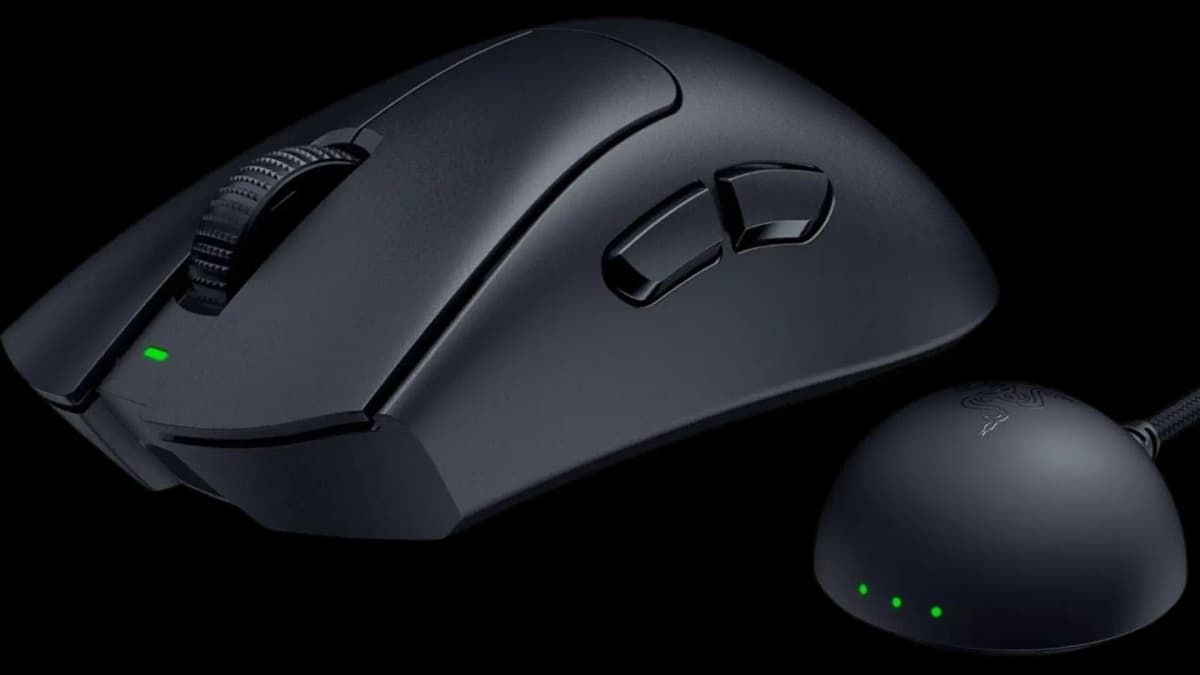
A 56g wireless flagship that pairs the long-running DeathAdder shape with an included 8,000Hz dongle and Razer's Focus Pro 45K sensor.
- 56g wireless design
- Included 8,000Hz dongle
- 45,000 DPI sensor
Pros
- Comfortable right-handed shell
- Very light for its size
- No extra dongle purchase required
Cons
- Right-handed only
- Flagship price
The DeathAdder shape has lasted for two decades because it works. Its high, curved shell supports a relaxed right-handed grip without forcing your fingers into an unusual position.
The wired V3 keeps things simple: separate main buttons, a clean ergonomic shell, and a 59g weight without the cable. Start there if you want the shape and performance without paying flagship wireless prices.
The DeathAdder V4 Pro is for buyers who want the full wireless package. Its Focus Pro 45K Optical Sensor Gen-2 reaches 45,000 DPI, tracks at up to 900 IPS, and supports acceleration up to 85g. More importantly, Razer includes the 8,000Hz wireless dongle in the box. The previous generation required a separate accessory for higher polling.
At just 56g, the V4 Pro is easy to flick and reposition, yet it keeps the comfortable DeathAdder shape and a long-lasting battery. That balance makes it our best overall gaming mouse for 2026.
It becomes even more appealing on sale. The clear limitation is its shape: this is a right-handed mouse, not an ambidextrous one.
The smart-value alternative — Razer DeathAdder V3 Pro
The previous wireless flagship keeps the same broad ergonomic appeal and most of the practical performance at a lower price.
- 63g wireless design
- DeathAdder ergonomic shape
- Onboard DPI controls
Pros
- Often much cheaper than the V4 Pro
- Only seven grams heavier
- Still competitive for serious gaming
Cons
- Higher polling may require a separate accessory
- Right-handed only
If you do not need the 45K sensor or 56g body, the previous-generation DeathAdder V3 Pro is the smarter deal. It usually costs much less while delivering nearly all the performance most players will notice. Its 63g weight is only seven grams heavier.
Buy the V3 Pro if value matters more than owning the newest competitive hardware.
Best Gaming Mouse (Feature-Heavy) — Razer Basilisk V3 35K
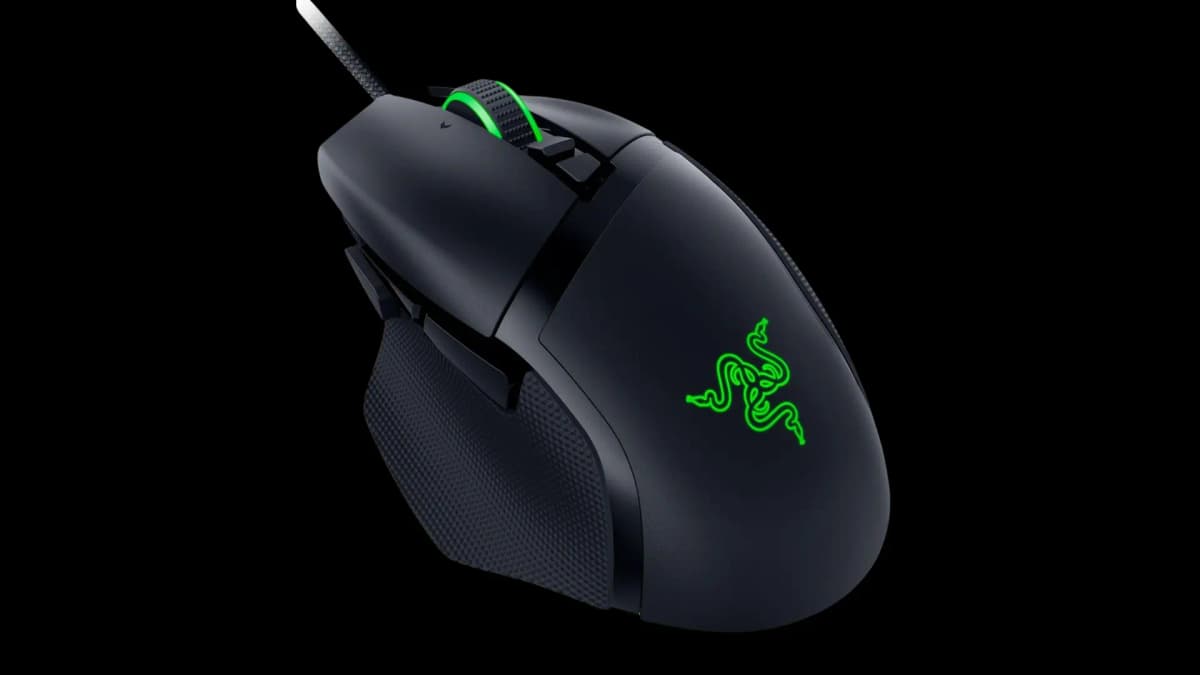
A control-packed wired mouse with a tilting dual-mode scroll wheel, extra inputs, optical switches, and a Focus Pro 35K sensor.
- 35,000 DPI sensor
- Tilting dual-mode scroll wheel
- Optical switches rated for 90 million clicks
Pros
- Excellent control set for the price
- Useful free-spin scrolling
- Strong choice for mixed gaming and work
Cons
- Heavy at 101g
- Wireless version costs much more
The DeathAdder focuses on lightness; the Basilisk packs in controls. The wired version combines a Focus Pro 35K sensor with optical switches rated for 90 million clicks and more buttons than many pricier mice.
Its sensor reaches 35,000 DPI and tracks at up to 750 IPS. The scroll wheel also tilts left and right, giving you two extra inputs. A nearby button switches the wheel between precise steps and free spinning. That is useful in long documents and inventory-heavy games alike.
At 101g, the Basilisk is much heavier than the DeathAdder. The premium wireless model is also difficult to justify unless you specifically want this feature set without a cable. For most buyers, the wired version offers far better value.
Best Competitive / Innovation Pick — Logitech G Pro X2 Superstrike
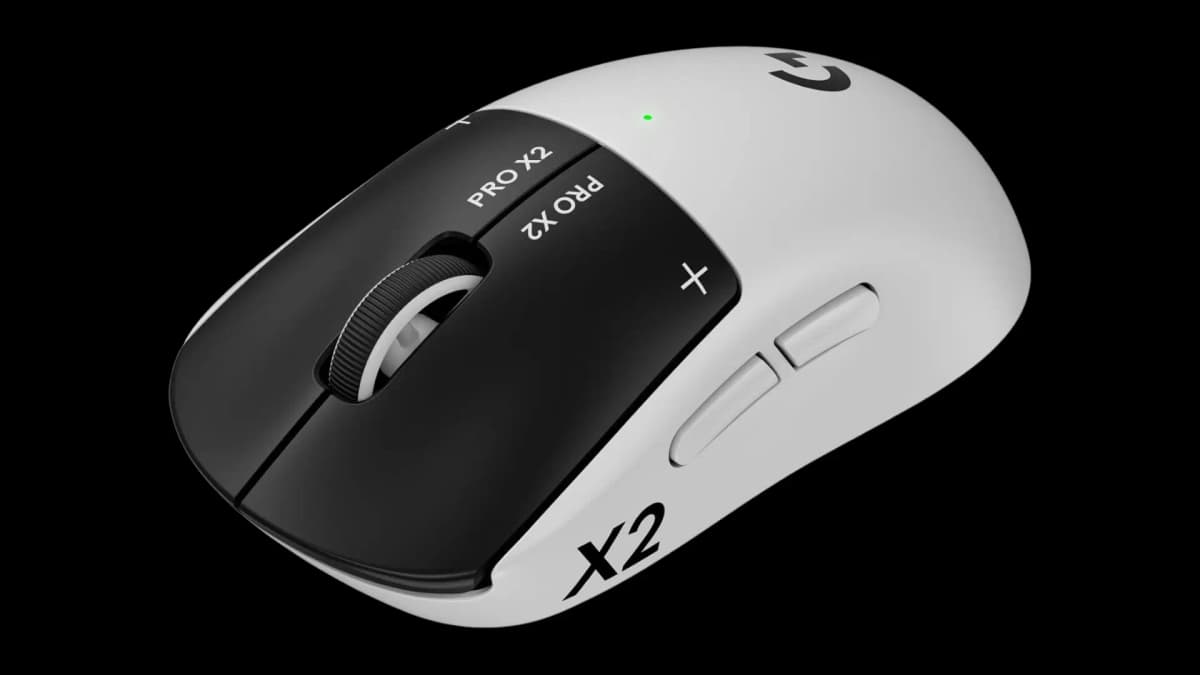
A 61g competitive mouse with configurable magnetic click haptics, adjustable actuation, and true 8,000Hz polling.
- Customizable click haptics
- 44,000 DPI HERO 2 sensor
- 90-hour claim at 1,000Hz
Pros
- Highly configurable click response
- True 8,000Hz polling
- Low weight despite the extra hardware
Cons
- Very expensive
- Less comfortable for relaxed office use
The G Pro X2 Superstrike stands out for its “Customizable Click Haptics.” Its magnetic analog switches let you change the click response in software, from crisp and sharp to softer and more muted.
The HERO 2 sensor is rated for 44,000 DPI, 888 IPS, 88g acceleration, and true 8,000Hz polling. Logitech says the new clicks respond up to 30ms faster than traditional microswitches, and you can set their actuation point for each game. Despite the extra hardware, the mouse weighs 61g and is rated for 90 hours of battery life at 1,000Hz.
The problem is price. These features make the most sense for serious competitive players who will tune and use them. The shape also favors active gaming over relaxed browsing or all-day office work, so it may not replace your productivity mouse.
Best for Work — Logitech MX Master 4
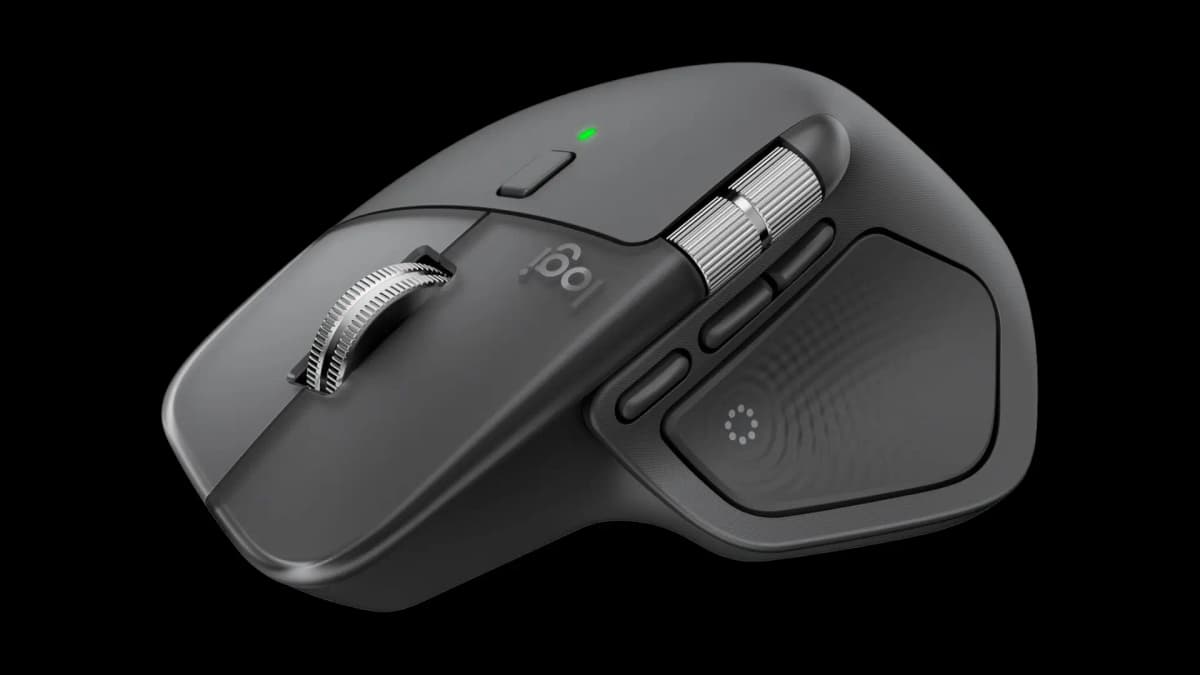
A full-featured productivity mouse with MagSpeed scrolling, a horizontal thumb wheel, multi-device support, and haptic feedback.
- 8,000 DPI glass-capable sensor
- Pairs with up to three devices
- MagSpeed and horizontal scroll wheels
Pros
- Excellent scrolling for documents and timelines
- Useful app-specific controls
- Strong multi-computer workflow
Cons
- 125Hz polling is poor for gaming
- No charging cable in the box
- Little reason for MX Master 3S owners to upgrade
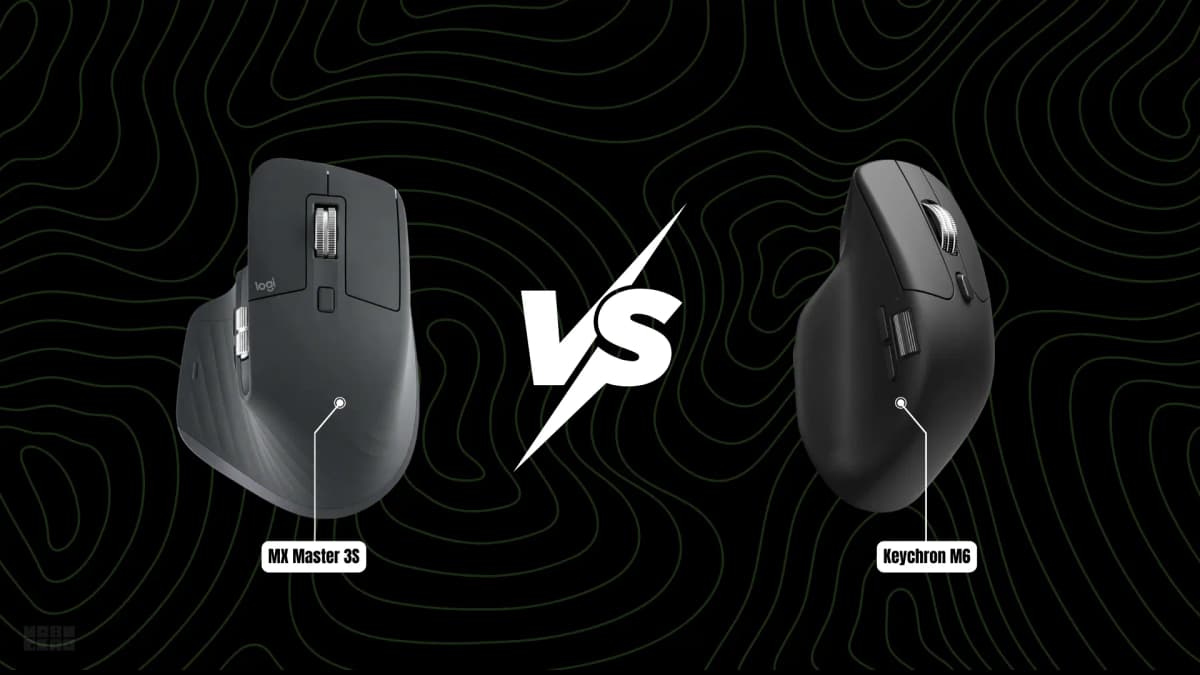
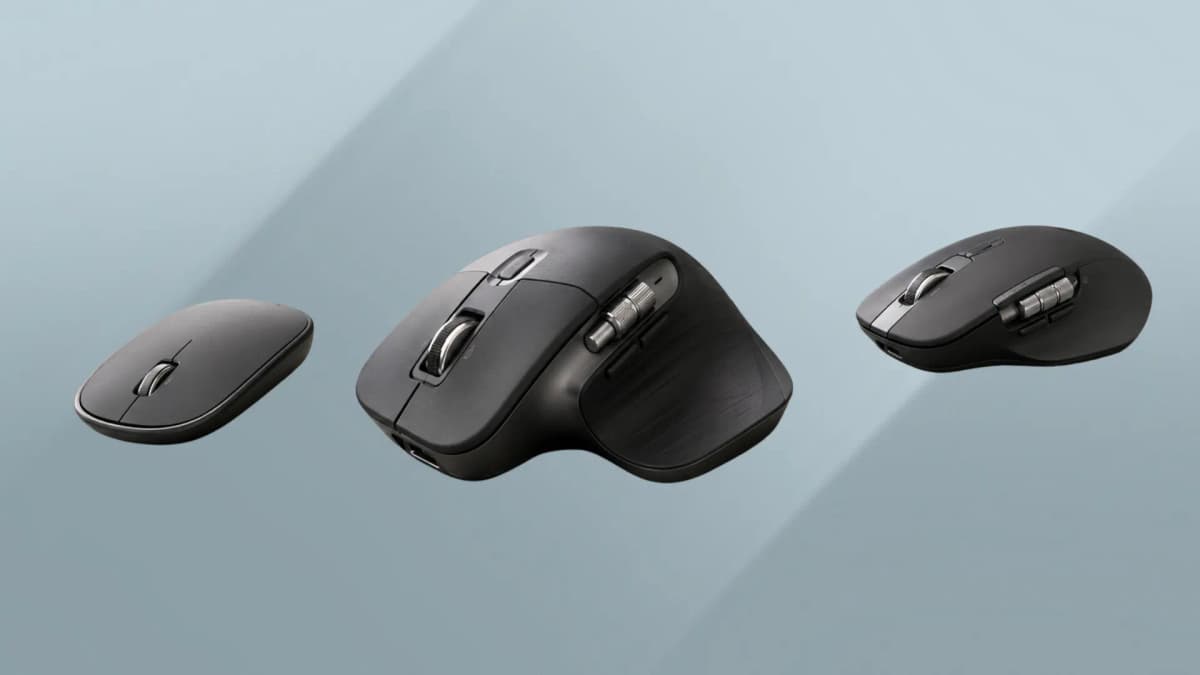
The Logitech MX Master 4 is our best work mouse for 2026. Its sculpted shape supports the hand, the thumb wheel makes horizontal scrolling easy, and the MagSpeed wheel moves smoothly between precise steps and fast free spinning.
The main change from the MX Master 3S is haptic feedback in the thumb rest. A subtle vibration confirms actions such as connecting, switching devices, or performing a gesture. The new Actions Ring adds a circular shortcut menu beside the pointer, giving power users quick access to app-specific commands without reaching for the keyboard.
That combination works especially well in creative apps. You can move through a Premiere Pro timeline with the thumb wheel while the mouse confirms actions through a light pulse. The same wheel is handy for wide spreadsheets and rows of browser tabs.
The 8,000 DPI sensor tracks on many surfaces, including glass, and Logitech rates the MagSpeed wheel for up to 1,000 lines per second. You can pair the mouse with as many as three Windows, macOS, Linux, iPadOS, or ChromeOS devices. Logitech Flow can also move the pointer between compatible computers.
There are real drawbacks. Logitech does not include a USB-C charging cable, the 125Hz polling rate is too low for serious gaming, and the haptics add little if you use only basic pointing and clicking. Owners of a working MX Master 3S can comfortably skip this generation. For everyone else, the MX Master 4 is the productivity mouse to beat.
Best Portable / Everyday Mouse — Razer Orochi V2
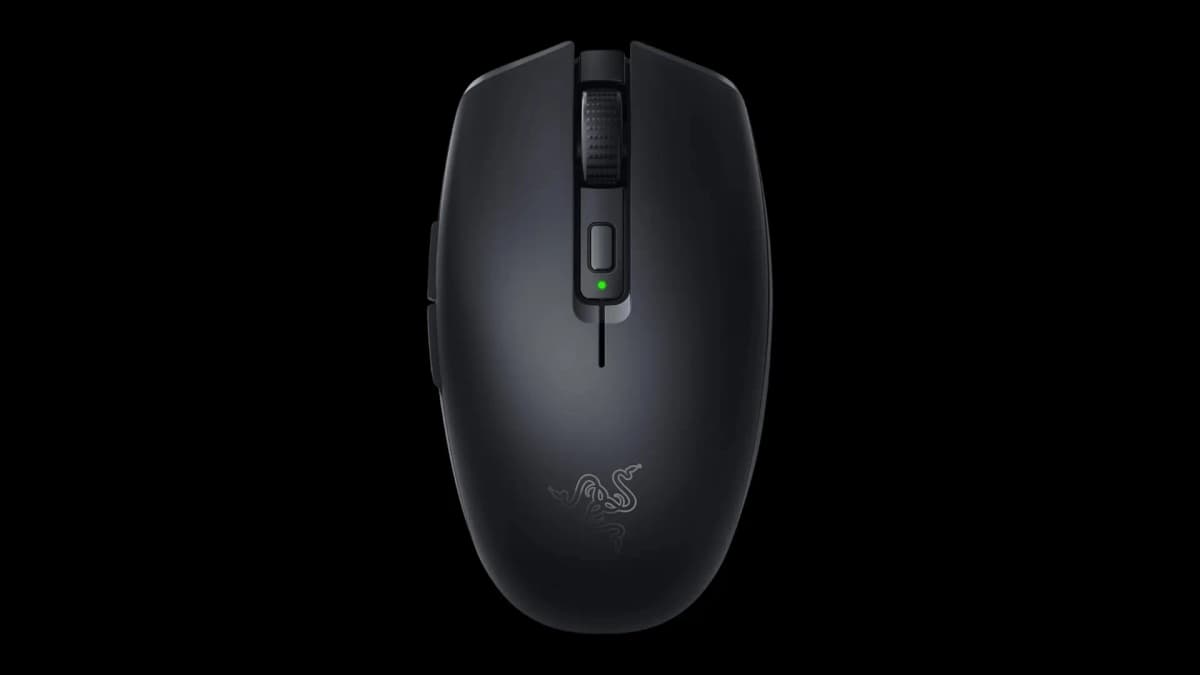
A compact dual-wireless mouse with onboard memory, an 18,000 DPI sensor, and exceptional manufacturer battery-life claims.
- Bluetooth and 2.4GHz wireless
- Up to 950 hours over Bluetooth
- 60g without a battery
Pros
- Easy to carry
- Long battery claims
- Settings travel in onboard memory
Cons
- May feel cramped in large hands
- Disposable battery rather than USB charging
The Orochi V2 is a small wireless mouse that travels well and asks for very little attention. Its standout feature is battery life: Razer rates it for up to 950 hours from one AA lithium battery over Bluetooth, or 425 hours over 2.4GHz wireless.
It also offers an 18,000 DPI sensor and onboard memory, so your settings follow the mouse between computers. The body weighs 60g without a battery, feels solid for its size, and uses switches rated for 60 million clicks.
Choose the Orochi V2 if you travel often, move between computers, or want an inexpensive mouse that disappears into a bag. Larger hands may find its compact shell cramped during long sessions.
Best for Basic / General Use — Razer DeathAdder Essential
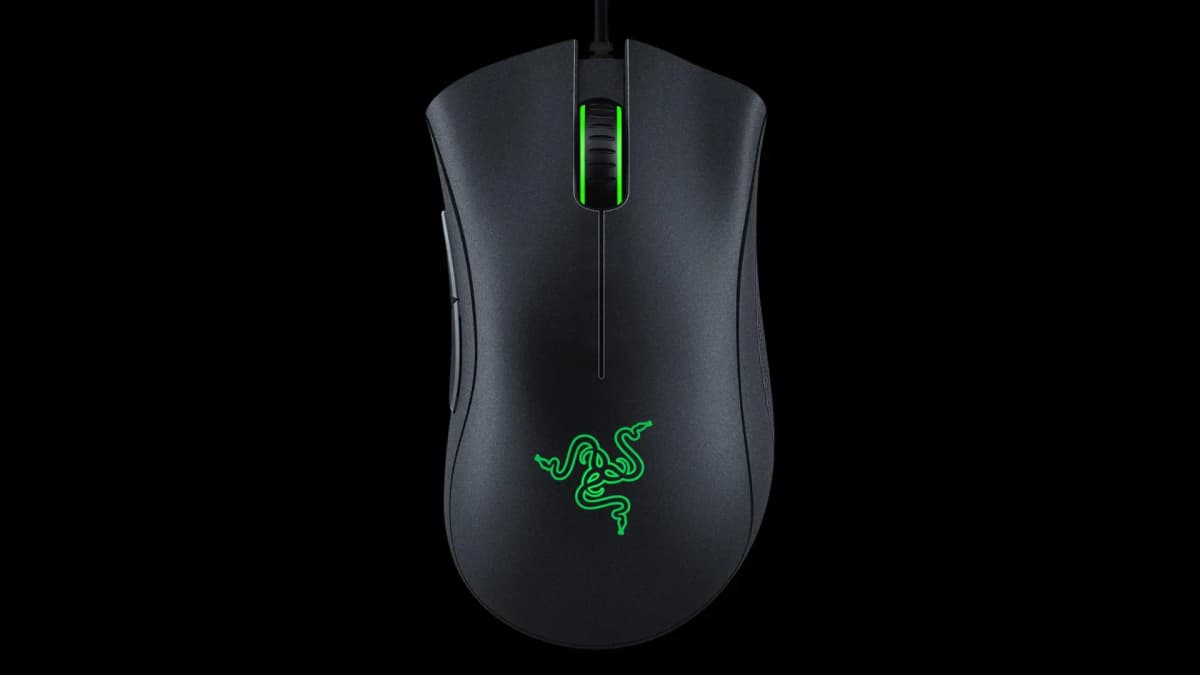
A straightforward wired mouse with a supportive right-handed shape, reliable tracking, and sensible specifications for basic computing.
- 6,400 DPI sensor
- 96g wired design
- Mechanical switches
Pros
- Comfortable for the price
- Simple and reliable
- Available in black or white
Cons
- Right-handed only
- Cable and heavier body
Razer sells the DeathAdder Essential as a budget gaming mouse, but it is just as useful on a basic desktop. Its familiar right-handed DeathAdder shape supports the hand better than many cheap bundled mice.
The specifications are modest: 6,400 DPI, mechanical switches, and a 96g weight. For documents, email, and browsing, that is perfectly adequate. It tracks reliably, feels more substantial than its price suggests, and comes in white if Razer's usual black-and-green look does not suit your desk.
It is an easy recommendation for a work PC, secondary computer, or anyone replacing an uncomfortable mouse that came in the box. Just remember that the right-handed shape and cable will not suit everyone.
Best for Left-Handed Users — Logitech G Pro 2 Lightspeed
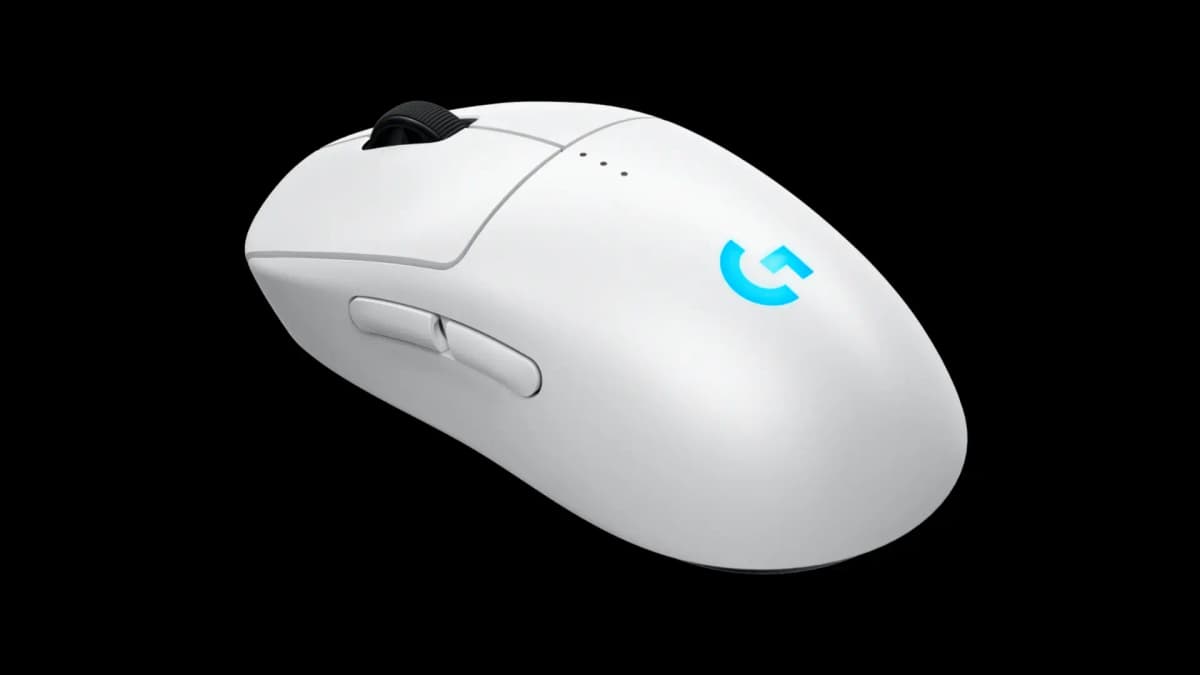
A genuinely ambidextrous wireless gaming mouse with removable controls on both sides, a HERO 2 sensor, and Powerplay support.
- Removable buttons on both sides
- Up to 95 hours of battery life
- Powerplay 2 compatible
Pros
- Works properly for either hand
- Flexible side-button layout
- Strong wireless performance
Cons
- Premium price
- Heavier than modern ultralight mice
Left-handed users still get a poor deal from many mouse makers. Plenty of models look symmetrical but put every side button under a right-handed thumb.
The G Pro 2 Lightspeed handles ambidextrous use properly. It has two removable buttons on each side, letting you keep the controls you need and cover the ones you do not.
The HERO 2 sensor reaches 44,000 DPI, 888 IPS, and 88g acceleration. Logitech rates the battery for 95 hours with the RGB logo off, and the mouse works with the Powerplay 2 charging mat. At 80g, it is heavier than today's ultralight gaming mice, but still manageable for most grips.
If you want a sculpted left-handed shape rather than a symmetrical one, consider the Razer Naga Left-Handed Edition. It weighs 109g and includes 12 thumb buttons, a tilting scroll wheel, and five onboard profiles. It is a specialized MMO mouse, but it gives left-handed players the kind of purpose-built design right-handed users often take for granted.
Most Ergonomic — Logitech MX Ergo S
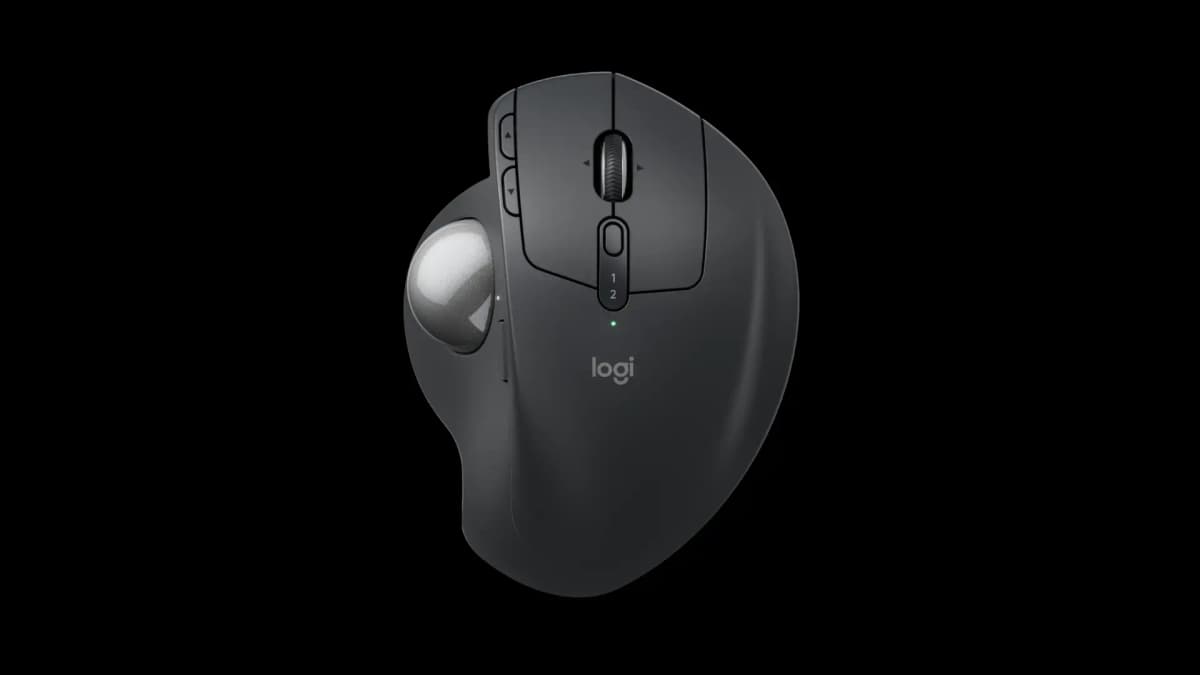
A stationary thumb trackball with an adjustable hand angle, quiet switches, USB-C charging, and support for two devices.
- 20-degree tilt option
- Two-device support
- Around 120 days per charge
Pros
- Requires very little desk movement
- Adjustable hand angle
- Quiet clicks suit shared spaces
Cons
- Trackball learning curve
- Thumb control will not suit everyone
If moving a regular mouse leaves your wrist or forearm uncomfortable, a trackball may help. With the MX Ergo S, the mouse stays still while your thumb rolls the pointer ball. That can reduce repeated side-to-side wrist movement, although comfort and medical needs vary from person to person.
You can tilt the Ergo S by 20 degrees to change your hand angle. It connects to two devices through Bluetooth or its USB receiver, and Logitech rates the USB-C rechargeable battery for roughly 120 days. Its quieter switches are also less distracting in a shared room.
A trackball takes practice. Give yourself a week or two before deciding whether the thumb control feels natural. Some users never adjust; others find it difficult to return to a normal mouse.
If you want a different hand angle without learning a trackball, the mid-range Logitech Lift is the simpler option. Its vertical shape holds your hand in a handshake-like position and reduces how far you rotate your forearm. Logitech also makes a left-handed version. Its lower body feels more stable than the taller MX Vertical.
A different shape may feel better, but persistent pain, tingling, weakness, or numbness deserves professional medical advice. Also check your chair, desk height, keyboard position, and daily breaks instead of relying on the mouse alone.
Honorable mentions
A mid-range wireless MMO mouse with 19 programmable controls and a fixed 12-button thumb panel.
- 19 programmable controls
- 12-button thumb panel
- 2.4GHz and Bluetooth wireless
A wireless MMO alternative with a 33K DPI sensor and a 12-button panel that slides to better match your thumb position.
- 33K DPI optical sensor
- Sliding 12-button panel
- Wireless connectivity
A travel-friendly MX mouse that drops the thumb rest and horizontal wheel but keeps MagSpeed scrolling and multi-device support.
- Compact travel shape
- MagSpeed scrolling
- Multi-device support
A proven budget gaming mouse with a 12,000 DPI HERO sensor and responsive LIGHTSPEED wireless performance.
- 12,000 DPI HERO sensor
- LIGHTSPEED wireless
- Simple replaceable battery
When you make the final choice, put headline sensor numbers near the bottom of the list. Modern optical sensors from major brands already track accurately enough for everyday work and gaming. Almost nobody uses 30,000 DPI. Consistent tracking, sensible lift-off distance, and no known jitter or spin-out problems matter more.
Weight changes the experience much more. A heavier mouse can feel steady with a palm grip and lower sensitivity. A 55–70g model is easier to lift and flick, which often suits claw grips and fast shooters. Neither is automatically better.
For productivity, wireless usually makes the desk cleaner and device switching easier. A good 2.4GHz connection is also responsive enough for competitive gaming. Bluetooth works well for office tasks, but its extra latency and lower polling rate make 2.4GHz or a cable the better gaming choice.
If you use a mouse for four or five hours a day, shape matters more than specifications. If you keep shifting your grip or stretching for buttons, the mouse is a poor match regardless of its sensor. Our guide to positioning your keyboard and mouse for shoulder comfort can help with the rest of your setup.
The best mouse is the one whose compromises fit your routine. Decide whether you value low weight, extra buttons, long battery life, portability, or stronger hand support, then choose the shape that feels natural.
Quality is high at nearly every price in 2026. The models above are all capable; the real difference is how well each one matches your hand and the work or games you do every day.