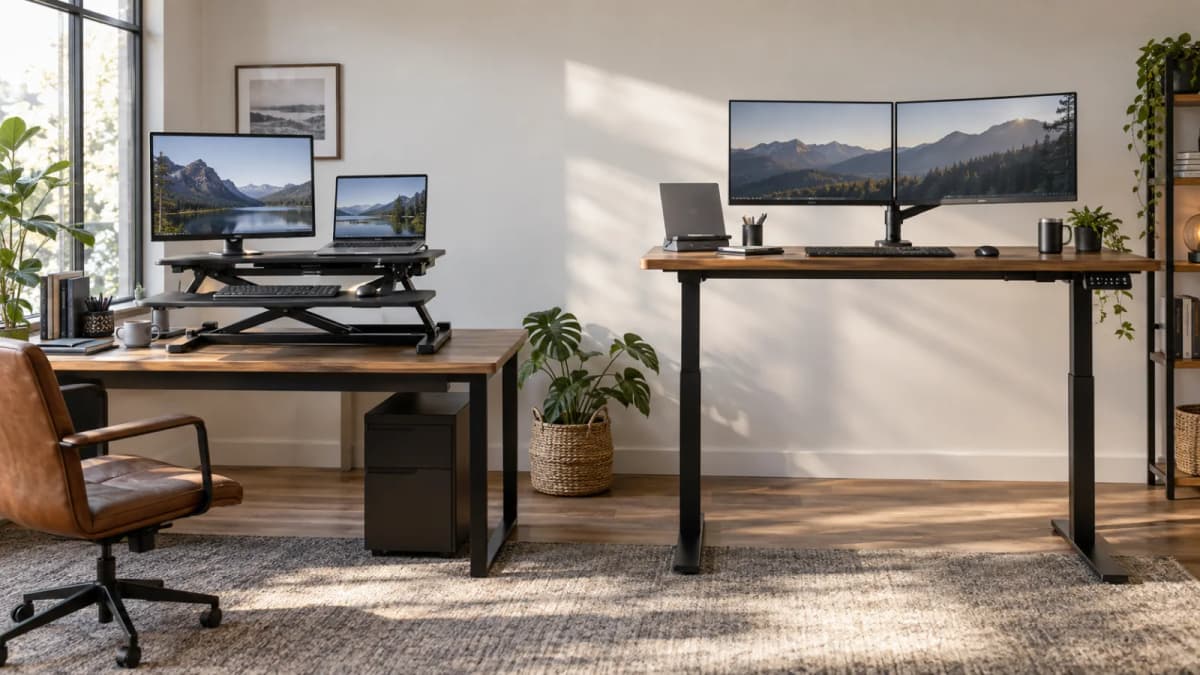

A standing desk converter and a full standing desk solve the same basic problem in very different ways.
A converter sits on top of the desk you already have. It gives you a raised platform for your keyboard, mouse, and monitors when you want to work standing up.
A full standing desk replaces the desk itself. The entire work surface moves up and down, along with your monitors, keyboard, accessories, and anything else sitting on it.
That distinction matters more than it may seem.
If you already own a solid desk that fits the room well, replacing it just to gain a standing position can be unnecessary. On the other hand, if your current desk is already cramped, unstable, or ergonomically awkward, adding a converter can make those problems worse rather than fixing them.
If you are still deciding whether standing is worth adding to your workspace at all, read Is a standing desk worth it if you already have a decent setup? first.
This comparison assumes you already want the option to alternate between sitting and standing.
The short version
A desk converter makes more sense when you already like your current desk, cannot easily replace the furniture, rent your workspace, or simply want an inexpensive and reversible way to try standing.
A full standing desk makes more sense when standing will be part of your normal workday, you use several monitors or heavier equipment, your existing desk has problems of its own, or you care about having one large, uninterrupted work surface.
There is no ergonomic rule saying everyone should replace their desk with an electric one.
CCOHS recommends alternating between sitting and standing rather than treating standing as the goal by itself. OSHA's workstation guidance also focuses on practical things such as neutral posture, suitable keyboard height, monitor distance, and enough legroom.
Whichever option lets you achieve those things comfortably is usually the better purchase.
What a standing desk converter actually gives you
A desk converter is essentially a small adjustable workstation that sits on top of your existing desk.
Many models use two levels: an upper platform for monitors and a lower platform for the keyboard and mouse. Spring-assisted versions usually have several preset height positions, while some more expensive converters use electric motors.
The VariDesk Pro Plus 36 is a useful example of the category.
Published specifications put it at roughly 36 inches wide, about 30 inches deep when lowered, and around 35 pounds of rated load capacity. Vari also recommends having roughly 26 inches of desk depth available so the base can sit securely on the existing surface.
The exact measurements vary from model to model, so those numbers should not be treated as universal.
The main appeal is simple: you get standing capability without giving up the desk you already own.
That can be genuinely useful if your current desk has good drawers, fits an awkward room perfectly, matches other furniture, or simply happens to be a desk you like.
The trade-off is that you are placing another fairly large object on top of it.
Your original work surface becomes partially occupied by the converter, and the keyboard area is usually narrower and shallower than the desk underneath.
For a laptop and one or two monitors, that may be perfectly acceptable. For a large workstation, it can become restrictive surprisingly quickly.
What changes with a full standing desk
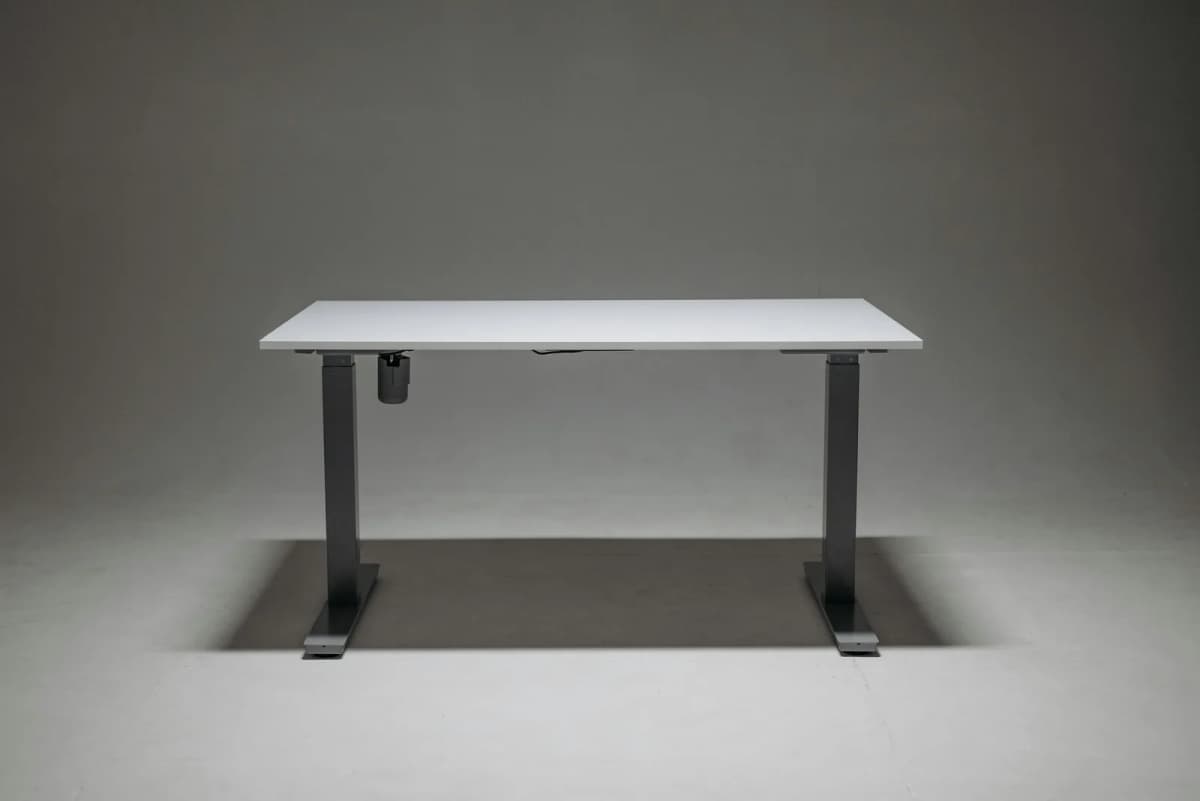
A full electric standing desk works differently because the entire work surface moves.
Instead of lifting a smaller platform above the desk, the frame raises the desktop itself. Your keyboard, mouse, monitors, speakers, dock, notebooks, and other equipment all stay on the same surface.
That gives full desks a major advantage: the workspace feels almost identical whether you are sitting or standing.
The FlexiSpot E7 is a good example of the difference in scale. Its dual-motor frame is listed with a height range of roughly 22.8 to 48.4 inches and a frame capacity of around 355 pounds.
That is far beyond the capacity of a typical desktop converter because the structure itself is designed to carry the entire workstation.
You obviously pay for that capability. You also have to replace your existing desk, assemble the new one, choose an appropriate desktop size, and deal with cable management.
But once the setup is finished, a good full standing desk usually feels less like an accessory and more like a normal desk that happens to move.
If room size is the main concern, see Standing desks that fit small spaces.
The biggest problems with desk converters
Converters are convenient, but they introduce a few compromises that are easy to overlook when shopping.
Keyboard and monitor height are not always independent
This is probably the most important issue.
Your ideal keyboard height is determined largely by where your elbows and wrists are comfortable. Your monitor height is determined by your eye level and viewing angle.
Those two positions do not always move together.
Many converters raise the keyboard platform and monitor platform in a fixed relationship. You may find a height where the keyboard feels right but the monitor is too low, or where the monitor looks comfortable but your shoulders are raised while typing.
A monitor arm can help, but once you start adding accessories to compensate for the converter's geometry, the simplicity of the setup begins to disappear.
A full standing desk combined with a monitor arm gives you much more freedom to adjust the two independently.
For more on standing posture, see How to use a standing desk without getting tired.
They take up more desk depth than expected
Product photos often make converters look fairly compact.
In real use, they can occupy a large percentage of the original desk.
This matters especially on desks that are only around 24 inches deep. The converter base needs room to sit securely, the keyboard tray extends toward you, and the monitor platform may change position as the unit rises.
Measure the desk before buying and check the converter's footprint in both its lowered and raised positions.
Do not rely only on the width measurement.
Weight capacity can become a real limitation
A converter rated for around 35 pounds may sound generous until you start adding everything that will actually sit on it.
Two monitors, monitor stands or arms, a laptop, speakers, a docking station, and other accessories can use up that capacity quickly.
Large ultrawide monitors are especially worth checking carefully.
A converter running close to its load limit may also feel less stable, even if the total weight technically remains within specification.
Full standing desk frames typically give you much more headroom.
Wobble is harder to avoid
Any elevated workstation can wobble.
Cheap standing desks can wobble too, so this is not exclusively a converter problem.
The difference is that a full standing desk gives manufacturers much more structure to work with: wider feet, stronger columns, heavier frames, and more substantial cross-support.
A converter sits on another piece of furniture and then raises its own platform above that surface.
If either the host desk or converter flexes, the movement reaches your monitor.
That does not mean every converter is unstable. It simply means stability becomes more important as the platform gets taller and the equipment gets heavier.
Cable management becomes awkward
A converter moves some equipment while the desk underneath stays still.
That means monitor cables, power cables, USB cables, and laptop charging cables all need enough slack to accommodate the converter's movement.
It is manageable, but rarely elegant.
With a full standing desk, you can mount a cable tray underneath the moving desktop so most of the wiring travels with the desk.
You still need to leave appropriate slack between the desk and wall outlets, but the setup can be much cleaner.
The converter never really disappears
When a converter is lowered, it is still sitting on your desk.
That sounds obvious, but it matters more in daily use than it does on a product page.
Your keyboard is still on a separate platform. The converter still occupies much of the desk. Writing on paper, spreading out documents, or moving the keyboard aside becomes less convenient.
A full standing desk at sitting height simply behaves like a normal desk.
For people who spend most of the day sitting and only stand occasionally, this difference can be significant.
When buying a full standing desk does not make sense
Full standing desks are cleaner solutions, but that does not automatically make them smarter purchases.
If you already own a desk you genuinely like, replacing it just so you can stand during a few calls each week is difficult to justify.
A converter can give you that option with far less disruption.
There are also plenty of situations where replacing furniture simply is not practical. Renters, students, temporary home offices, and employees using company-provided desks may not be able to swap the desk at all.
A converter is easy to add and, just as importantly, easy to remove.
It is also worth checking whether standing height is actually the problem.
If your monitor is too close because the desk is shallow, a standing frame will not magically create more depth unless you choose a larger desktop.
If your chair does not fit properly underneath the desk, the better purchase may be a different chair.
If your monitor positioning is the main source of discomfort, a monitor arm might solve more for much less money.
Should you buy a better chair, a bigger desk, or a monitor arm first? covers that decision in more detail.
What about price?
A converter is usually the cheaper way into a sit-stand setup, although prices vary considerably.
Basic spring-assisted models tend to sit in the low hundreds. Larger converters and electric versions can cost considerably more.
Full electric desks also cover a wide range. There are inexpensive frames paired with particleboard tops, mid-range dual-motor desks, and commercial systems that cost much more.
The useful comparison is not the cheapest advertised price.
Compare the price of the setup you would actually use.
For a standing desk, that might include the correct desktop size, cable management, shipping, and perhaps a monitor arm.
For a converter, consider the size required for your equipment and whether you will need additional monitor mounting hardware.
A $300 converter is not a bargain if it cannot comfortably support your monitors.
Likewise, there is little reason to spend $700 on a full electric desk if you only want the ability to stand during occasional meetings.
If you are genuinely unsure whether you will use standing mode, the converter has one major financial advantage: it is the smaller and more reversible experiment.
If you already find yourself working from a laptop balanced on boxes or books every day because you prefer standing, you probably do not need the experiment anymore.
Two-tier spring-assisted converter for dual monitors. About 35 lb capacity on this model — measure host-desk depth and add up monitor weight before you buy.
- Fully assembled two-tier deck
- ~36 in upper width; stepped height settings
- Keeps your existing desk and room layout
Dual-motor frame with a published ~22.8–48.4 in height range and ~355 lb frame capacity. Pick a top depth that still leaves keyboard room at both postures.
- Whole surface moves together
- Memory presets on typical configs
- Headroom for monitors, arms, and docks
When the room is the constraint and you still want sit-stand. A smaller electric top beats a converter that eats a shallow apartment desk.
- Intentional compact footprint
- Sit-stand without a riser on top
- Better long-term surface than a deck
These are examples of the two categories rather than a ranked list of the best products.
Specifications can also change between sizes and configurations, so check the current height range, load capacity, desktop dimensions, and monitor requirements before ordering.
Five things to check before buying either one
-
Add up the weight of your equipment. Do not count only the monitors. Include the laptop, monitor arms or stands, speakers, docking station, and anything else that will move with the workstation. For a converter especially, the difference between a comfortable load and the maximum rated load can matter for stability.
-
Measure the available desk space. For a converter, measure both width and depth. Make sure the base can sit completely on the existing desk rather than hanging over an edge. Also check what happens when the converter is raised. Some models extend toward the user as they move upward.
-
Measure your standing elbow height. Stand naturally with your shoulders relaxed and elbows bent roughly as they would be while typing. Your keyboard should be able to reach approximately that level without forcing you to shrug your shoulders or bend your wrists awkwardly. If a converter cannot reach the height you need, there is little reason to buy it.
-
Treat monitor height as a separate adjustment. Getting the keyboard right does not automatically put the monitor in the correct place. If your display needs significant independent adjustment, include a monitor arm in the setup plan whether you choose a converter or full standing desk.
-
Think about how often you will actually use it. This is the easiest part to exaggerate while shopping. A converter makes sense as an occasional or experimental standing solution. A full desk starts making much more sense when you expect to change positions several times during a normal workday.
Either way, the point is to alternate. How to use a standing desk without getting tired explains how to approach that without simply replacing too much sitting with too much standing.
So, which one should you buy?
Choose the desk converter if your existing desk is already good and you simply want to add standing capability.
It is particularly sensible when the setup needs to be reversible, your equipment is relatively light, furniture replacement is difficult, or you are not yet sure how often you will work standing.
Choose the full standing desk if you already know sit-stand work will be part of your normal routine.
It is usually the better long-term setup for heavier workstations, multiple monitors, cleaner cable management, more usable surface area, and fewer compromises between sitting and standing.
If the configured prices end up fairly close, the decision becomes even simpler.
If you like your existing desk and want to preserve it, buy the converter.
If you do not have a strong reason to keep the current desk and expect to stand regularly, buy the full standing desk.
The converter's real advantage is not that it performs exactly like a standing desk for less money.
Its advantage is that it lets you keep a desk that already works.
Related reading
- Is a standing desk worth it if you already have a decent setup?
- How to use a standing desk without getting tired
- Standing desks that fit small spaces
- FlexiSpot vs UPLIFT standing desks for small spaces
- Keyboard tray vs desk surface
- Should you buy a better chair, a bigger desk, or a monitor arm first?