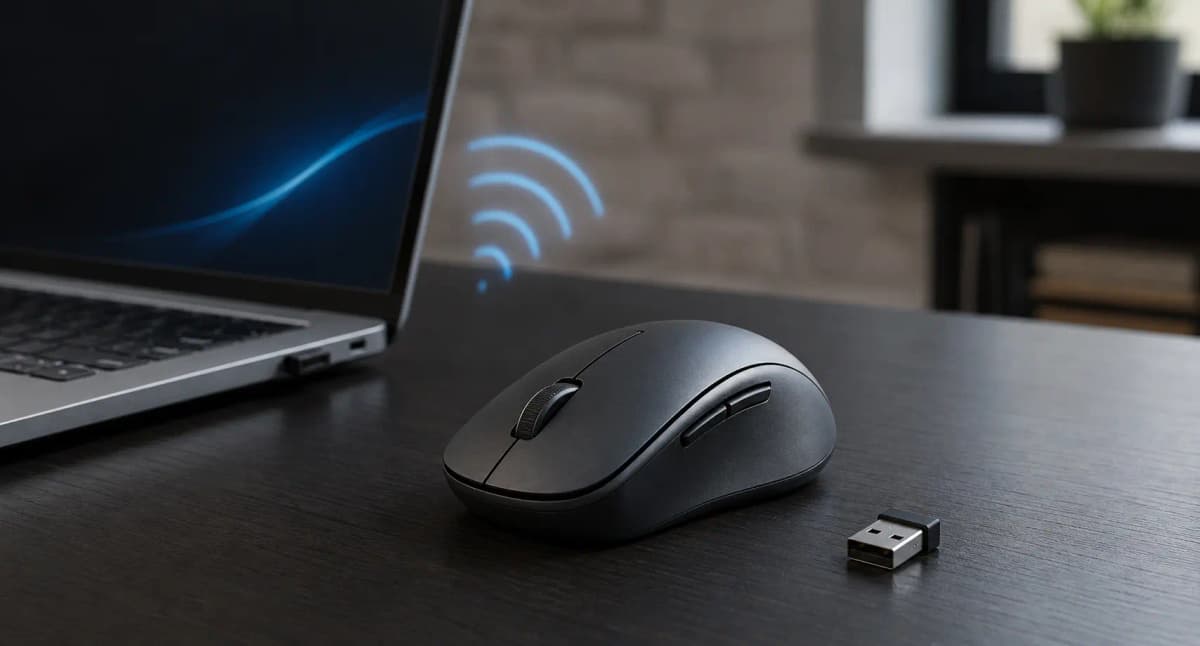

Bluetooth is normally the easier connection for travel, tablets, multi-device work, and laptops with limited ports. A high-quality dedicated USB receiver is normally the safer choice for competitive gaming and anyone who wants the lowest, most consistent latency.
For ordinary office work, either can be excellent. The most flexible purchase is often a dual-mode mouse: use Bluetooth when convenience matters and its receiver when responsiveness or reliability matters more.
Choose Bluetooth for travel, tablets, and port-limited laptops. Choose a quality receiver for competitive gaming or a computer with unreliable Bluetooth. If one mouse needs to handle both jobs, buy dual-mode.
Quick verdict
| Use case | Best starting choice | Why |
|---|---|---|
| General office work | Either | Both can be responsive enough; choose around ports and reliability |
| Travel | Bluetooth | No receiver to carry, occupy a port, or lose |
| Competitive gaming | Quality dedicated receiver | Normally supports lower latency and higher polling rates |
| Casual gaming | Either, depending on the mouse | Bluetooth can be adequate; a receiver adds performance headroom |
| Multi-device use | Bluetooth or dual-mode | Bluetooth slots make switching among computers and tablets easier |
| Unreliable built-in Bluetooth | Dedicated receiver | Bypasses the computer's Bluetooth adapter and driver path |
| Managed office | IT-approved option | Security and deployment policy matter more than consumer convenience |
| Best all-round purchase | Dual-mode mouse | Provides a fallback and lets each mode do the job it handles best |
Swipe sideways to compare the full chart.
Bluetooth plus Logi Bolt receiver. Use Bluetooth on a travel laptop; leave the receiver on the desk dock.
- Bluetooth and Bolt receiver
- Quiet Clicks
- USB-C recharge
Bluetooth, 2.4GHz dongle, and wired USB-C. The receiver is the high-polling path; Bluetooth is the port-free path.
- Dual wireless plus wired
- Lighter than MX Master
- Web configurator
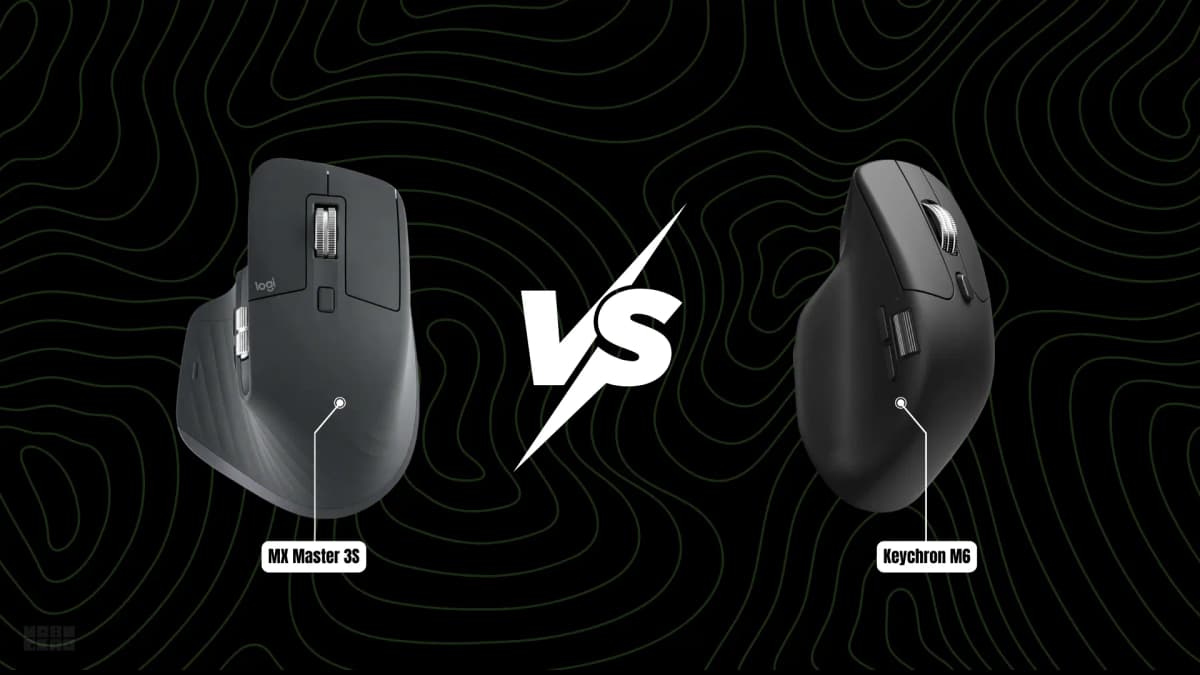
If the pointer already drops on Bluetooth, skip this comparison and go to the disconnect checklist. If you already know you want a dual-wheel work mouse, MX Master 3S vs Keychron M6 is the product decision.
Why the radio path matters
Bluetooth and most dedicated mouse receivers both communicate in the unlicensed 2.4GHz ISM radio band. Bluetooth LE divides that band into 40 channels and uses adaptive frequency hopping to move communication away from channels that are performing poorly.
The real comparison is between two connection systems:
- Direct Bluetooth: the mouse connects through the computer or tablet's Bluetooth adapter and operating-system Bluetooth stack.
- Receiver-based wireless: the mouse connects through a dedicated USB receiver using a manufacturer-controlled implementation.
Here, “2.4GHz wireless” means a mouse using its dedicated receiver. It does not describe one universal protocol.
Logitech Lightspeed, Logi Bolt, Logitech Unifying, Razer HyperSpeed, Corsair Slipstream, SteelSeries Quantum, and inexpensive generic receivers should not be treated as equivalent just because they use the same broad radio band.
Logi Bolt makes the distinction clear. Logitech says Bolt is based on Bluetooth Low Energy technology but uses its own receiver pairing and security design. Unifying uses Logitech's older proprietary protocol, and products from the two ecosystems cannot be paired interchangeably.
Bluetooth and receiver connections at a glance
| Category | Direct Bluetooth | Dedicated USB receiver |
|---|---|---|
| USB port | Not normally required | Required unless built into a dock or device |
| Initial setup | Pair through the operating system | Often plug-and-play; pairing rules vary |
| Typical latency | Usually higher | Usually lower on performance-focused models |
| Polling potential | Product-dependent and traditionally modest | Can reach 1,000–8,000Hz on selected gaming systems |
| Office work | Usually more than adequate | Usually more than adequate |
| Competitive gaming | Not the preferred default | Preferred when independently tested |
| Reliability | Depends heavily on host hardware and drivers | Depends heavily on receiver design and placement |
| Battery life | Sometimes longer | Sometimes longer; there is no universal winner |
| Interference | Shares the 2.4GHz environment | Also shares the 2.4GHz environment |
| Multi-device switching | Common, but not universal | Available in some compatible ecosystems |
| Security | Depends on pairing and implementation | Depends on receiver design and firmware |
| BIOS or installer use | Should not be assumed | More likely through USB, but not guaranteed |
| Tablets and phones | Broad support where the OS accepts a mouse | Requires a compatible port or adapter |
| Travel | Port-free and no receiver to lose | Useful if stored safely and supported by the device |
Swipe sideways to compare the full chart.
How direct Bluetooth works
A modern Bluetooth LE mouse commonly exposes its controls using the Bluetooth HID over GATT profile. The mouse pairs with the host's Bluetooth radio, while the operating system manages discovery, bonding, encryption, reconnection, and input delivery.
That design has three useful advantages. You do not need a dedicated receiver, the mouse can connect to several device categories that already support Bluetooth, and many productivity mice can store multiple pairings behind a hardware switch.
The trade-off is host dependence. The experience is affected by the computer's Bluetooth adapter, antenna, driver, operating-system power management, and other connected devices. A good mouse can perform perfectly on one laptop and reconnect poorly on another.
How receiver-based wireless works
A receiver-based mouse communicates with the small USB adapter supplied or approved by its manufacturer. The manufacturer controls more of the end-to-end connection, including report timing, channel management, pairing rules, firmware, and power policy.
That tighter control can help a performance-focused system deliver high polling rates and consistent timing. Current Razer and Corsair receiver systems, for example, support up to 8,000Hz on selected compatible products. Those are manufacturer specifications for particular combinations—not a property of every device marketed as “2.4GHz.”
A low-cost mouse may instead ship with a receiver that is permanently paired at the factory, cannot be replaced, and performs very differently from a premium gaming or enterprise system.
Is a Bluetooth mouse noticeably slower?
Usually measurable. Not always noticeable.
RTINGS measures click latency separately over wired, receiver, and Bluetooth connections. Its current methodology finds that Bluetooth generally produces the highest click latency, while proprietary gaming receivers can deliver results comparable with strong wired mice. It also considers Bluetooth sufficiently responsive for browsing and productivity.
Connection type is only one part of total mouse latency. The result is also shaped by:
- Switch debounce
- Mouse firmware
- Sensor processing
- Polling or report rate
- Power-saving mode
- Receiver placement
- The host Bluetooth adapter
- Operating-system processing
- Display refresh and latency
- The application or game
That is why one claim such as “Bluetooth adds 10 milliseconds” cannot describe the whole category. It may describe one mouse in one configuration, but not every mouse.
Office and creative work
For documents, spreadsheets, email, browsing, programming, photo editing, and timeline work, a competent Bluetooth mouse should feel responsive enough. Shape, scroll-wheel quality, button placement, and tracking consistency usually matter more than a small latency difference.
Precision work should not be confused with reaction-speed work. A lower-latency mouse is not automatically a more accurate mouse.
Casual gaming
Bluetooth can be adequate for strategy games, role-playing games, simulations, and many single-player titles. The result depends on the specific mouse and host rather than the Bluetooth logo alone.
Competitive gaming
Use a quality receiver connection. Performance-focused receivers commonly provide the mouse's highest polling mode and lowest tested latency.
Bluetooth is evolving: in April 2026, the Bluetooth SIG described ultra-low-latency HID work targeting report rates of 1kHz or higher and latency of 1ms or less. That shows where the technology can go. It does not prove that a mouse on a store shelf supports those capabilities, so judge current products by their documented modes and independent measurements.
Reliability depends on the whole radio environment
A dedicated receiver is not interference-proof, and Bluetooth is not inherently unreliable.
Both can share a busy environment with 2.4GHz Wi-Fi, Bluetooth headphones, keyboards, game controllers, wireless headsets, USB hubs, docks, multiple receivers, metal computer cases, and physical obstructions.
Bluetooth LE reduces collision risk through adaptive frequency hopping. It can update its channel map and avoid channels that are performing badly. Receiver systems may use their own channel-selection methods. Neither approach makes radio interference disappear.
USB 3.x interference matters
The USB-IF and Intel have documented that some USB 3.x devices and cables can produce radio-frequency noise in the 2.4GHz range. A receiver placed beside an external SSD, hub, or noisy cable can therefore perform worse than the same receiver positioned closer to the mouse. Bluetooth antennas near the same noise source may also be affected.
For a more reliable receiver setup:
- Keep the receiver near the mouse.
- Avoid placing it directly beside USB 3.x storage.
- Do not hide it behind a metal desktop case.
- Use the supplied extension adapter when one is included.
- Test it directly in the computer before blaming the dock.
- Attach the desktop's external Wi-Fi and Bluetooth antennas when required.
If your pointer stutters only when a drive or dock is attached, connection type may not be the real problem. Placement is the faster test.
Which wakes and reconnects faster?
There is no defensible universal winner.
Bluetooth wake involves at least three events: the mouse leaves its own sleep state, the radio link reconnects or resumes, and the operating system begins delivering input. Microsoft documents that Bluetooth wake behavior depends on the radio, its bus connection, the computer's power state, and the platform implementation. Mouse firmware and sleep policy add more variation.
A well-integrated receiver often feels immediate because the mouse and adapter were designed together. A receiver can still wake slowly, be blocked by a metal case, or misbehave through a dock.
Compare the same mouse in both modes before treating a single wake delay as a protocol rule.
Which uses less battery?
Neither connection wins universally.
Bluetooth LE is designed for low-energy communication, and several gaming mice advertise longer life in Bluetooth mode. Razer rates the Naga V2 HyperSpeed at roughly 400 hours over Bluetooth LE and 250 hours through HyperSpeed. Corsair rates the Nightsabre Wireless at up to 100 hours over Bluetooth and 65 hours over Slipstream.
The pattern can also reverse. Corsair rates the Nightsword V2 at up to 170 hours over its 1,000Hz receiver mode and 164 hours over Bluetooth with lighting off. Those manufacturer figures show why “Bluetooth always lasts longer” is not a safe buying rule.
Battery life also depends on the polling rate, sensor, lighting, sleep timing, firmware, battery chemistry, motion intensity, signal conditions, and test method. Compare claims on the same mouse and read the footnotes.
Which connection actually draws more power?
This is a slightly different question from battery life, and it matters for mice with smaller batteries or high polling rates.
Bluetooth LE is designed for low average power consumption. It uses short, bursty transmissions and spends most of its time in a low-power sleep state. A Bluetooth mouse that reports at 125Hz or 133Hz draws very little power per transmission cycle.
A 2.4GHz receiver connection often uses more power per transmission because it maintains a dedicated, always-on link with higher polling rates (500Hz to 8,000Hz on gaming mice). The trade-off is lower latency: the mouse is transmitting more often, which consumes more energy per second but delivers more responsive input.
In practice, this means:
- Bluetooth typically draws less power per second because it transmits less frequently and uses LE's optimized power profile.
- A 2.4GHz receiver typically draws more power per second at higher polling rates, but the difference shrinks at lower polling rates.
- The real-world battery impact depends on the mouse firmware, polling rate, sensor, and sleep behavior — not the connection type alone.
For a gaming mouse running at 1,000Hz or 8,000Hz over its receiver, the higher polling rate will dominate power consumption regardless of connection type. Switching to Bluetooth (if the mouse supports it) usually extends battery life, but you lose the polling rate advantage.
For a productivity mouse running at 125Hz over either connection, the power difference between Bluetooth and receiver mode is often small enough that other factors — sensor efficiency, sleep timing, and firmware — matter more.
Which connection has better range?
Do not choose from one headline range number.
Bluetooth range depends on radio power, receiver sensitivity, antenna design, obstructions, and interference. Receiver range is equally product-specific. Logitech describes an approximate ten-metre line-of-sight range for Bolt while warning that computing and environmental conditions affect it.
For a mouse used at a desk, antenna and receiver placement usually matter more than the maximum open-field specification.
Which is more secure?
Neither category is automatically more secure.
Bluetooth LE supports authenticated encryption, but the assurance of a real connection still depends on its pairing method, firmware, and implementation. Mice lack the display and numeric keypad used for some stronger user-confirmed pairing flows.
Dedicated receivers vary even more. The CERT Coordination Center documented the MouseJack class of vulnerabilities in several proprietary wireless keyboard and mouse products; CERT also noted that the reported vulnerability did not apply to Bluetooth devices. That historical finding does not mean every current proprietary receiver is vulnerable.
Logitech positions Bolt differently from its older Unifying ecosystem. Its white paper says Bolt receiver pairings use authenticated LE Secure Connections and AES-128-CCM encryption. Those are Logitech's implementation claims, not universal properties of receiver-based mice.
For managed workplaces, use approved peripherals, maintain current firmware, avoid unknown generic receivers, and prefer products with documented pairing, encryption, and update mechanisms.
Compatibility, ports, and preboot use
Bluetooth normally offers broader receiver-free compatibility. Windows and macOS support Bluetooth mice, and Apple supports compatible Bluetooth mice on iPad. A receiver is still useful when the desktop has no working Bluetooth adapter, the Bluetooth driver is unavailable, corporate policy provides an approved receiver, or the mouse needs its highest polling mode.
A receiver is also more likely than direct Bluetooth to provide basic input in BIOS, UEFI, recovery, or an operating-system installer because it connects through USB. It is not guaranteed. Firmware must support the device and the particular USB port, and docks can add another compatibility boundary.
Do not depend on direct Bluetooth in BIOS, recovery, or an operating-system installer unless the computer maker documents support. Test the exact receiver, port, and dock before relying on receiver operation too.
Multi-device use and receiver compatibility
Bluetooth is often the easiest way to switch a mouse among a laptop, tablet, and second computer. Many productivity mice store two or three Bluetooth pairings, although the number and switching process vary.
Some receivers also connect several compatible devices. Logitech says a Bolt receiver can store up to six compatible products, with limits on simultaneously active connections. Unifying also supports compatible multi-device pairings, but Bolt and Unifying products are not cross-compatible.
Never assume that a receiver works with an unrelated mouse, even when both products come from the same manufacturer.
What happens if the receiver is lost?
The outcome is model-specific:
- The manufacturer sells a replacement that can be paired.
- Another receiver from the same documented ecosystem can be used.
- The mouse remains usable through Bluetooth.
- The receiver cannot be replaced, leaving the mouse partly or completely unusable.
Check replacement and re-pairing support before purchase, especially for a travel mouse.
The best choice for work
Choose Bluetooth when ports are scarce or the mouse moves among devices. Choose the receiver when it stays at one workstation, when direct Bluetooth has proved unreliable on that computer, or when corporate policy requires a particular connection.
For remote work, dual-mode is the safer option. Pair Bluetooth to the travel laptop and leave the receiver at the main desk or dock.
For design and editing, prioritize shape, sensor consistency, scroll controls, button customization, and application support. Use the receiver when it produces visibly smoother movement or when Bluetooth stutters on a high-resolution display.
If two computers share the same desk, connection mode is only one layer of the decision. Our article on sharing a keyboard, mouse, webcam, and mic between two computers explains when multi-device Bluetooth is enough and when a USB switch or KVM is the cleaner system.
The best choice for travel
Bluetooth is normally the easiest travel option because it leaves ports available, works with many tablets, avoids a protruding receiver, and removes one small item that can be lost.
A receiver may still be preferable when the laptop's Bluetooth is unreliable or the work is latency-sensitive. Choose a mouse with internal receiver storage and remove the receiver before packing the laptop.
The strongest travel purchase is usually a compact dual-mode mouse with Bluetooth, internal receiver storage, hardware device switching, a physical power switch, and a documented replacement-receiver path.
For actual product options, see the best wireless mice for productivity in 2026 and the best mice in 2026 for work, gaming, and travel.
The best choice for gaming
Bluetooth may be adequate for casual and single-player games. Try it before giving up a scarce laptop port.
For competitive gaming, use the dedicated performance receiver. It normally enables the lowest tested latency and the mouse's highest polling option.
A higher report rate can reduce the time between mouse reports, but the benefit depends on the full system. CPU overhead, game support, display refresh rate, and mouse implementation still matter. An 8,000Hz label is not proof of better end-to-end latency.
On a gaming laptop with limited ports, a USB-C receiver, a well-positioned dock, or a dual-mode mouse provides the most flexibility. Keep the receiver away from external USB 3.x storage.
Should you switch because Bluetooth keeps disconnecting?
A dedicated receiver can be a useful workaround because it bypasses the PC's built-in Bluetooth adapter, its driver, and the operating-system pairing record.
It does not bypass a failing battery, a defective mouse radio, local 2.4GHz interference, USB radio noise, poor receiver placement, mouse firmware trouble, or a dock-related problem.
Before replacing the mouse, work through 10 practical fixes for a Bluetooth mouse that keeps disconnecting. If the same mouse is stable through its receiver but repeatedly disconnects through direct Bluetooth on the same computer, that is strong evidence that the Bluetooth path is the problem.
When a dual-mode mouse is worth it
Buy dual-mode when at least two of these are true:
- You travel frequently.
- You use a laptop and a desktop.
- You switch between a computer and a tablet.
- You play games as well as work.
- Your laptop has limited ports.
- Your current Bluetooth connection is unreliable.
- You want a backup connection.
- The receiver can be replaced and stored safely.
A receiver-only esports mouse or Bluetooth-only travel mouse can still be the better specialized purchase. Dual-mode matters when your mouse has more than one job.
What to buy
For office work, either connection can be suitable. Bluetooth wins on convenience; a receiver wins when it proves more reliable on the computer in front of you.
For travel, tablets, and port-limited laptops, choose Bluetooth. For multi-device workflows, choose Bluetooth or a dual-mode productivity mouse with hardware switching. For competitive and high-refresh gaming, use a measured, performance-focused receiver.
The best overall purchase is a well-designed dual-mode mouse with a replaceable receiver and clear compatibility documentation. It turns the connection choice into a switch instead of a compromise.
Sources
- Bluetooth SIG: Bluetooth Low Energy Primer
- Bluetooth SIG: Standardizing ultra-low-latency HID
- RTINGS: Mouse click-latency test methodology
- USB-IF: USB 3.0 interference impact on 2.4GHz wireless devices
- Logitech: Logi Bolt white paper
- CERT Coordination Center: MouseJack vulnerability note VU#981271