
Small desks work best when every zone earns its footprint. The goal is to arrange the screen, keyboard, lighting, and essentials without turning the surface into overflow.
By Asikur Rahman

Small desks work best when every zone earns its footprint. The goal is to arrange the screen, keyboard, lighting, and essentials without turning the surface into overflow.
By Asikur Rahman

A footrest is worth buying only when it solves a real height mismatch or support problem. These are the models that actually help, plus the setups they make the most sense in.
By Asikur Rahman

These three ScreenBars look like a product line. They are not a ladder. Pro is the wide task light. Halo 2 is Pro’s front light plus a real backlight. Original Halo is leftover stock with a narrower beam.
By Asikur Rahman

Dual monitors push compact desks past their limit faster than people expect. This shortlist focuses on desks that can still handle two screens without turning the keyboard zone into a compromise.
By Asikur Rahman
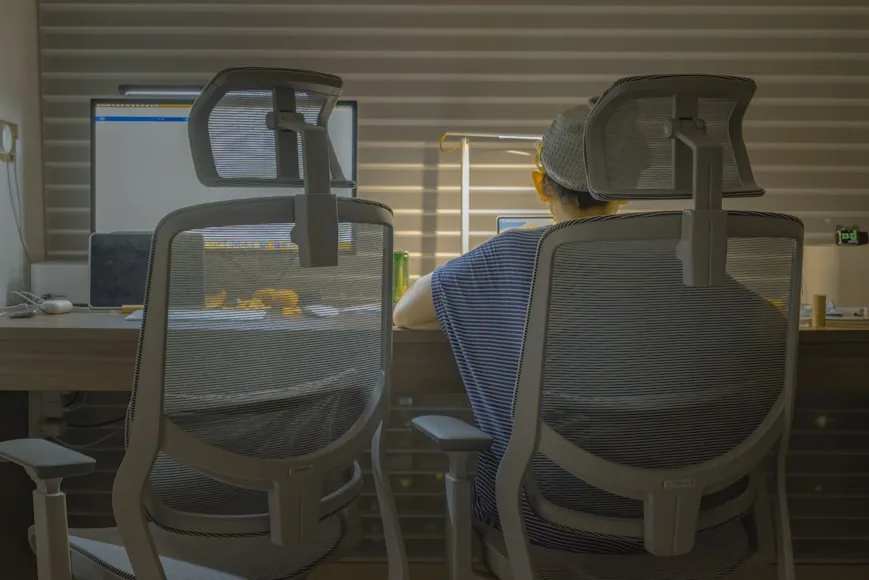
These two chairs compete for the same buyer, but they feel very different once fit range, arm behavior, and desk compatibility start to matter. This comparison focuses on where each one actually wins.
By Asikur Rahman

FlexiSpot and UPLIFT overlap until you look closely at desk depth, frame feel, and how each setup actually lives in a smaller room. This comparison focuses on the tradeoffs that matter after the spec sheet.
By Asikur Rahman

Shoulder tension often starts with a keyboard and mouse that sit just a little too far out or wide apart. The positions here usually calm things down fastest.
By Asikur Rahman
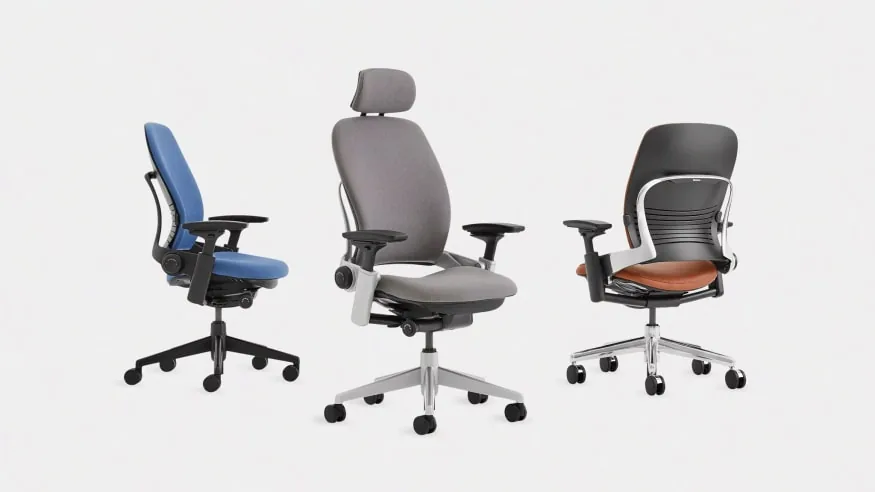
Aeron and Leap are both serious premium chairs. One asks you to pick a size and live with a suspended mesh feel. The other is one frame with more day-to-day dials and a padded seat.
By Asikur Rahman

Both tools can raise a screen, but they solve different problems. The smarter choice depends on whether posture, desk depth, or surface clutter is the real issue.
By Asikur Rahman

Budget office chairs get expensive fast when they fail on fit and mechanical durability. These under-$300 picks balance seat depth, lumbar support, and realistic lifespan.
By Asikur Rahman

On a small desk, a monitor arm only helps if the clamp fits, the arm retracts cleanly, and the screen stops stealing depth. This shortlist focuses on arms that actually solve those problems.
By Asikur Rahman

Desk depth decides whether your screen feels comfortable or constantly too close. Here is how much depth different monitor setups usually need before the desk starts feeling cramped.
By Asikur Rahman